2-9
BEFORE USE
Operating the on-screen keyboard
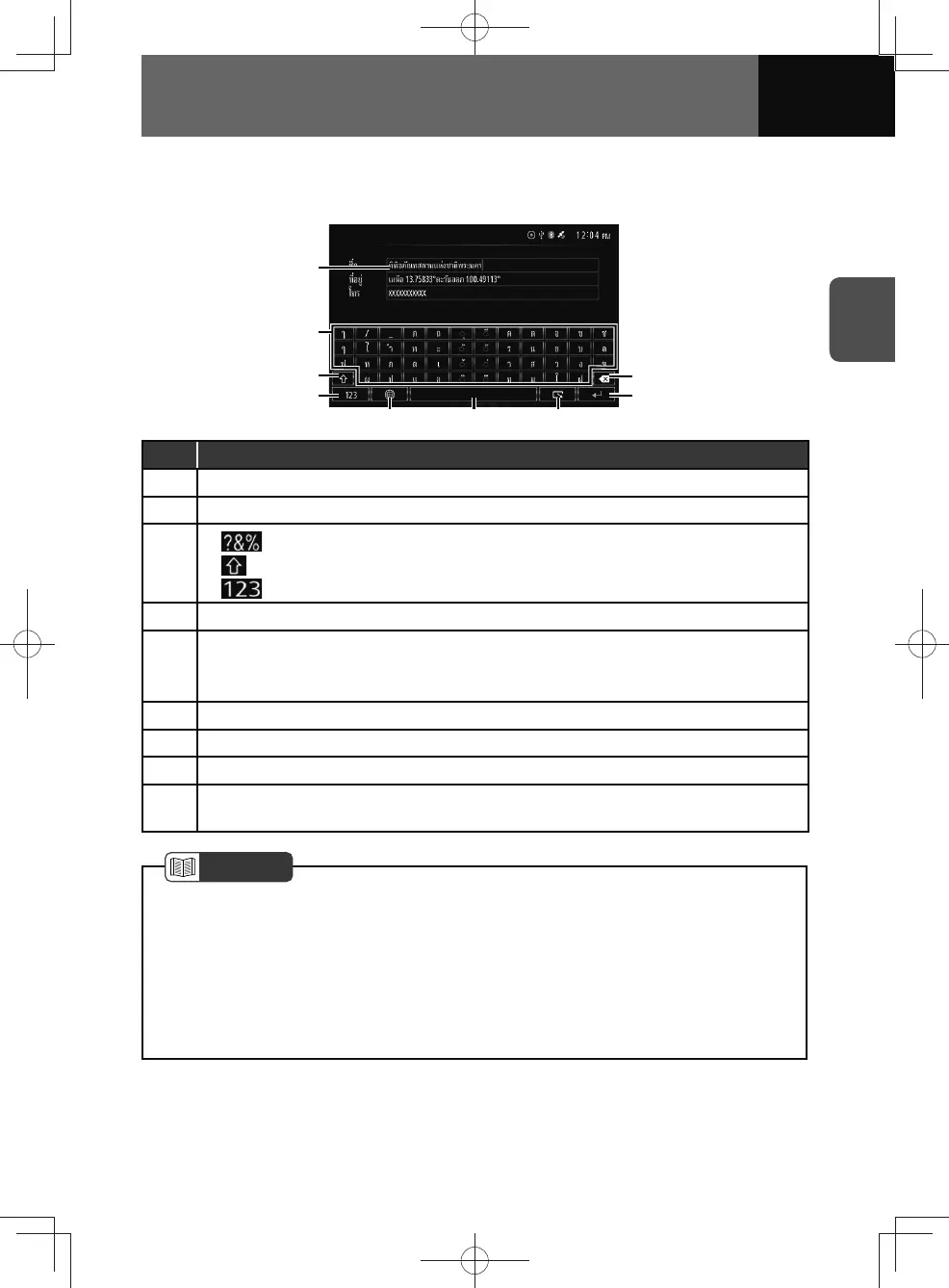
<Figure the Navi model screen>
(1)
(2)
(9)
(5) (6) (7)
(8)
(3)
(4)
No. Function
(1) Displays the entered characters.
(2) Enters the touched character in the text field.
(3)
•
: The first page and the second page on the letter keypad.
•
: Switches between upper case and lower case.
•
: Switches between symbol keypads and numeric keypad.
(4) Switches between alphabet and numbers/symbols.
(5)
Switches between keyboard languages or layouts.
• This key is available if multiple languages/layouts is set for the "Keyboard" setting in
the "System" setting. (See page 3-7)
(6) Enters spaces.
(7) Cancel the keyboard screen.
(8) Confirms the entry.
(9)
Deletes the character on the left of the cursor with a touch of the key. Deletes all the
entered characters on the left of the cursor at a time if touching and holding the key.
NOTE
• For your safety, the keyboard is disabled while the vehicle is moving. Please stop
the vehicle in a safe location to use it.
• The keys displayed on the keyboard may differ depending on the selected
keyboard languages/layouts. Keys other than the ones described here may be
displayed.
• Suggested characters may appear when characters are entered depending on the
selected keyboard languages/layouts. Touch the desired character as necessary.











 To Next Page