2-4
BEFORE USE
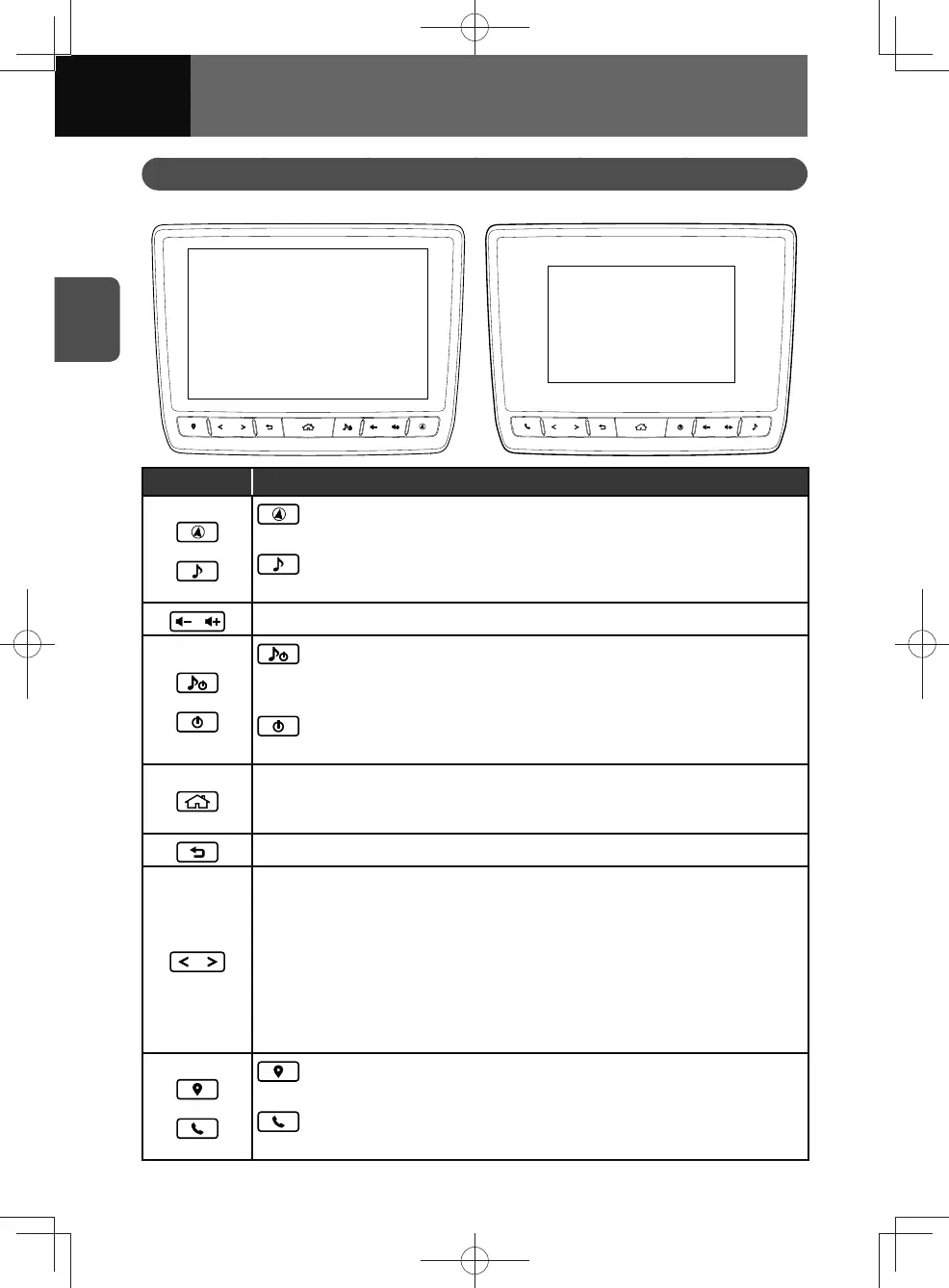
Part names and functions
<Models with NAVI> <Models without NAVI>
Button Function
or
(Models with NAVI)
• Touch to display the map screen.
(Models without NAVI)
• Touch to display the audio screen.
• Volume up/down.
or
(Models with NAVI)
• Touch and hold for more than 0.5 seconds to turn audio off.
− Touch when audio is off to turn audio on.
(Models without NAVI)
• Touch to turn audio on/off.
• Press to display the home screen.
• Touch and hold for more than 0.5 seconds to display the image quality
adjustment screen.
• Press to return to the previous screen.
<Press the button>
• Move up/down the frequency 1 step.
• Move up/down the track/file/chapter.
− Press the button twice in quick succession to return to the previous track/
file/chapter.
<Press and hold the button>
• Frequency search scans up or down and stops at the next station found.
• Fast forward/fast rewind through tracks/files/chapters.
or
(Models with NAVI)
• Touch to display the navigation menu screen.
(Models without NAVI)
• Touch to display the phone menu screen.











 To Next Page