4-22
NAVIGATION (Models with NAVI)
Search for a facility using keywords
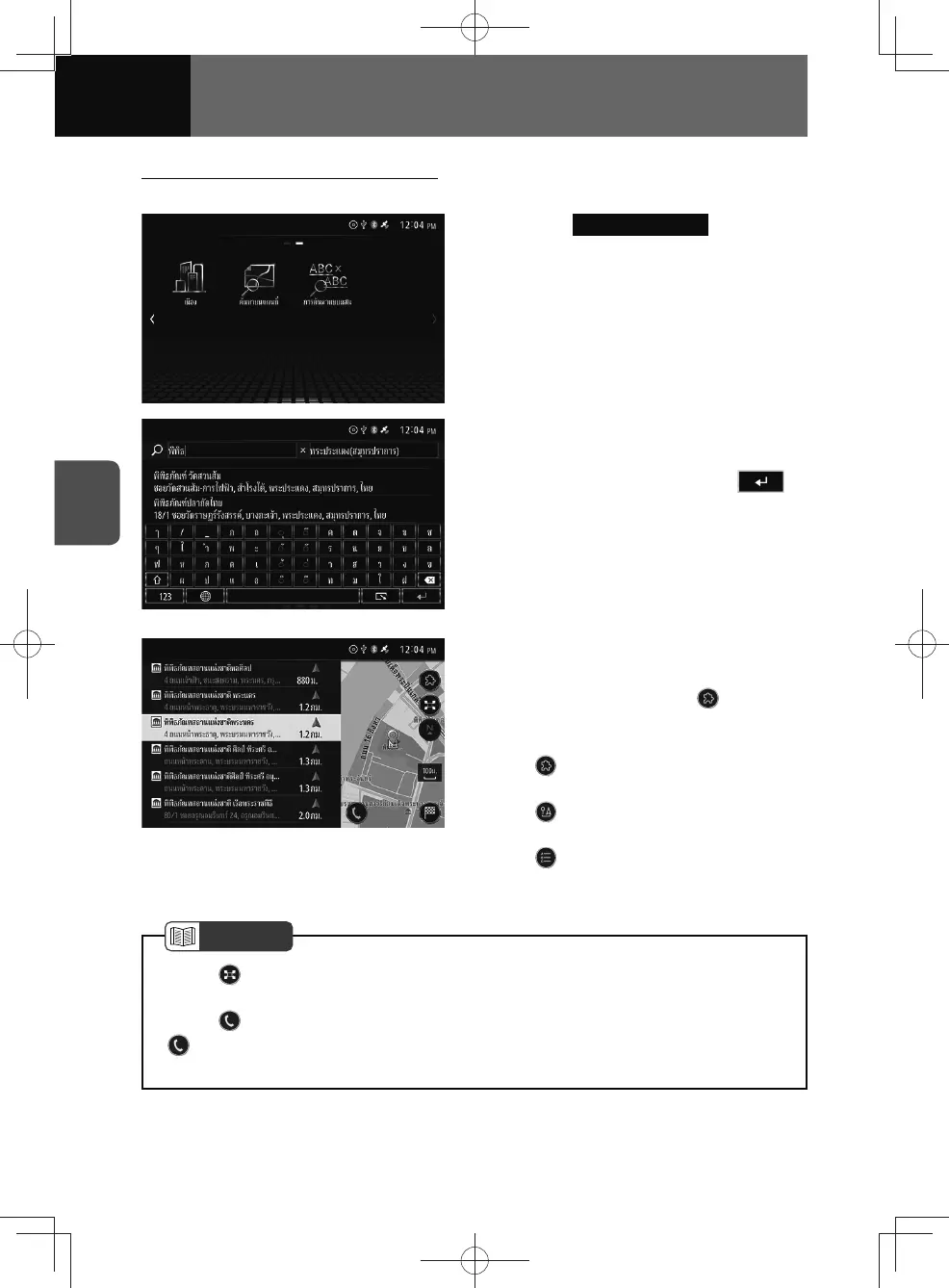
You can search your destination by entering two keywords.
1. Touch Combined Search .
2. Enter the destination name or
category you want to search for
into the text boxes, touch .
• Right-hand text box: Input a state or
city (suburb).
• Left-hand text box: Input a name or
address.
• Displays the search result on the
screen.
3. Select the desired destination
from the list.
• Each time you touch , it
changes the search results in the
following order:
: Display destinations with
names that include the input text.
: Display destinations that are
nearest to current location.
: Display destinations in
ascending order.
NOTE
• Touch , you can save the searched location (See page 4-24) or search for
POIs in surrounding areas on the location confirmation screen. (See page 4-23)
• Touch
, you can call registered telephone numbers.
•
is not displayed if you mobile phone is connected to the unit via Bluetooth
connection, or if the map data does not contain telephone number information.











 To Next Page