4-8
NAVIGATION (Models with NAVI)
Changing the scale of the map
You can change how much of the map is displayed on the screen with the following
methods.
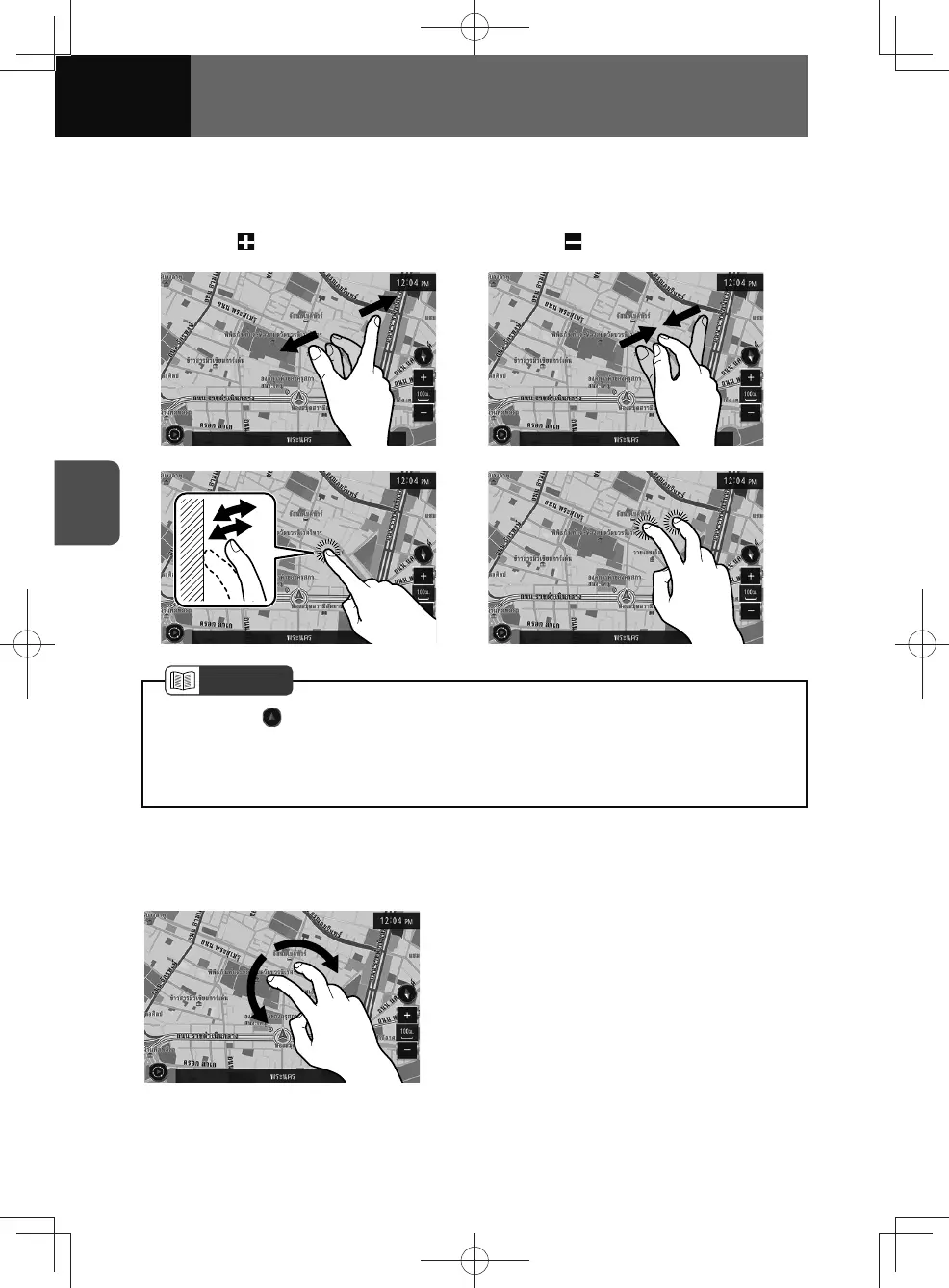
• Touching
(Zoom in) • Touching (Zoom out)
• Pinching out (Zoom in)
• Pinching in (Zoom out)
• Tapping twice with a finger (Zoom in) • Tapping once with two fingers (Zoom out)
NOTE
• By touching after zooming in to or out from the map with the pinch in/pinch out
operation, the map scale returns to the size prior to zooming in/out.
• If zooming in to or out from the map with a method other than pinch in/pinch out,
changes to the scale display are retained.
Changing the view angle of the map
You can change the view angle of the map horizontally or vertically by the following
methods.
• Touching and rotating right or left with two
fingers. (Horizontal rotation)











 To Next Page