3-33
SETTINGS
• Straight Guideline : You can select whether to display or hide the line connecting the
current position of the vehicle with the destination or with the cursor position at a
point selected by scrolling the map.
•
Track Log Display *: The track log display appears. (See page 4-32)
•
Vehicle Mark : You can select the vehicle mark shown on the map screen. If the
vehicle mark is changed to the vehicle icon, the vehicle colour can also be changed.
•
Map Theme : You can select the map display.
•
Reset : You can restore all navigation display settings.
* This cannot be selected if track log data has not been recorded.
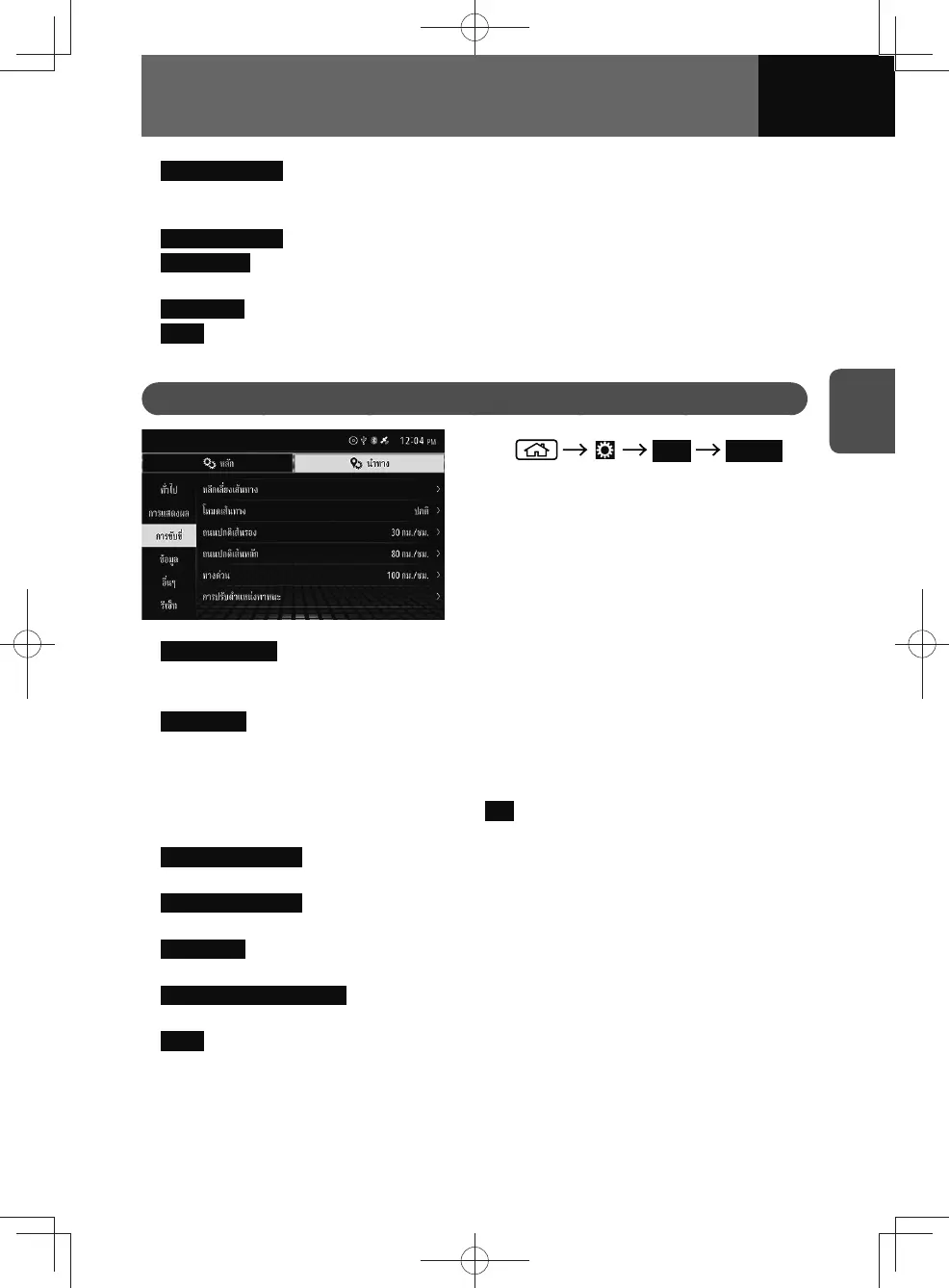
Driving Settings
1. Navi Driving
2. Touch the item you want to set.
• Route Avoidance : You can set route search conditions.
You can set which road categories to include or to avoid in the route to match the
user's preferences.
•
Route Mode : You can select the route mode from "Normal" or "Straight Line". If you
are driving on an off-road, "Straight Line", which navigates between destinations in
a straight line, is helpful.
− If the current route was set in a different mode from the one you set, a
confirmation message appears. Touch
Yes to recalculate the route and start
route guidance.
•
Minor Ordinary Road : You can set the average speed for minor ordinary roads to
calculate the estimated time of arrival.
•
Major Ordinary Road : You can set the average speed for major ordinary roads to
calculate the estimated time of arrival.
•
Expressway : You can set the average speed for expressways to calculate the
estimated time of arrival.
•
Vehicle Position Adjustment : If the position of your vehicle has deviated from your
actual location, you can correct it. (See page 3-34)
•
Reset : You can restore all navigation driving settings.











 To Next Page