4-29
NAVIGATION (Models with NAVI)
Editing the Route
1. Route Edit or
Route Edit
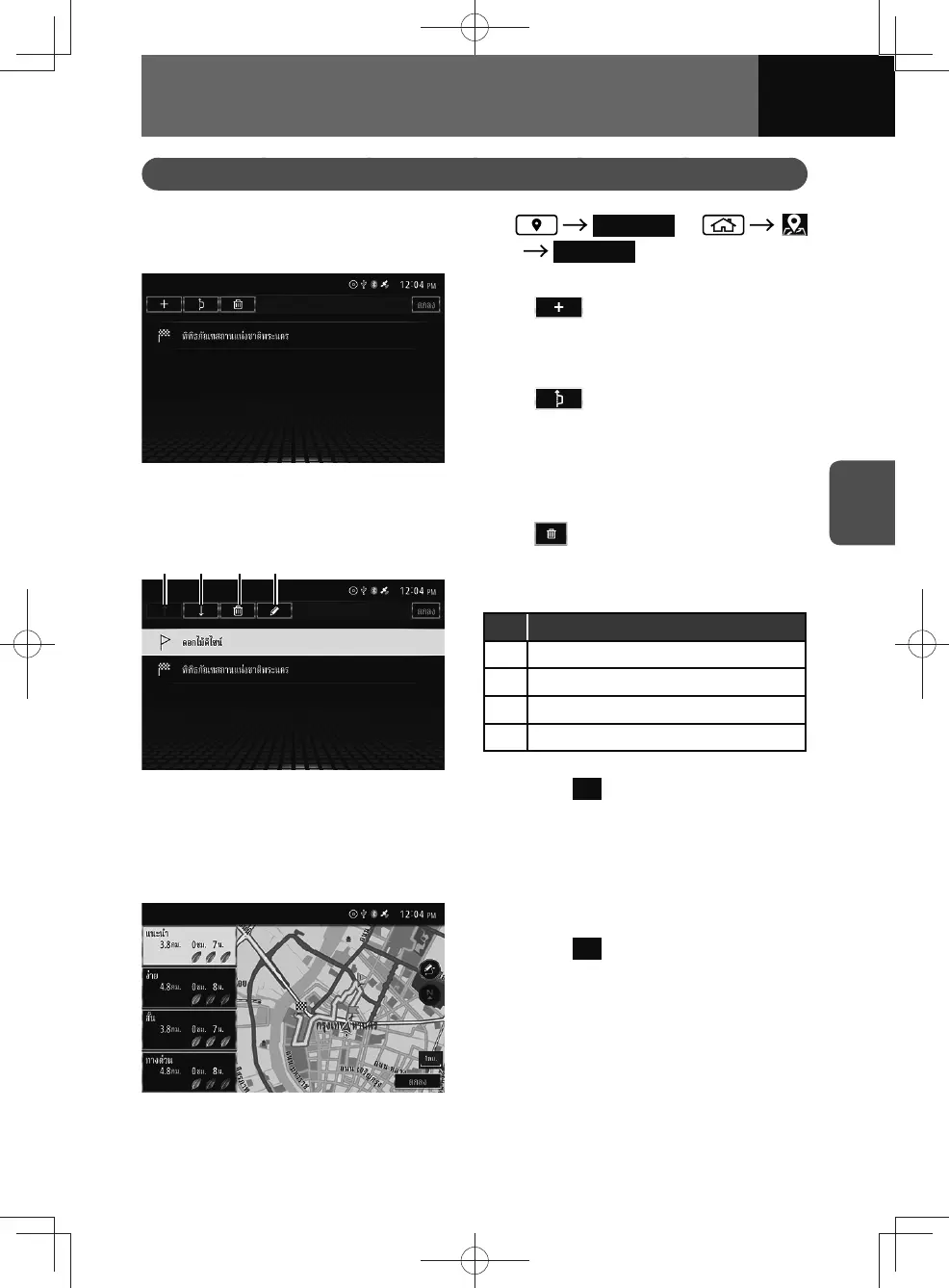
2. Touch the items you want to edit.
• : Add a waypoint.
You can up to 6 waypoints can
be added to a route, including the
destination itself. (See page 4-10)
•
: Set detour route.
You can choose a detour from
expressway, toll road, ferry route,
traffic, U-turn or unpaved road.
– This setting will only be applied
to the current route.
•
: Delete the current route.
(1) (2) (3) (4)
3. Select the desired destination or
waypoint in the list.
No. Function
(1) Moves the selected item up.
(2) Moves the selected item down.
(3) Deletes the selected item.
(4) Set again the waypoint.
4. Touch OK to save the edited
route.
• The navigation system
automatically recalculates the
route.
5. Select a route from alternatives.
6. Touch OK .











 To Next Page