2-10
BEFORE USE
How to Use the Home Screen
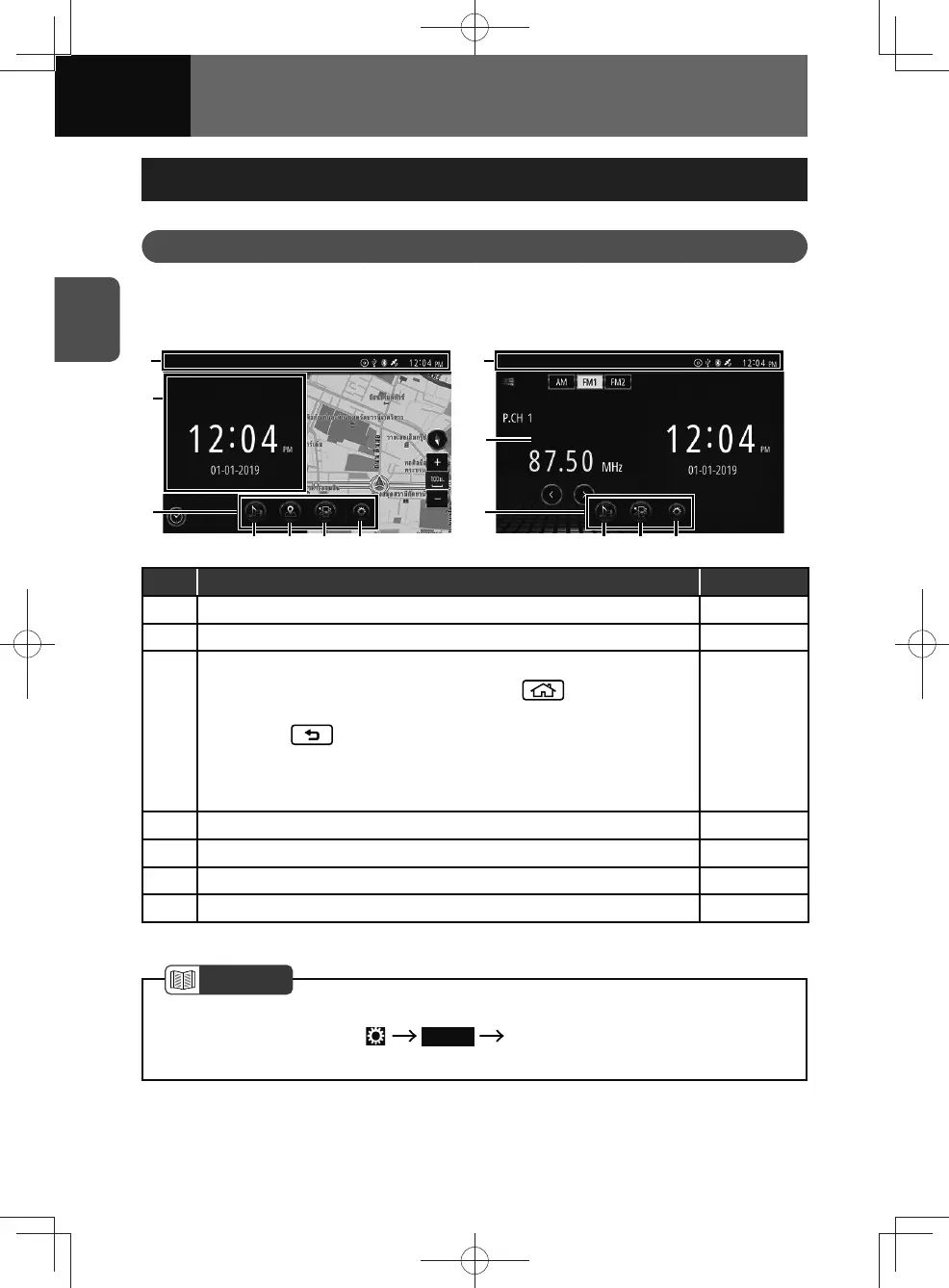
Home Screen
Buttons, information and widgets are displayed on the home screen.
Touch the buttons or drag the screen to open screens and access functions.
<Models with NAVI> <Models without NAVI>
(2)
(5)
(1)
(6)(4)
(3)
(7)
(2)
(5)
(1)
(6)(4)
(3)
No. Function Page
(1) Status bar 2-11
(2) Widget* 2-13
(3)
Menu bar
• The menu bar can be displayed by pressing
.
• The menu bar disappears in the following cases.
− When
is pressed.
− When an area of the screen other than the menu buttons is
touched.
− When the unit is not operated for 10 seconds.
—
(4) Audio menu button 5-2
(5) Connected menu button 7-5
(6) Setting menu button 3-2
(7) Navigation menu button 4-4
* Only with two-screen display
NOTE
• The default setting for models without a navigation system is full-screen. To enable
two-screen display, touch Display "Home Screen" setting is turn "ON".
(See page 3-16)











 To Next Page