6-10
HANDSFREE
Receiving a Call
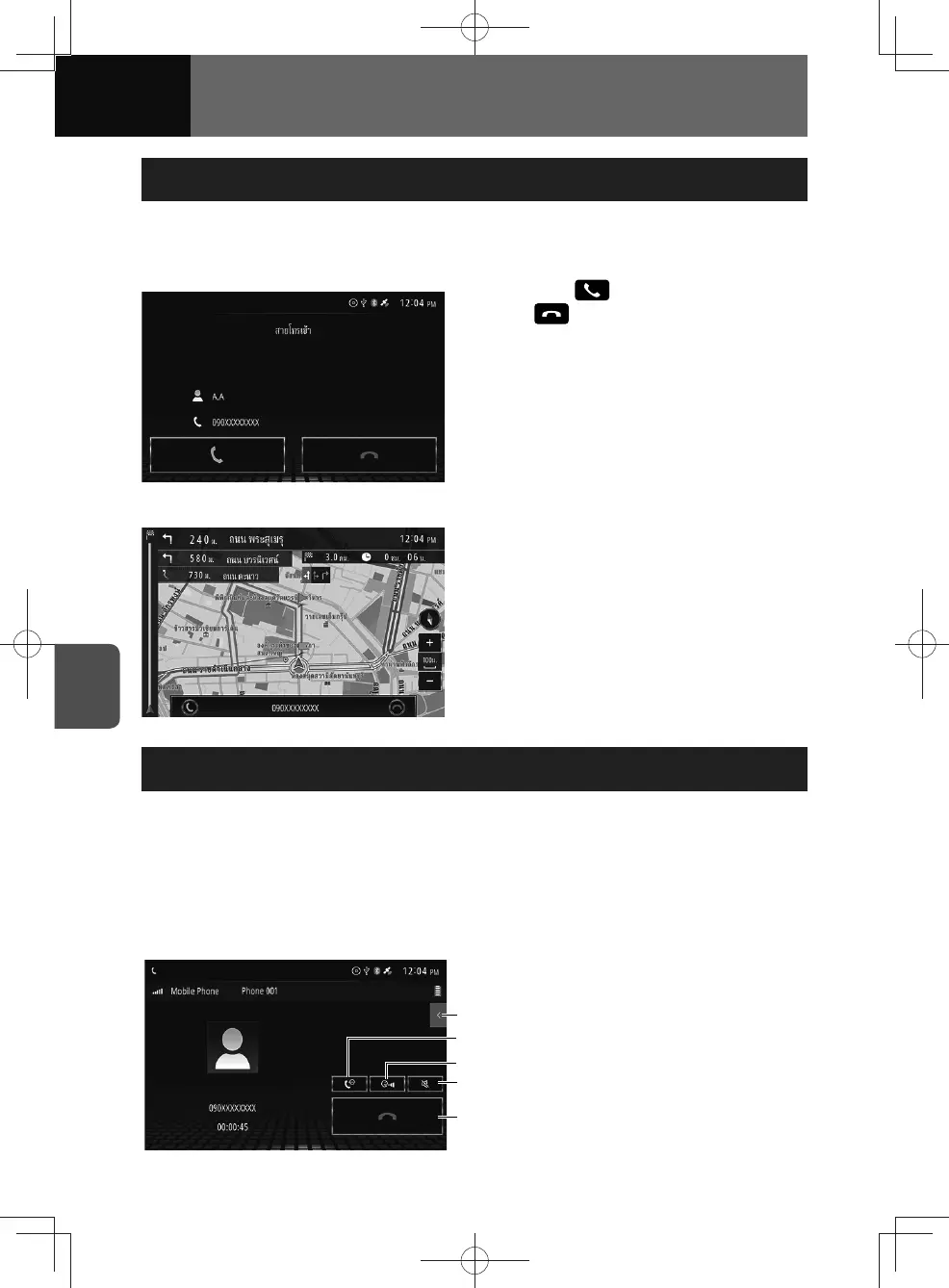
When a call arrives, a ringtone sounds and the incoming call screen appears. When
the call is received, the screen is switched to the talking screen automatically.
<Incoming call>
1. Touch if the phone rings.
• : Hang up and reject the
incoming call.
<Receiving calls during navigation>
Operations During a Call
During a call, the outgoing call or incoming call talking screen is displayed, and you
can perform the following operations:
• Adjusting call volume (See page 6-11)
• Ending a call (See page 6-11)
• Entering numeric buttons (See page 6-12)
• Call waiting/three-way calling (See page 6-12)
(4)
(3)
(1)
(2)
(5)
(1) On-hook button
(2) Mute call button
(3) Call volume button
(4) Switch audio output button
(See page 6-11)
(5) Numeric keypad displaying
button











 To Next Page