3-17
SETTINGS
Animation effect settings
Enables and disables a smoothing effect when transitioning between screens or using
a flick gesture.
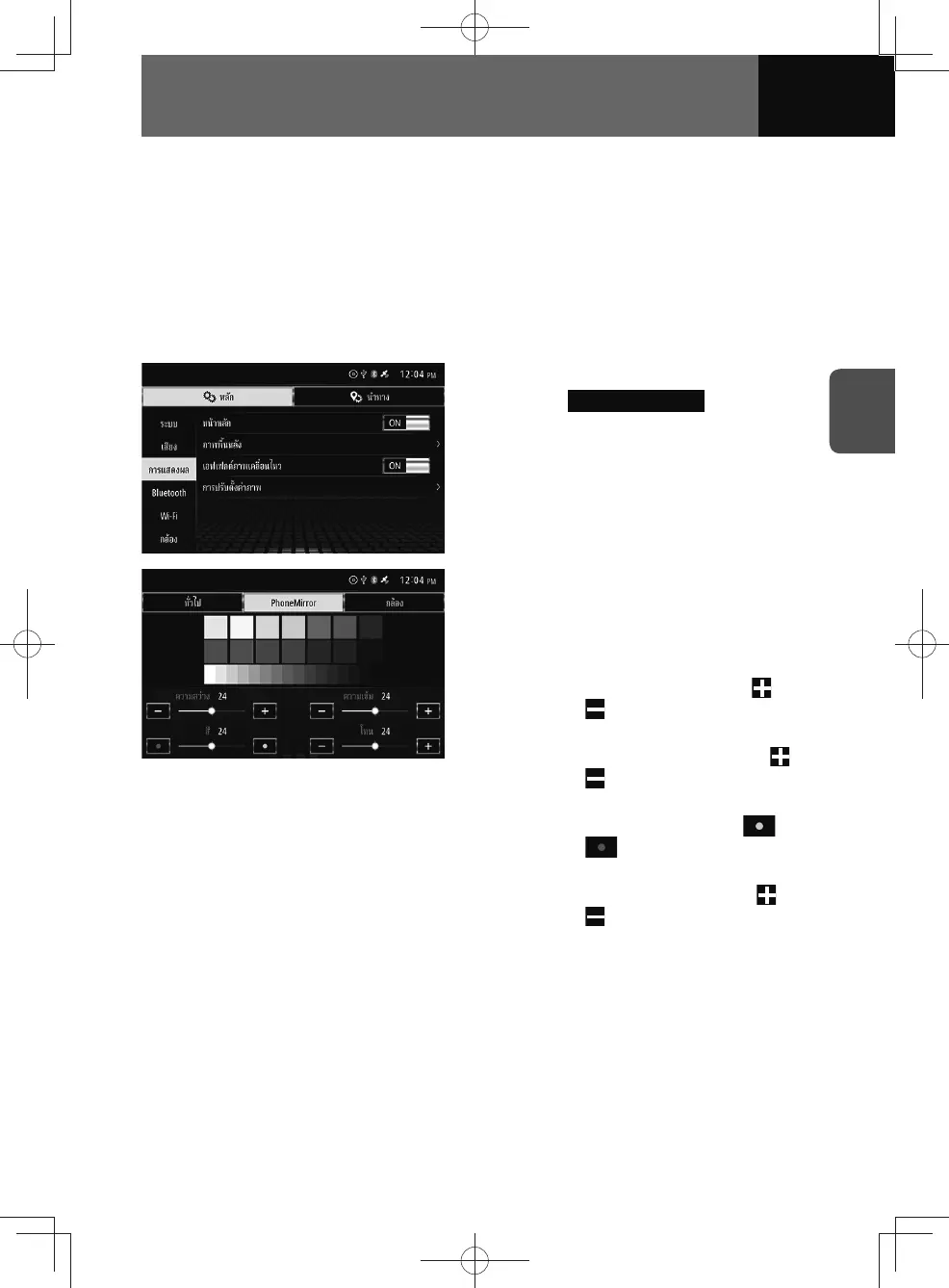
1. On the Display setting screen, touch the toggle button in "Animation
Effects".
• Touch "ON/OFF" to change the setting of animation effects.
Screen settings
1. On the Display settings screen,
touch Image Adjustment .
2. Touch the feature you want to
adjust on the top of the screen.
3. Set your desired picture quality.
• Contrast:
To boost the contrast, touch
.
Touch to lower it.
• Brightness:
To boost the brightness, touch
.
Touch to lower it.
• Colour (PhoneMirror only):
To boost the greens, touch
.
Touch to boost the reds.
• Tone (PhoneMirror only):
To darken the colours, touch
.
Touch to lighten them.











 To Next Page