4-27
NAVIGATION (Models with NAVI)
Route
Checking the Route
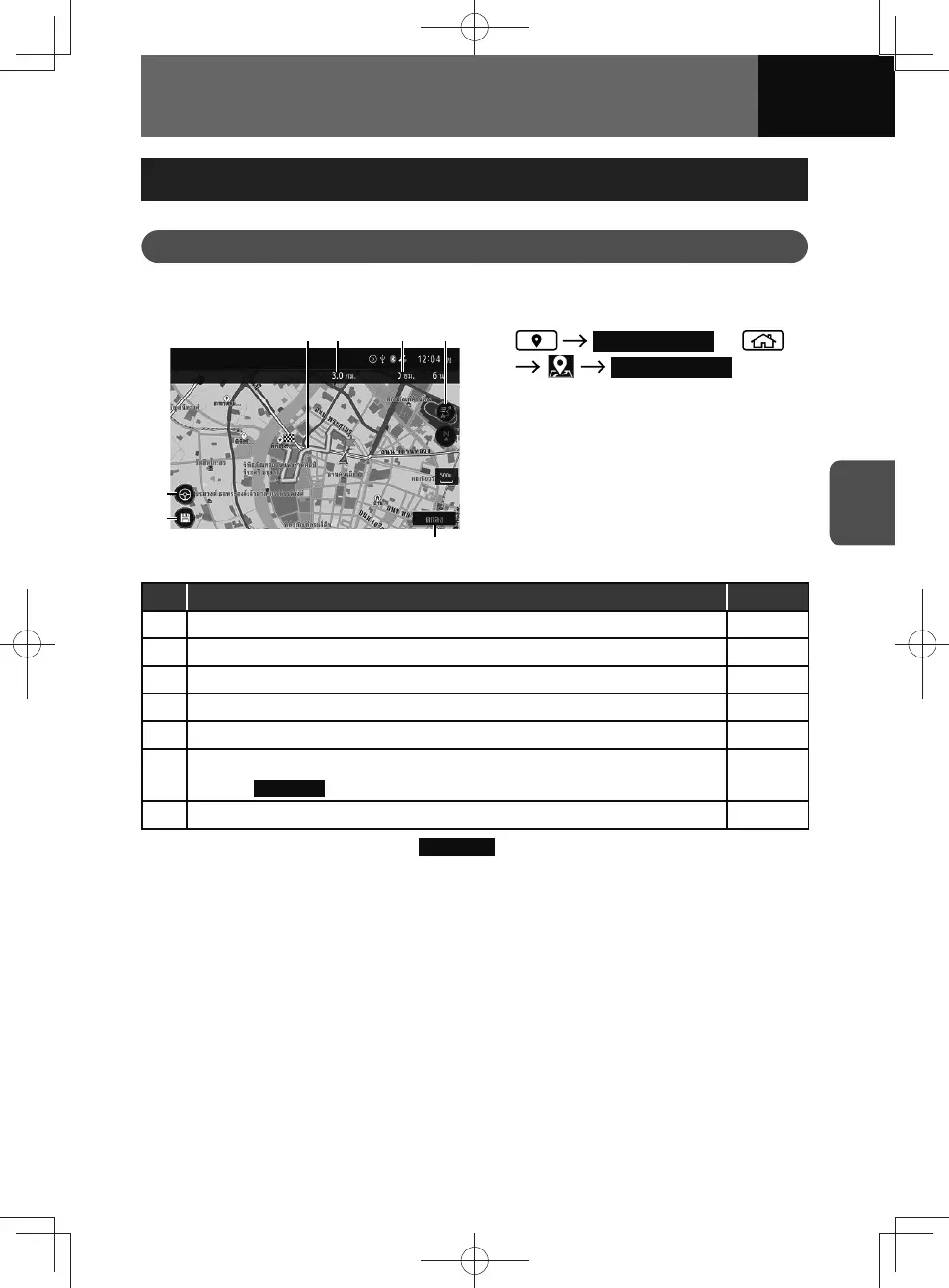
Checking the route overview
(1)
(5)
(2) (3) (4)
(7)
(6)
1. Route Overview or
Route Overview
No. Function Page
(1) Route indicator. —
(2) Distance to the destination. —
(3) Estimated remaining time to the destination or waypoint. —
(4) Displays the route point list.* 4-28
(5) Display the current position map. —
(6)
Saves the displayed route.
• Touch
Load Route to open saved route data.
4-30
(7) Start the route simulation. 4-28
* This button is displayed only when
Route Mode is set to "Normal". (See page 3-33)











 To Next Page