6-16
HANDSFREE
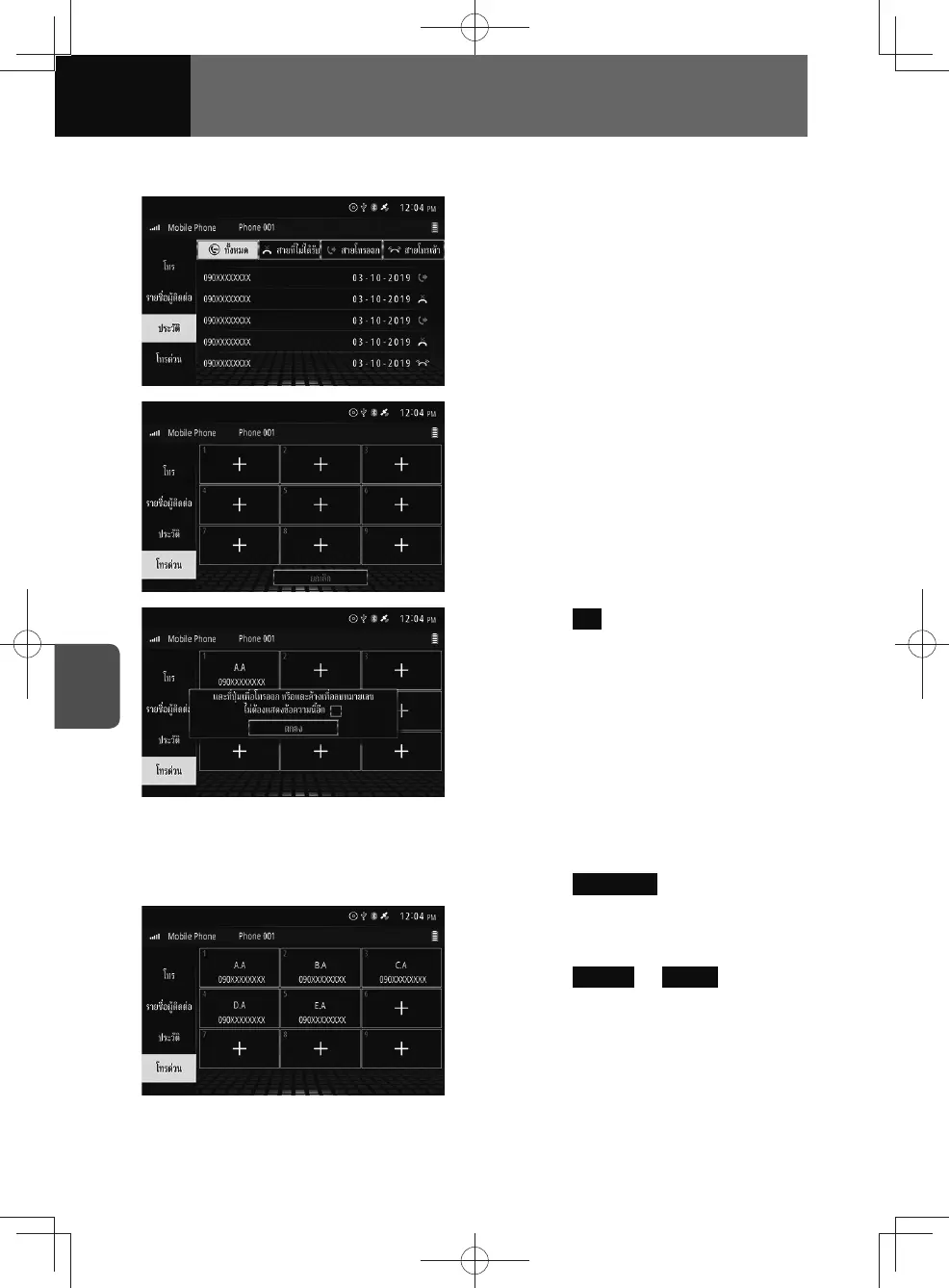
Registering from histories
1. Touch and hold the desired item
on the history screen for more
than 1 second.
2. Touch the desired number in the
speed dial list (1-9).
3. Touch OK .
Registering from the speed dial list
1. Touch Speed Dial .
2. Touch the desired empty number
(1-9) on the speed dial list screen.
3. Touch Contact or History , and then
touch and hold the desired item
for more than 1 second.











 To Next Page