3-20
SETTINGS
Adding a mobile phone or portable device
You can add up to 5 mobile phones or portable devices to this unit.
• Make sure the Bluetooth setting on the adding mobile phone or portable device is
on.
− Go to "Settings"
"Bluetooth" on your iPhone or Android smartphone, and turn
the "Bluetooth" toggle switch on.
− For Bluetooth settings for mobile phones and portable devices, please consult
the user manual of the mobile phone or portable device.
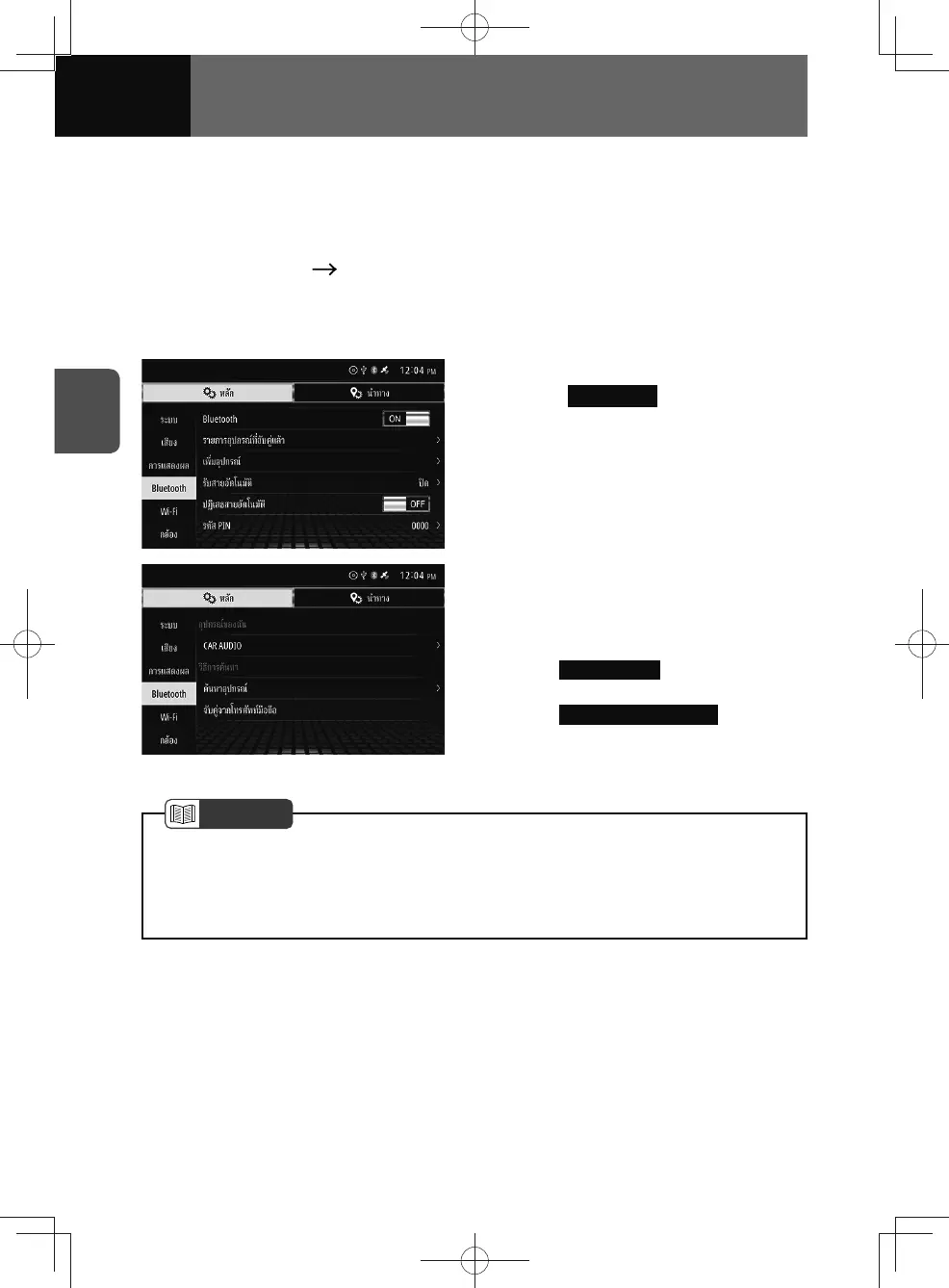
1. On the Bluetooth settings screen,
touch Add Device .
• This displays the pairing screen
for mobile phones and portable
devices.
2. Touch the desired registration
method.
• Pair the device using one of the
following two methods.
–
Search Device : Pair from this
device (See page 3-21)
–
Pair from Mobile Phone : Pair from
a mobile phone or portable
device (See page 3-23)
NOTE
• See "Switching devices" on page 3-27 for connecting/disconnecting added mobile
phones or portable devices.
• If you wish to pair 6th device, you must delete the pairing of one of the other
device, see "Delete a device" on page 3-19.











 To Next Page