2-15
BEFORE USE
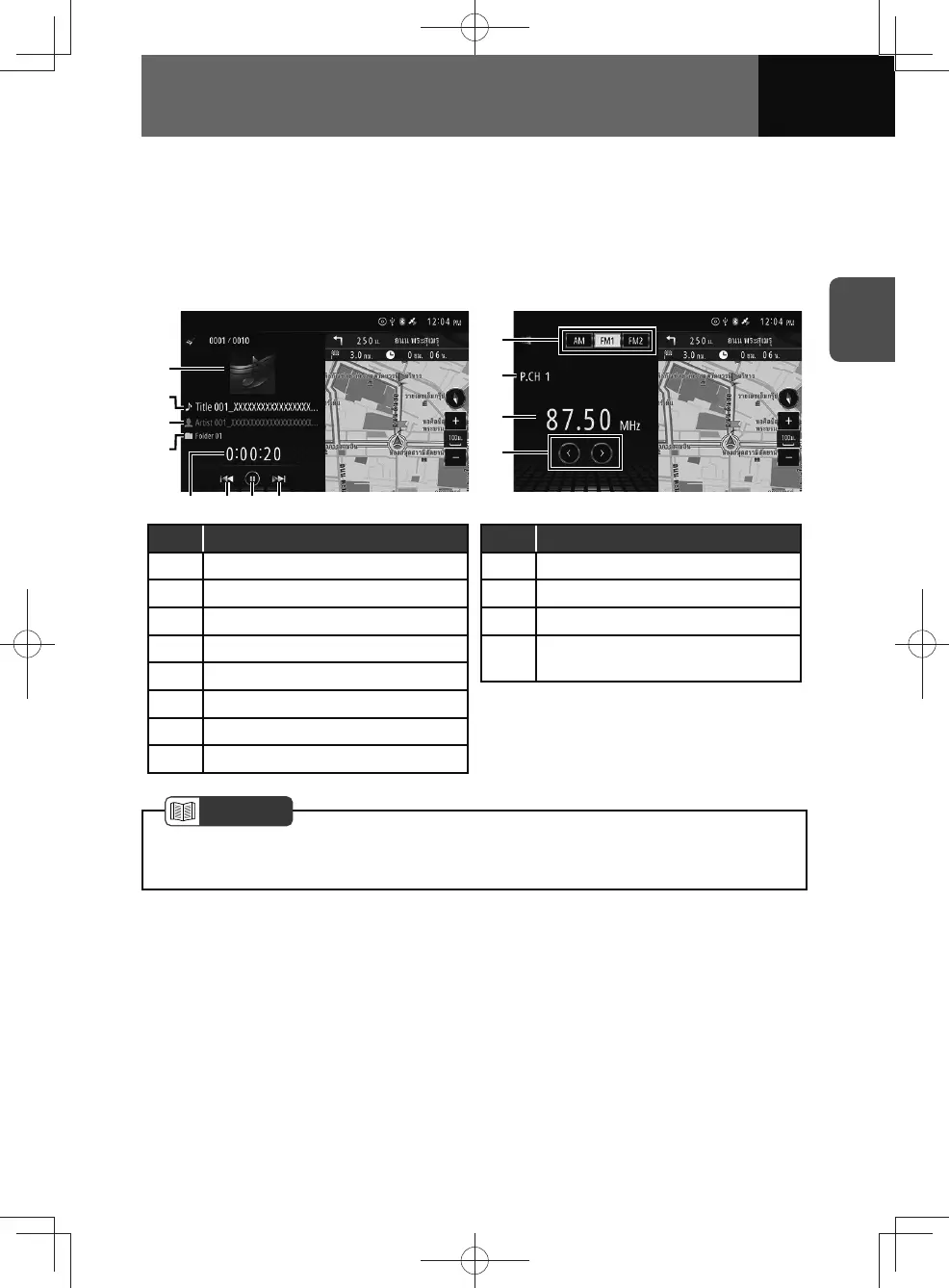
Audio source widget
The audio source widget can be used to display information and controls relating to the
audio source running at that time.
Touching anywhere inside the widget except the touch screen buttons switches the
current audio to full-screen display.
<Disc/USB/iPod/Bluetooth audio menu> <Radio (AM, FM) menu>
(1)
(4)
(3)
(2)
(5)
(8)
(6)
(7)
(1)
(2)
(3)
(4)
No. Function
(1) Album artwork
(2) Track/file name
(3) Artist name
(4) Folder/album name
(5) Play time
(6) Previous
(7) Play/pause
(8) Next
No. Function
(1) AM/FM switching
(2) Preset channel number
(3) Currently tuned frequency
(4)
Performs manual tuning or seek
tuning
NOTE
• Album artwork may not be displayed depending on the media or device being
played.











 To Next Page