3-6
SETTINGS
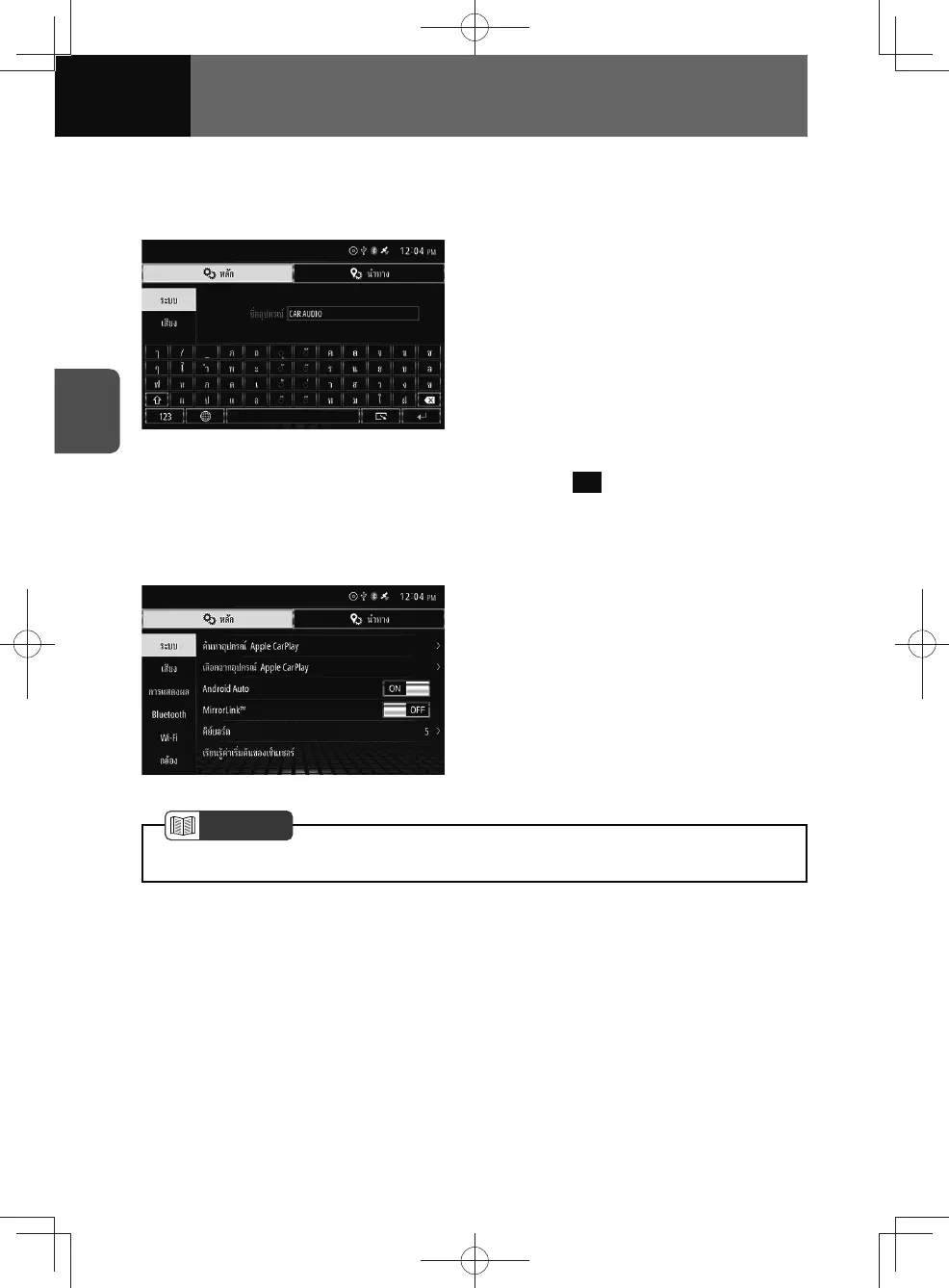
Device name settings
You can change the device name that is used for identifying this unit when connecting
this unit with other devices.
1. On the System setting screen,
touch "Device Name".
2. Touch the "Device Name" field,
enters the character.
• The default device name is "CAR
AUDIO".
• For keyboard operation, see
"Operating the on-screen keyboard"
on page 2-9.
3. Touch OK .
Android Auto settings
You can turn Android Auto on and off.
1. On the System setting screen,
touch the "Android Auto" toggle
button.
• Touch "ON/OFF" to change the
setting of Android Auto.
• Turning Android Auto on will turn
MirrorLink™ off.
NOTE
• See "Android Auto" on page 7-10 for more information about Android Auto.











 To Next Page