3-31
SETTINGS
Displaying the Navigation Settings Screen
Common Settings
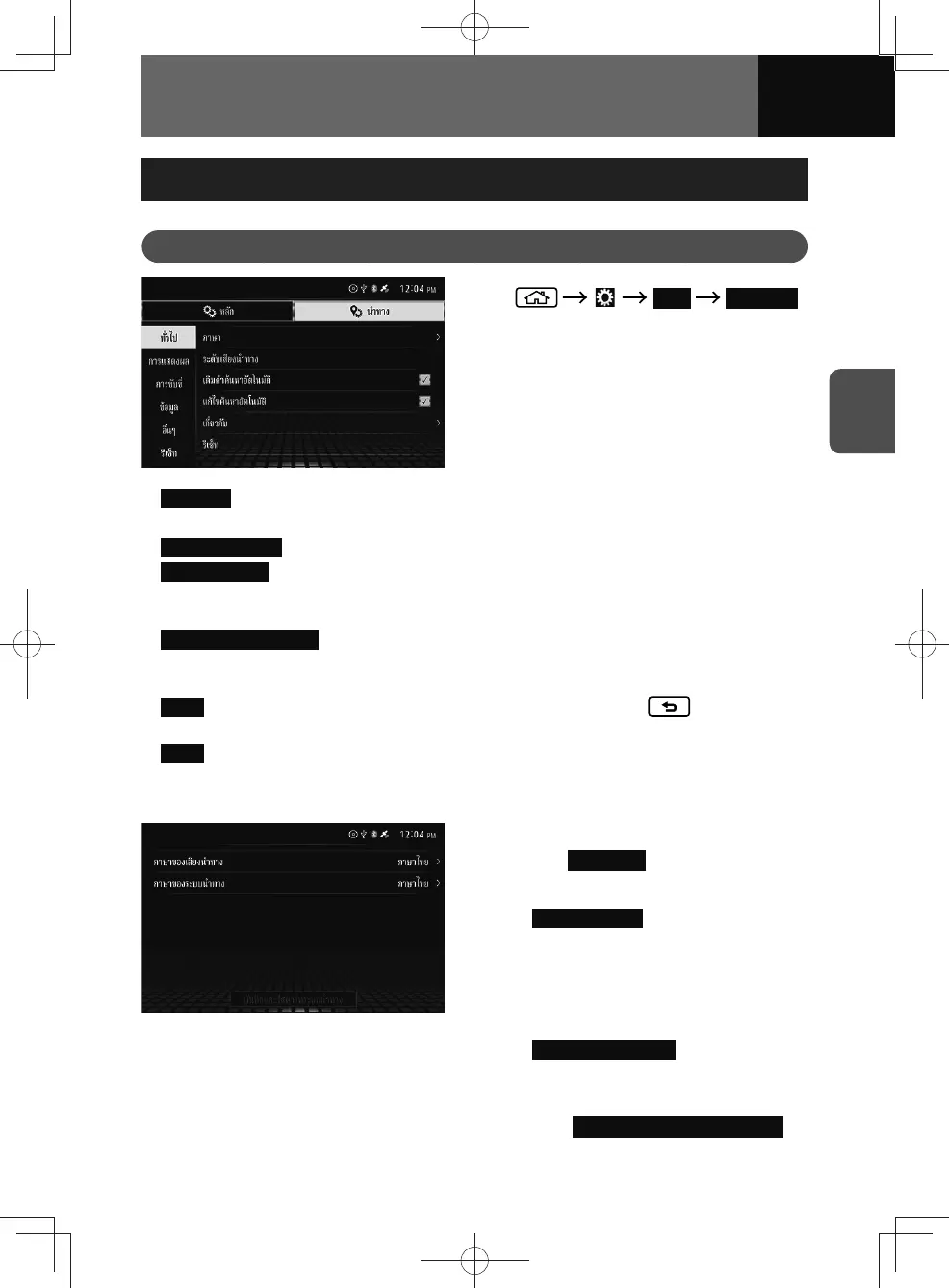
1. Navi Common
2. Touch the item you want to set.
• Language : You can select the navigation system language. (See page 3-31)
− The system language can be set at the main settings screen. (See page 3-3)
•
Guidance Volume : You can adjust the volume of the route guidance.
•
Search/Auto Fill : When you enter characters to search for a location by name, the
system will automatically search the database and show possible keywords in the
text input area.
•
Search/Auto Correction : When you enter misspelled text to search for a location by
name, the system will automatically search the database for a possible keywords
and display corresponding search results.
•
About : You can check the map version information. If you press , you can
return to the previous screen.
•
Reset : You can restore all navigation common settings.
Language Settings
1. On the Common settings screen,
touch Language .
2. Touch the item you want to set.
• Voice Language : When being guided
to a destination, details such as
distance, names (road names) and
direction relating to the next point
of your journey will be spoken out
loud.
•
Navigation Language : Sets the
language that you want to use on
the screen.
3. Touch Save and Restart navigation .
• The navigation system restarts.











 To Next Page