3-25
SETTINGS
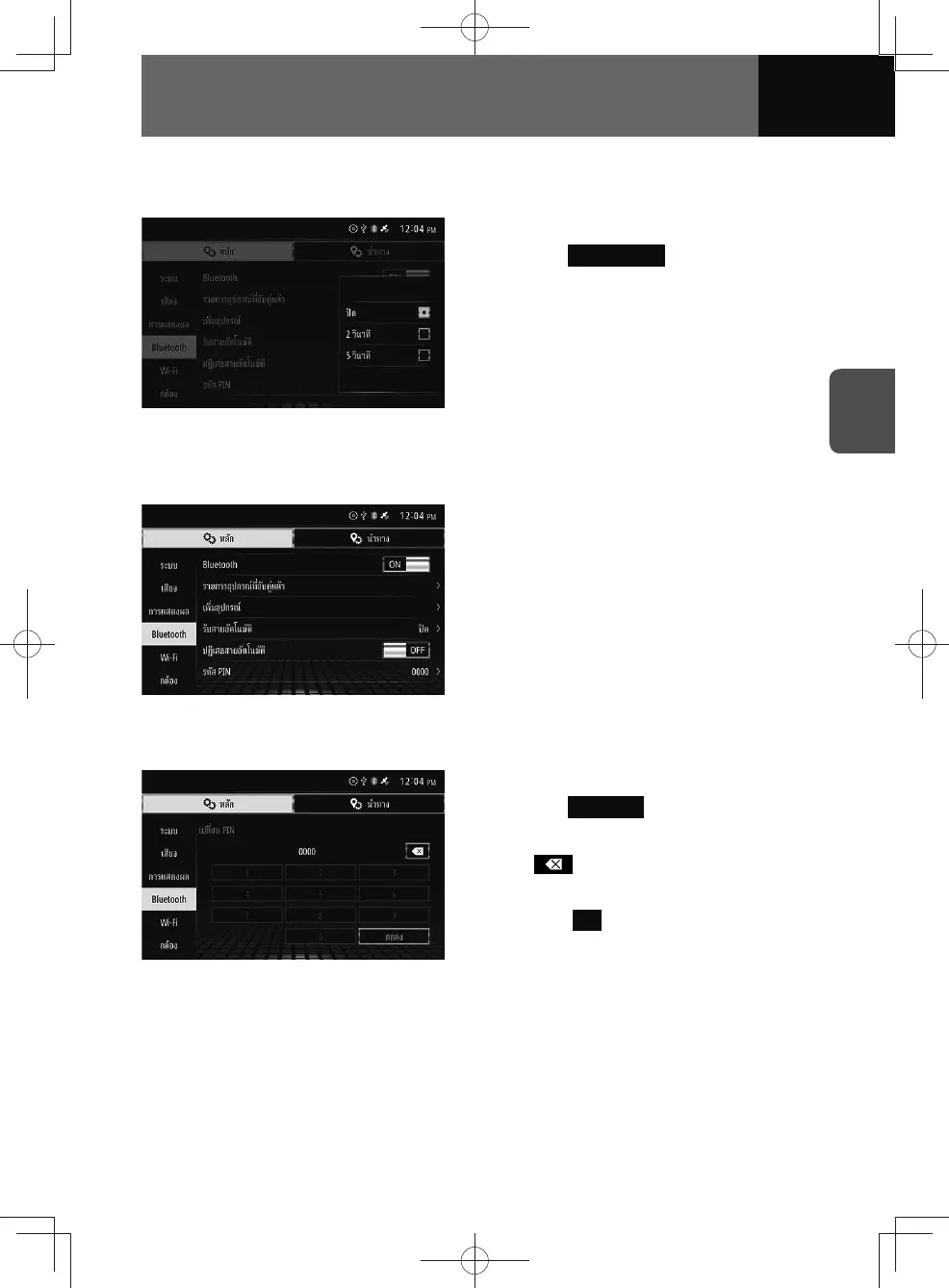
Auto-answer settings
This allows you to automatically accept incoming phone calls.
1. On the Bluetooth settings screen,
touch
Auto Answer .
2. Touch the setting you want.
Auto-reject settings
This allows you to automatically reject incoming phone calls.
1. On the Bluetooth setting screen,
touch the toggle button in "Auto
Rejecting".
• Touch "ON/OFF" to change the
setting of auto rejecting.
Changing passcodes
1. On the Bluetooth settings screen,
touch PIN Code .
2. Enter the number you want.
• : Touch to delete the number
entered one digit at a time.
3. Touch OK .











 To Next Page