2-12
BEFORE USE
No. Function
(3)
Current time:
•
When the "Clock Display" is on, the current time screen appears. (See page 3-4)
NOTE
<Models with NAVI>
• The status bar disappears when no operation is performed for several seconds on
the map screen. Touch the map screen to display the status bar again.
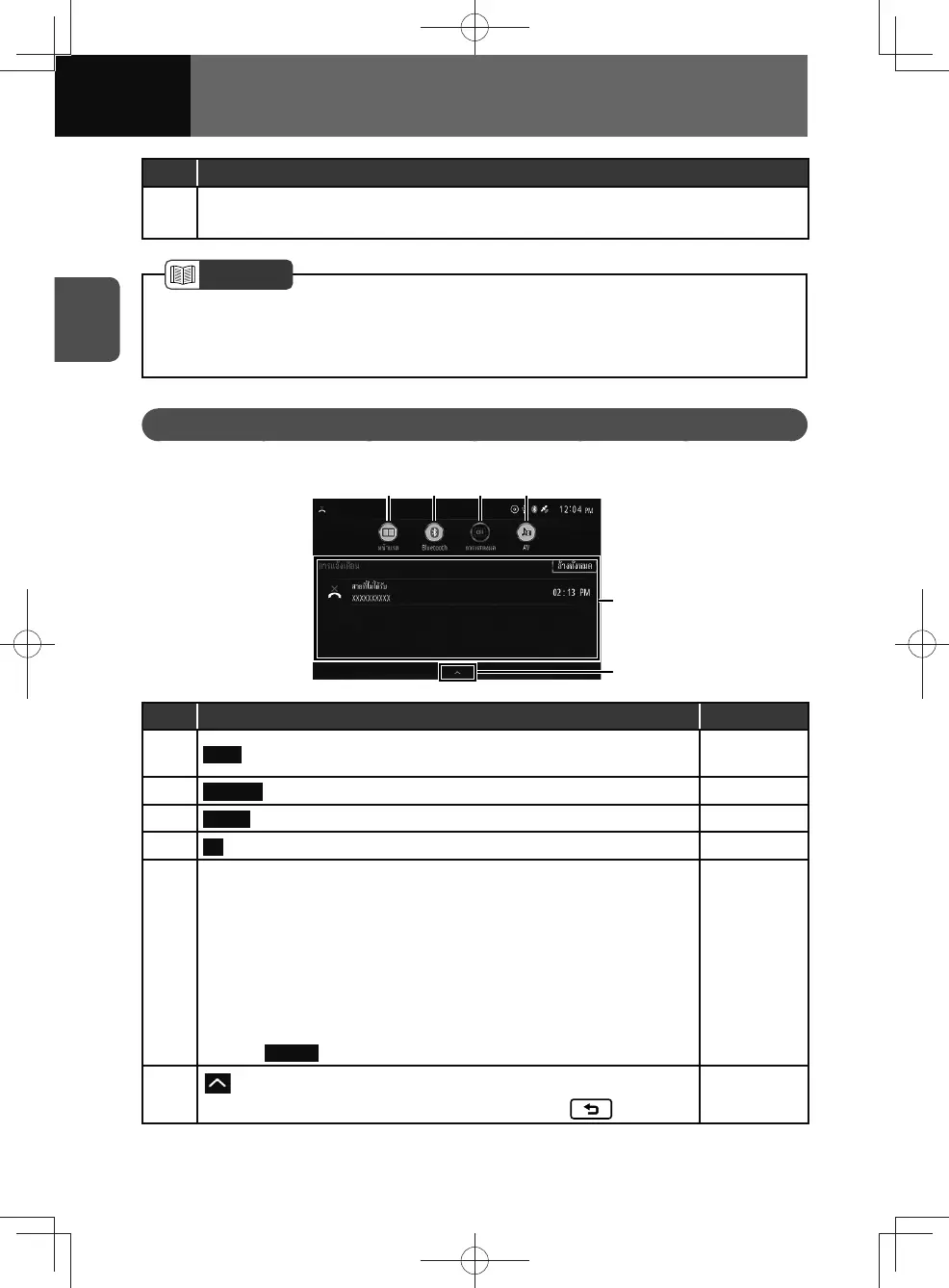
Information Screen
Drag the status bar to the bottom to display the information screen.
(6)
(5)
(1) (2) (3) (4)
No. Function Page
(1) Home : Turns the home screen to one screen or two screens.
2-10
3-16
(2)
Bluetooth : Turns the Bluetooth function on or off. 3-18
(3) Display : Turns the screen off. —
(4) AV : Turns the audio source on or off. —
(5)
Notification display area:
• Displays the following notification types:
− Missed call information
− Calling information
− USB device error information
− USB over current information
− System & Data update information
• Drag or flick left/right the item to delete the item.
• Touch
All Clear to delete all item.
—
(6)
: Closes the information screen if dragging the key up.
• The information screen can also be closed with the
button.
—











 To Next Page