5-35
AUDIO
Searching for a video
You can search for your desired video by track, time or number (number assigned to
each content item).
Searching for a video
1. Touch / , or press .
• or :
– Touching once will return to the start of the current track.
– Touching twice in quick succession will return to the previous track.
•
or :
Advance to the next track.
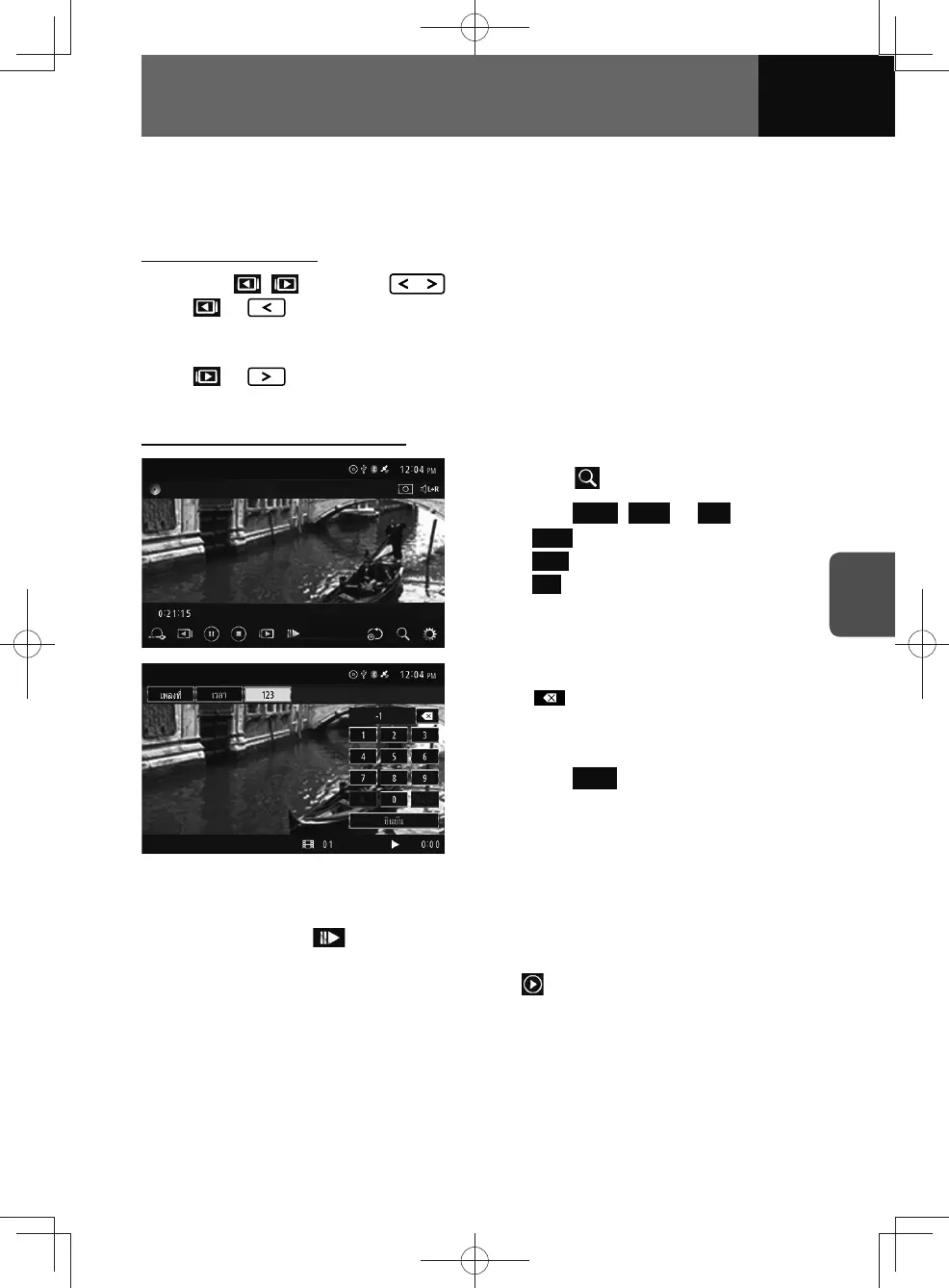
Search using the touch function
1. Touch .
2. Touch Track , Time or 123 .
• Track : Search by track number.
•
Time : Search by playback length.
•
123 : Search by menu number
(the number used to separate the
content).
3. Enter number or value.
• :
Touch to delete the number entered
one digit at a time.
4. Touch Enter .
Playback in slow motion
1. Touch and hold for more than 0.5 seconds.
• Touch again to change the playback speed in 3 stages.
• To cancel the slow motion playback, touch
.











 To Next Page