Integritest Exacta Filter Integrity Test Instrument
Operating and Maintenance Manual Running a Test 127
PROCEDURE
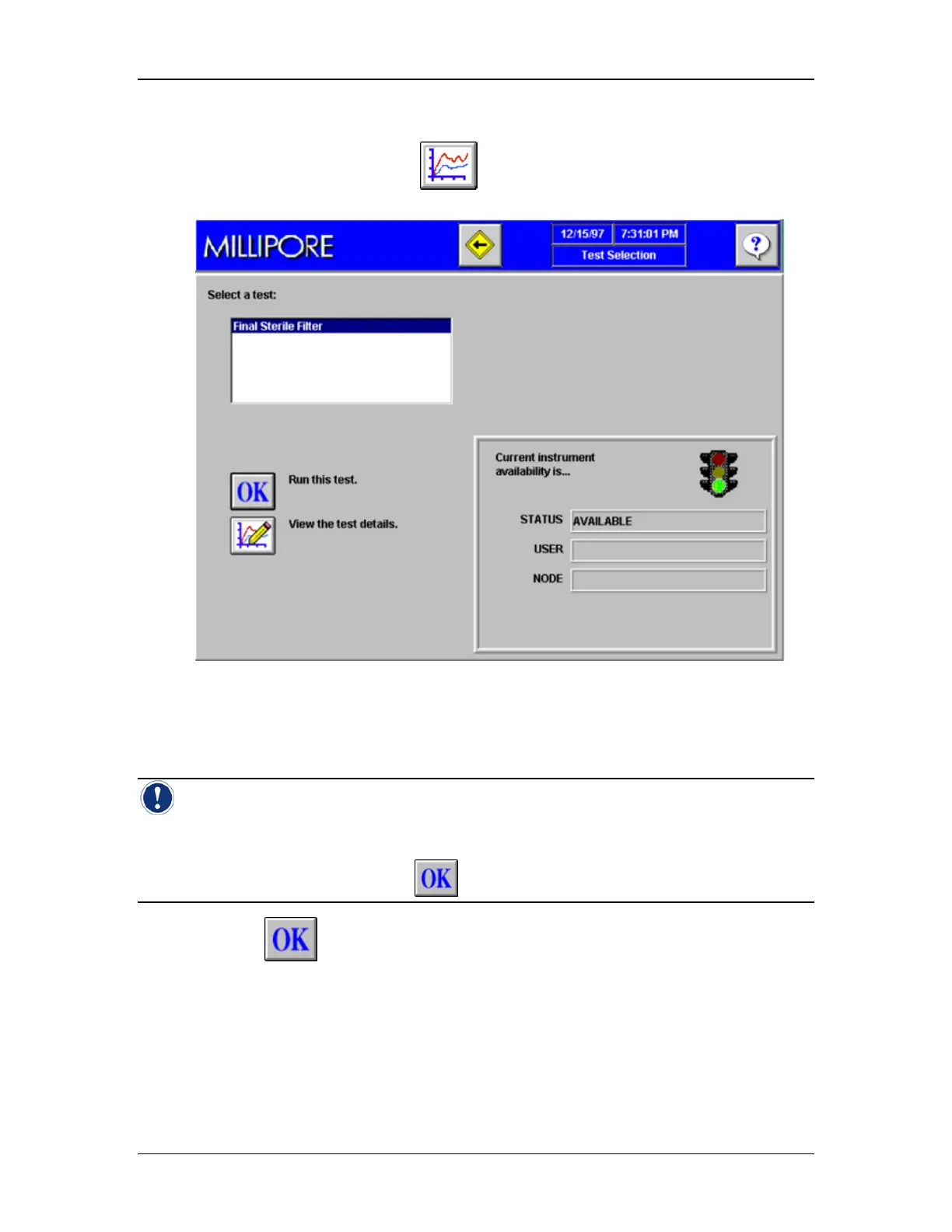
1. From the Main Menu, click to go to the Test Selection Screen (Figure 49).
Figure 49: Test Selection Screen
2. Click your cursor in the list box labeled “select a test”.
3. Highlight the test to be run.
Note: This screen indicates whether the unit is “AVAILABLE” for running tests. The unit
may not be available if a user has locked out the instrument for maintenance, if the instrument
is warming up or if a calibration test has failed. In each of these cases an appropriate message
will appear in the “status” box and the
icon will not be visible.
4. Click to run the test that has been selected.
This will cause the Operator Input screen to appear (Figure 50)



 To Next Page