Millipore System Documentation Set
76 Operating and Maintenance Manual Publication XITXSP121 P Rev.A
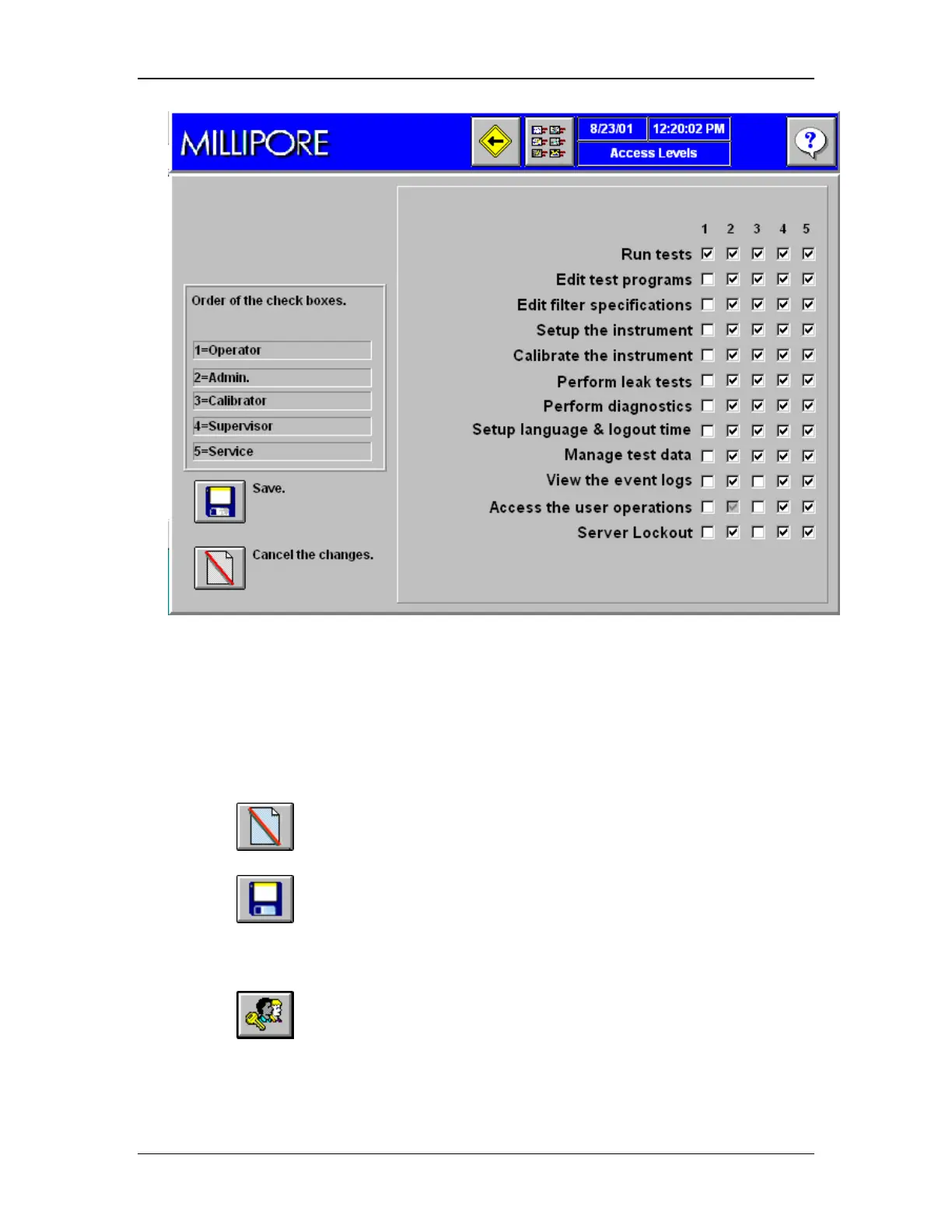
Figure 32: User Access Levels Screen
Modify User Category Access Levels
1. The numbers (1–5) at the top of each column correspond to a user category
(e.g. 1 = operator).
2. For each user category, select the boxes under the user number to the right of each
task that user will be allowed to perform.
3. Click to cancel the changes and restore the previous user category access
levels..
4. Click to save the changes.
Add Users
1. Go to the User Operations Screen (Figure 31).
2. Click to open to the User Management Screen (Figure 33).
This screen defines:
• User names
• Access levels above that of the default operator settings



 To Next Page