Millipore System Documentation Set
146 Operating and Maintenance Manual Publication XITXSP121 P Rev.A
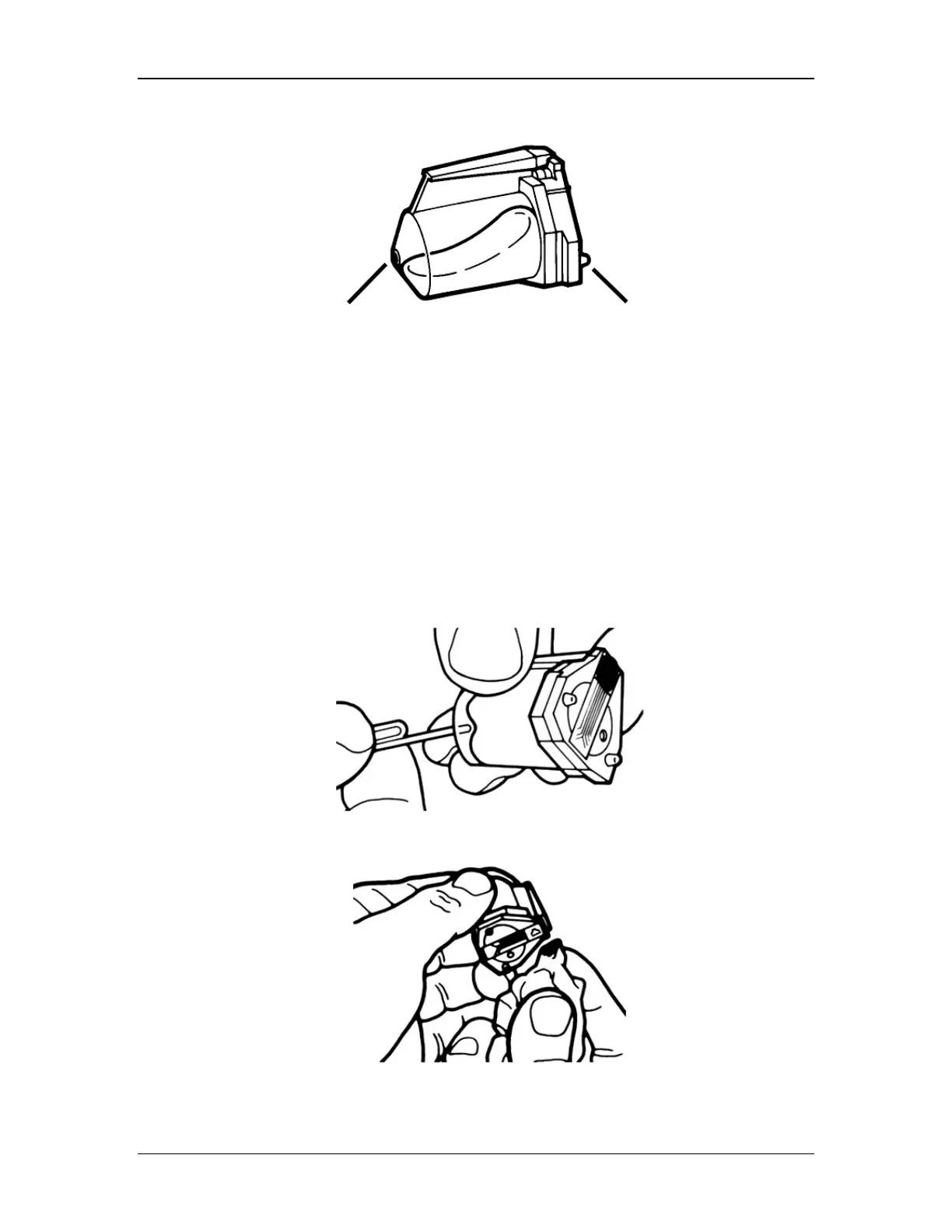
Replacing the Ink Cartridge
FRONT BACK
Figure 54: HP Inkjet Cartridge (Catalogue No. XITXSP105)
1. Lower plastic retaining clip.
2. Lift the old cartridge from holder.
3. Prime the new cartridge according to the Hewlett-Packard instructions (Included
below).
4. Place the new cartridge in the holder. The front of the cartridge should face the front of
the Integritest Exacta instrument.
5. Make sure the cartridge is seated in the holder.
6. Raise the plastic retaining clip to lock the cartridge in place.
Priming the HP printer cartridge
1. To prime, push bladder with a paper clip until ink fully coats silver plate.
2. Allow ink to absorb back into cartridge.
3. Wipe excess with tissue.



 To Next Page