EasyManua.ls Logo

Millipore Integritest Exacta - Diagnostic Tools

Millipore Integritest Exacta
284 pages
Print Icon
To Next Page IconTo Next Page
To Previous Page IconTo Previous Page
Loading...
Integritest Exacta Filter Integrity Test Instrument
Operating and Maintenance Manual Troubleshooting 213
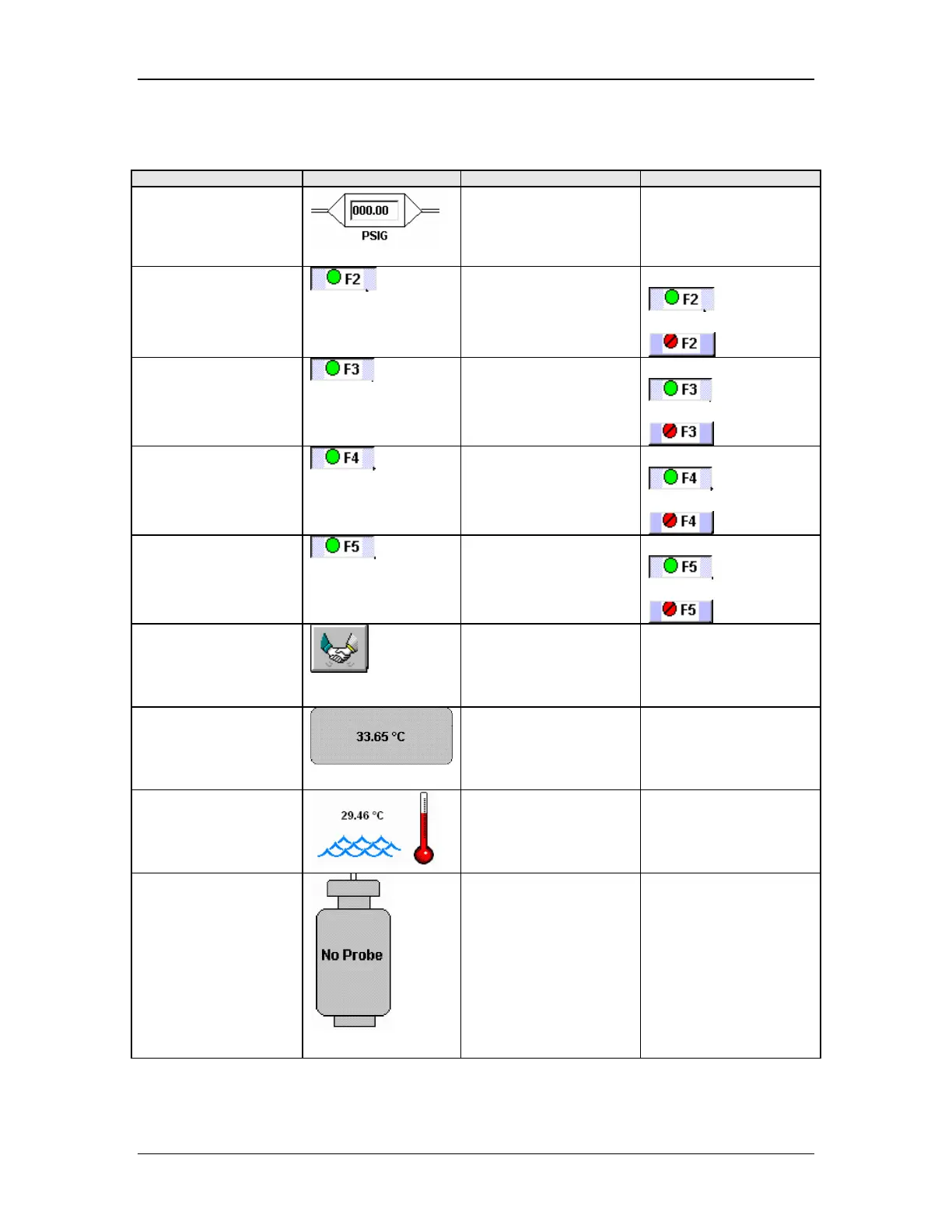
Table 26: Diagnostics Screen Component Identification
Screen Component Graphic Operation Notes
Pressure Regulator
Type in a pressure
between 35 and 100
psig.
Inlet valve
Press the F2 function
key or use the mouse
to click on the valve.
Green valve is open:
Red valve is closed:
Tank select valve
Press the F3 function
key or use the mouse
to click on the valve.
Green valve is open:
Red valve is closed:
Housing select valve
Press the F4 function
key or use the mouse
to click on the valve.
Green valve is open:
Red valve is closed:
Exhaust valve
Press the F5 function
key or use the mouse
to click on the valve.
Green valve is open:
Red valve is closed:
Start Icon
After setting the
regulator and the
valves, click on the
start icon to begin.
The valves and
regulator will not
actuate until the start
icon is clicked.
Tank
The temperature
shown is the reading
from the internal
temperature sensor.
Temperature
The temperature
shown is the reading
from the internal
temperature sensor.
Filter Housing
“No Probe” indicates
that the optional
housing gas
temperature sensor is
not attached. When it
is attached the
measured temperature
appears in the
graphic.

Table of Contents

Related product manuals