Millipore System Documentation Set
212 Operating and Maintenance Manual Publication XITXSP121 P Rev.A
DIAGNOSTIC TOOLS
Self-diagnostics
When the Integritest Exacta unit is turned on, the computer BIOS runs a self-diagnostics
program that tests its internal circuitry. This test checks that the major components of the
computer (e.g. Disk Drives, memory, keyboard, monitor) are responding to commands. If
the Integritest Exacta instrument fails to boot correctly, contact Millipore Technical Service.
Calibration
The systems calibration and leak test procedures are excellent diagnostic tools. Refer to the
Maintenance and Calibration section (page 177) for details.
Hardware Diagnostics
1. From the Main Menu, click
to access the System Utilities.
2. Click
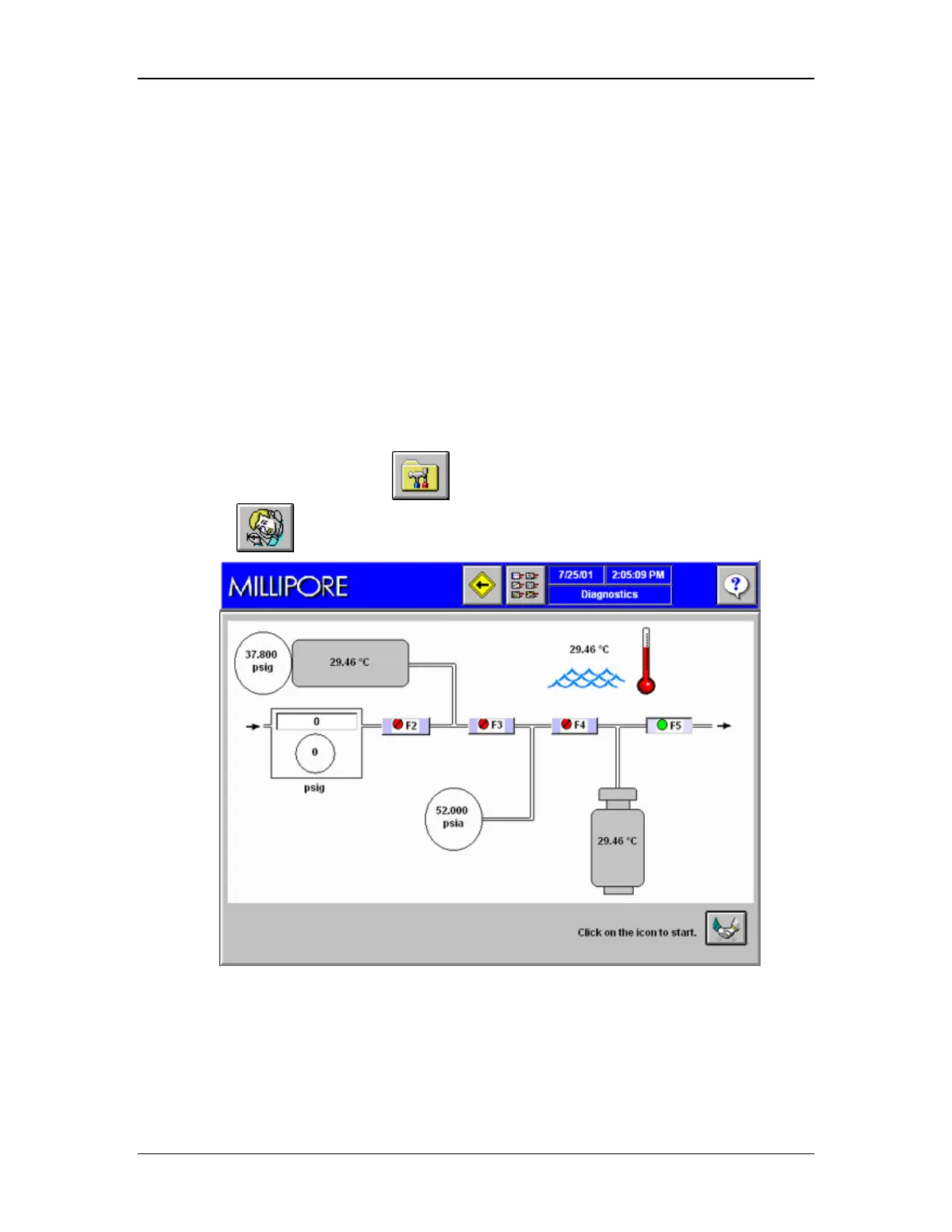
to access the Hardware Diagnostics screen (Figure 81).
Figure 81: Diagnostics Screen



 To Next Page