Millipore System Documentation Set
98 Operating and Maintenance Manual Publication XITXSP121 P Rev.A
13. Enter the filter integrity test specifications. Only specifications for “Available Tests”
selected are required to be entered. If a test type is not selected then the tab will be
grayed out and cannot be accessed. Select the tabs related to the type of tests
available (see Table 6) for this filter type.
Table 6: Available Tests
“Available Test “ Selected Visible Tabs
Bubble Point F2, F3, F4
Diffusion F2, F3, F5
Enhanced Bubble Point F2, F3, F4, F5
HydroCorr F2, F3, F6
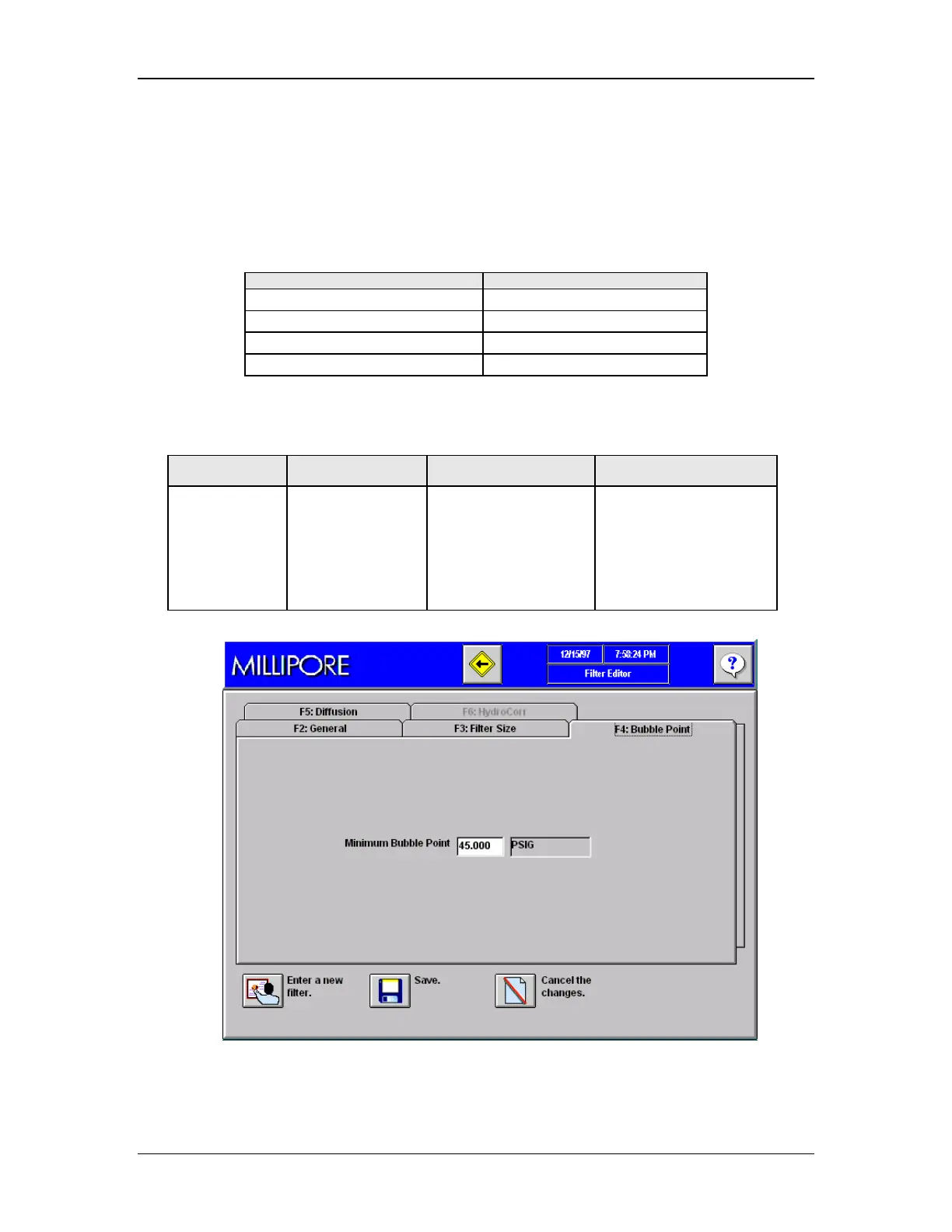
Table 7: Tab F4, Bubble Point Test Entries
Entry Optional or
Mandatory
Instructions Notes
Bubble Point
Specification
Mandatory Enter a value from
5–90
This is the bubble Point
specification for the
filter Catalogue
number being entered.
It is specified by the
filter manufacturer.
Figure 43: Filter Editor, Tab F4, Filter Bubble Point Specifications



 To Next Page