Millipore System Documentation Set
154 Operating and Maintenance Manual Publication XITXSP121 P Rev.A
DATA MANAGEMENT PROCEDURES (MAINTENANCE OF ELECTRONIC TEST
DATA)
Filter test data are automatically stored electronically on the internal hard drive. The user can
search, display and print this data on demand. Also, the filter test data can be transferred to a
3.5” floppy disk for archival or backup purposes.
Accessing the Manage Test Data Screen
From the Main Menu, click
to access the System Utilities Screen (Figure 35).
Click
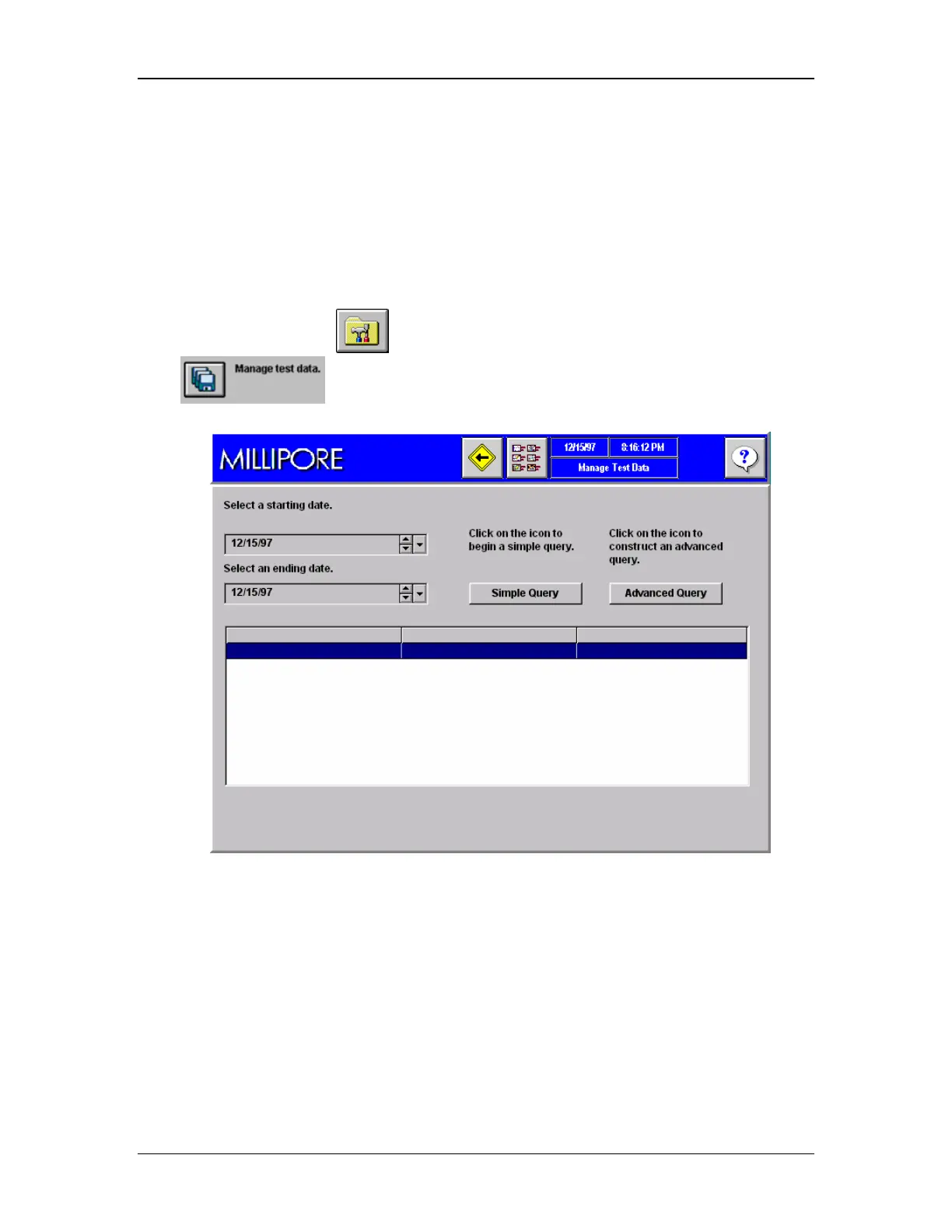
to access the Manage Test Data Screen (Figure 55).
Figure 55: Manage Test Data Screen
Data Search
The Filter Test database is searchable. The database can be searched based on test date
alone, which is a Simple Query. A more targeted search, called an Advanced Query can also
be conducted. The Advance Query allows parameters such as date, filter catalogue number,
test name and the configurable operator inputs to be used in the search.
Simple Query Procedure
1. Go to the Manage Test Data Screen.



 To Next Page