Integritest Exacta Filter Integrity Test Instrument
Operating and Maintenance Manual Data Management 155
2. Enter a starting date.
3. Highlight the month, date, or year.
4. Enter the date values (or use the arrow keys to scroll one unit at a time)
5. Enter an ending date.
6. Highlight the month, date, or year.
7. Enter the date values (or use the arrow keys to scroll one unit at a time)
8. Click
. All tests conducted in the chosen time period will appear
on the screen.
Advanced Query Procedure
Go to the Manage Test Data Screen.
1. Click
to conduct an Advanced Query.
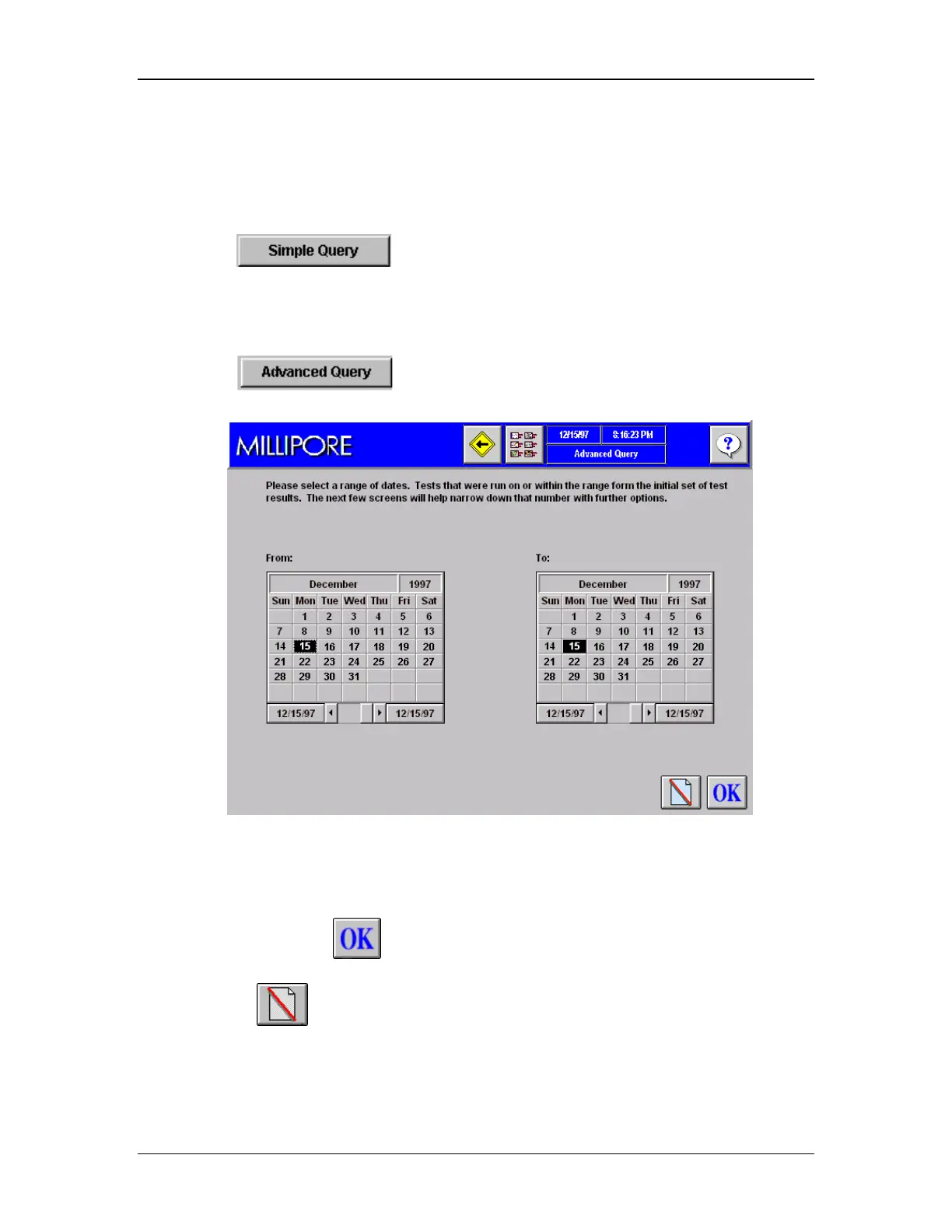
The first Advanced Query screen (Figure 56) will appear.
Figure 56: Advanced Query Screen1, Date Selection
2. Select a beginning date
3. Select an ending date.
4. Press Enter or click
to continue. The second Advanced Query screen will
appear (Figure 57).
5. Or click
to cancel the changes that have been entered.



 To Next Page