Millipore System Documentation Set
118 Operating and Maintenance Manual Publication XITXSP121 P Rev.A
ACCESSING THE TEST EDITOR SCREEN
Go the Main Menu.
Click
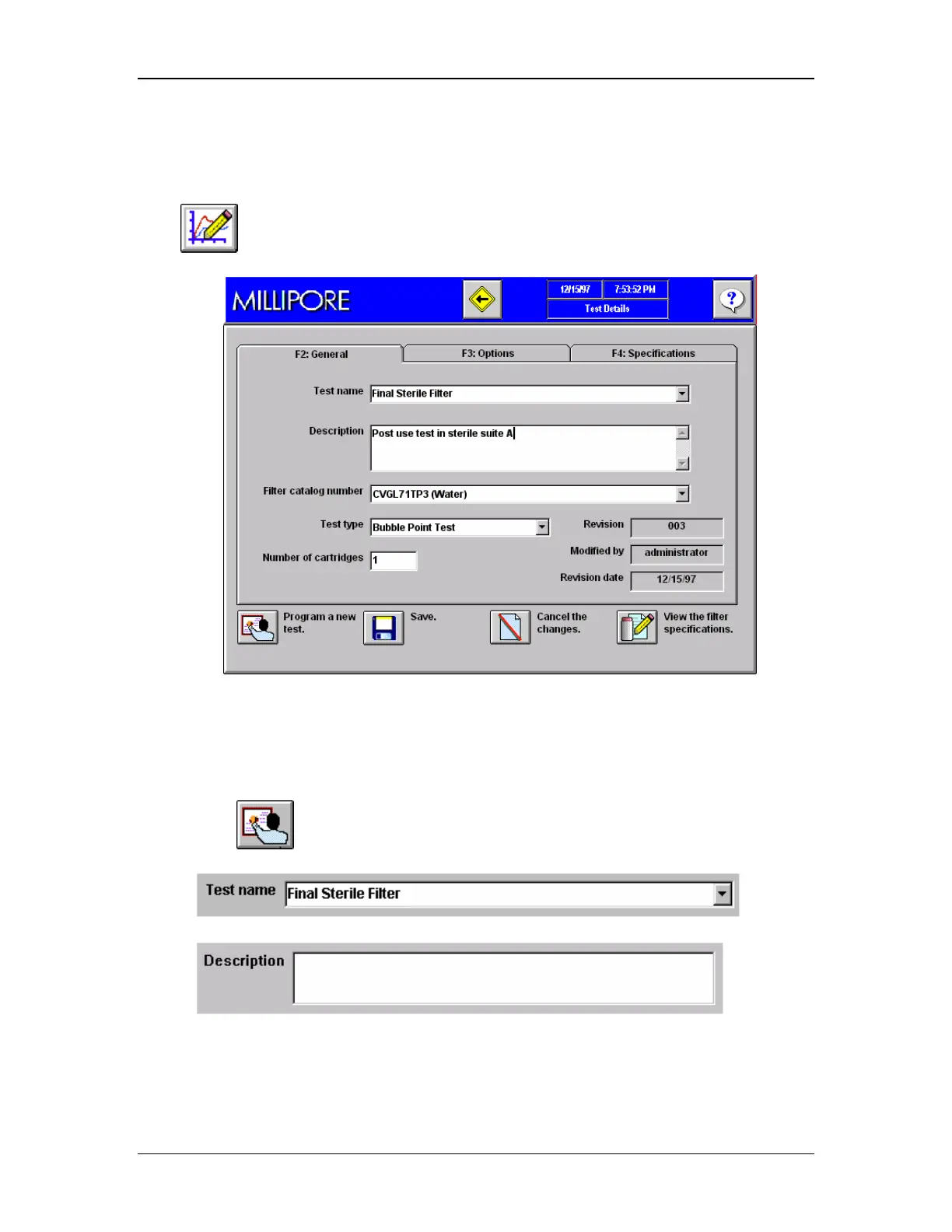
to go to the Test Editor Screen (Figure 46).
Figure 46: Test Details Screen, Tab F2, General
Program a New Test
1. Go to the Test Details screen (Figure 46)
2. Click
to program a new test.
3. Enter a Test Name
.
4. Enter a test description (optional)
.
5. Using the pull-down menu, select a filter from the filter database



 To Next Page