Integritest Exacta Filter Integrity Test Instrument
Operating and Maintenance Manual First Log On 45
SUPERUSER ACCESS
Superuser access is an advanced access level from which one can perform certain service
tasks. The instrument comes pre-equipped with this level and an example user already set up
with access. The username “Service” with the password “service” allows initial access to this
level. The system administrator should change this password upon initial startup. This level
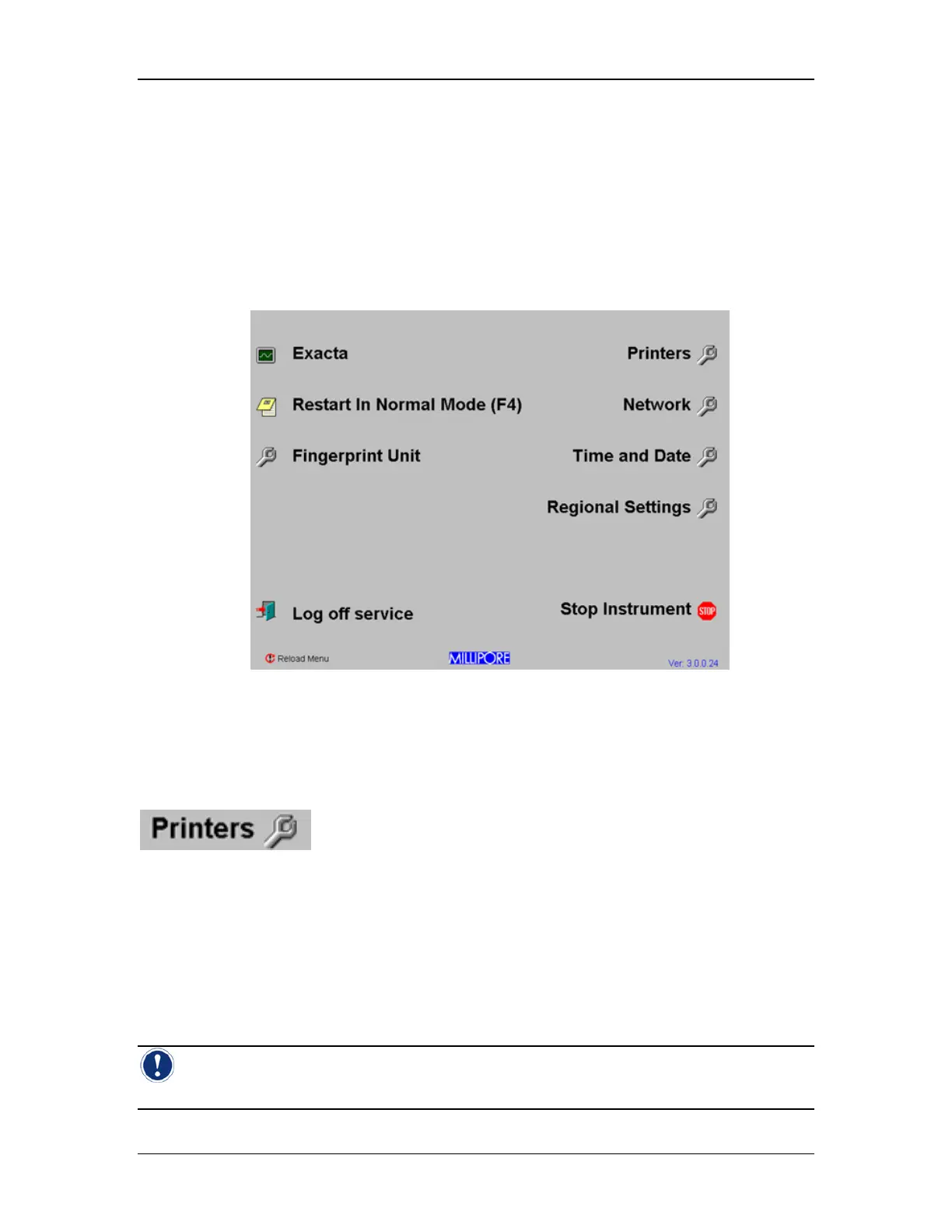
allows options not available in any other access level (see Figure 16).
Figure 16: Superuser Access control screen
The icons unique to this security level are explained as follows:
Printers Utility
will open the Windows NT Printers selection window. The window will
contain all configured printers. The default printer will have a checkmark next to it as shown in
Figure 17. To set a printer as the default, simply right click on it, and choose “Set as Default”
from the drop down menu that appears. Double clicking on a printer will show the print jobs
that are currently assigned to that printer. Printers other than the internal printer are the
responsibility of the end user and are outside of Millipore’s scope of supply. External printers
may be connected via the LPT1 port (see Figure 3: Rear Panel, Item F on page 26). Printers
may be installed by Windows NT qualified personnel according to the manufacturers
specifications.
Note: Keep in mind that the Exacta requires floppy disk installation for any printer drivers
that may be required.



 To Next Page