Integritest Exacta Filter Integrity Test Instrument
Operating and Maintenance Manual Instrument Setup 89
6. Or click to save the changes.
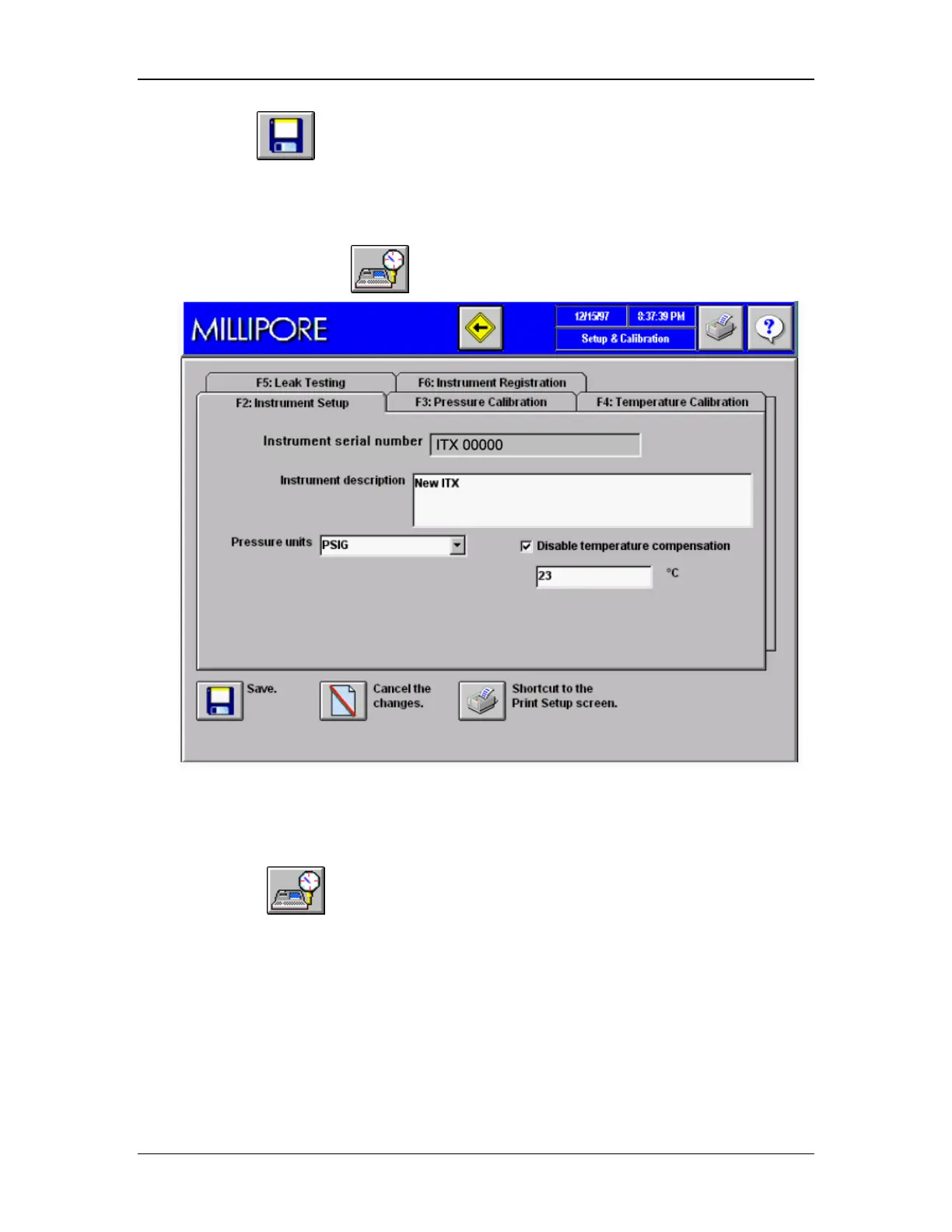
Accessing the Setup & Calibration Screen
A. From the Main Menu:
From the Main Menu, click to access the Setup & Calibration Screen.
Figure 40: Setup & Calibration Screen
B. From the Print Setup Screen:
Click the shortcut to go directly to the Setup & Calibration screen.
Step 5. Choose Pressure Units
A user can select pressure units from among the following options. The default is psig.
Four gauge measurement options are available.
• psig
• mBarg
• kg/cm
2
g



 To Next Page