Integritest Exacta Filter Integrity Test Instrument
Operating and Maintenance Manual Security Setup 67
MANAGING ACCOUNT POLICY
1. On the Policies menu, click Account.
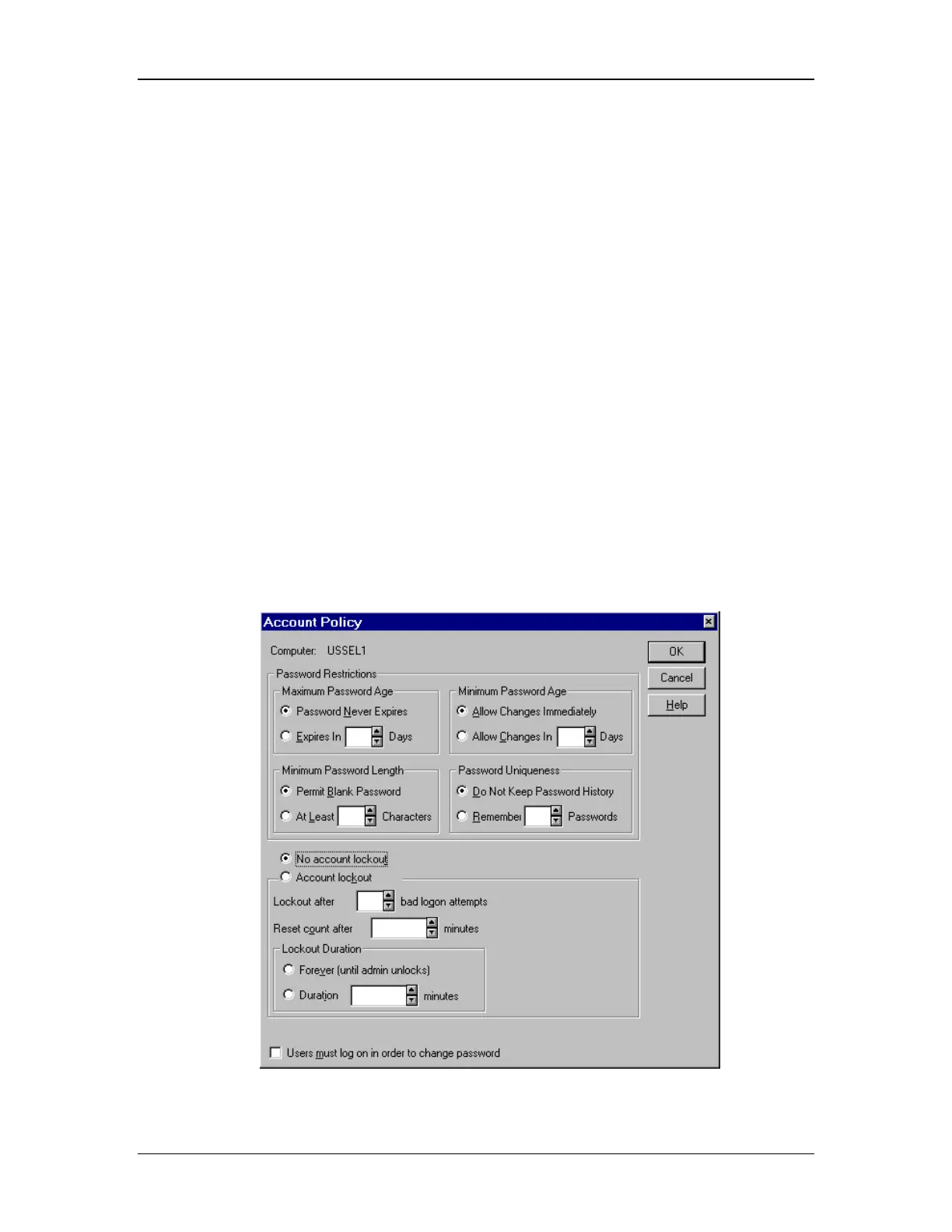
2. The Account Policy window will open (see Figure 30).
3. Enter the values you want under any of the groups:
• Maximum Password Age
• Minimum Password Age
• Minimum Password Length
• Password Uniqueness
4. You may also click:
• Password Never Expires
• Allow Changes Immediately
• Permit Blank Password
• Do Not Keep Password History
5. Click Account lockout, and then enter values in “Lockout after“, “Reset count after“,
and “Lockout Duration“. Or, click “No account lockout“. If necessary, click to select or
clear the “Users must log on in order to change password“ check box.
Figure 30: Account Policy window



 To Next Page