Millipore System Documentation Set
58 Operating and Maintenance Manual Publication XITXSP121 P Rev.A
The product registration information is stored and can be retrieved and modified. Refer to the
section titled Setup Options on page 83 for more details.
Processing Registration information
• Enter the registration information in the registration form.
• The information that is entered will be stored in the database.
• Click
to print the completed form.
• Using the pre-printed envelope, mail the completed form to Millipore Customer
Service.
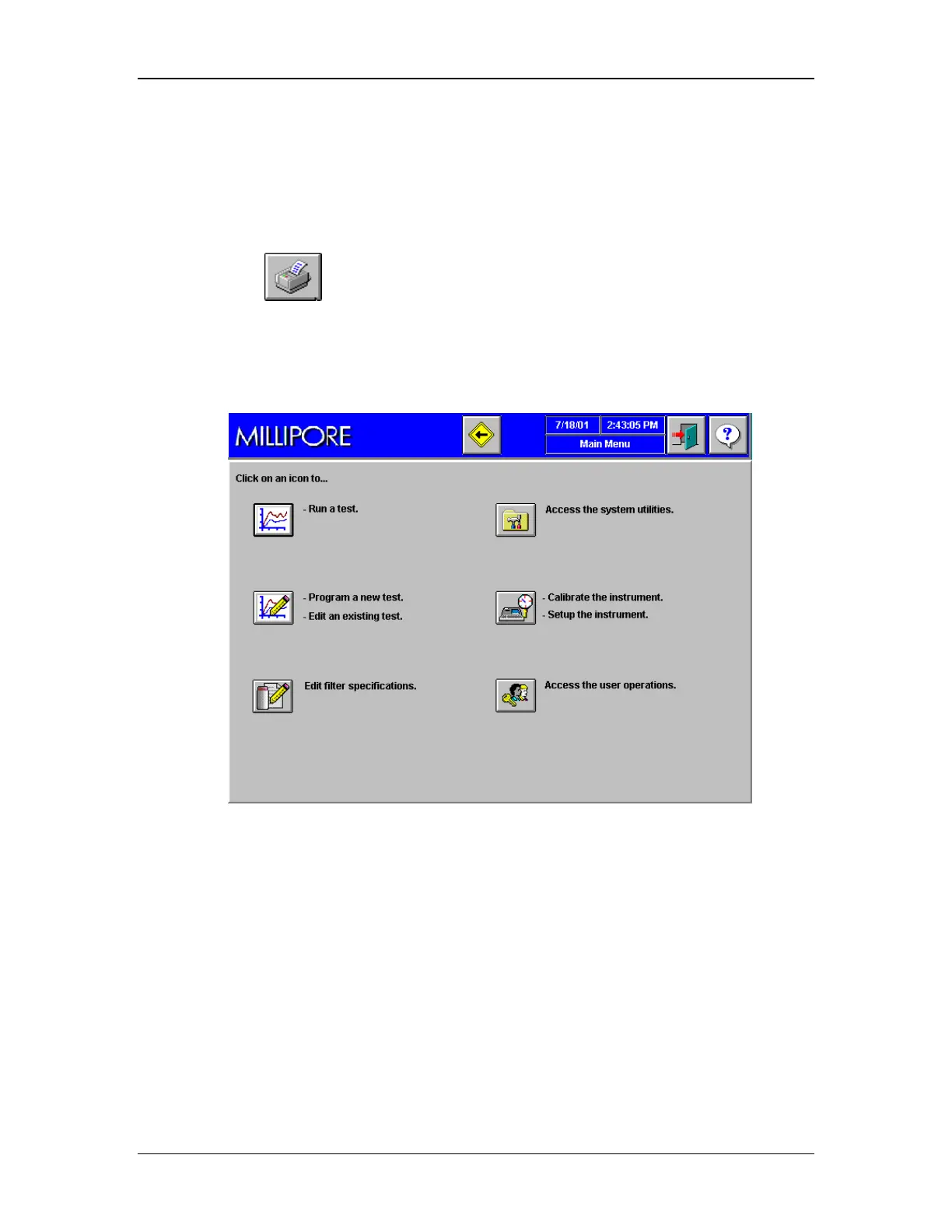
• After completing (or dismissing) product registration, the Main Menu will appear
as shown in Figure 26.
Figure 26: Main Menu screen
The Main Menu screen, as shown above, contains all of the possible controls, allowed by the
system administrator for a users particular access level. Depending on the security that an
administrator sets up, an operators access privileges may have a Main Menu that restricts
much of the system capabilities. See the section titled Modify User Categories on page 75 for
details on how to modify access privileges. For more details on the use of the Main Menu
screen, refer to the section titled Setup Options on page 83.



 To Next Page