228
PCL
INK PAIR THE MITEL 6940 IP PHONE WITH WINDOWS OR MAC
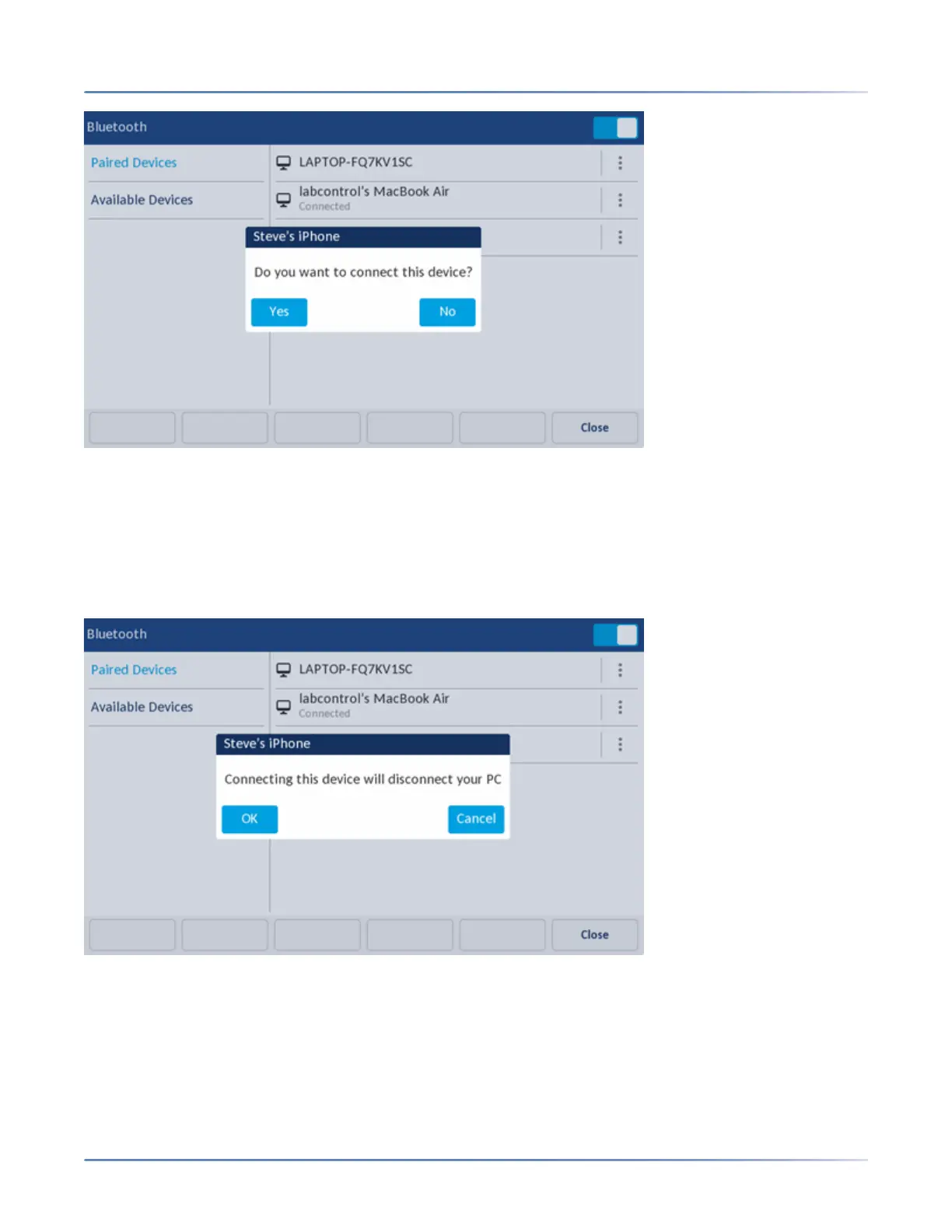
– Pressing Yes will disconnect the PC or MAC and connect the mobile phone and associate it to the
Mobile/PC Line key.
– Pressing No will result in the mobile phone not being connected, although the mobile phone remains
in the list of paired devices. The user can, at any time, manually switch which device is connected
and associated with the Mobile/PC Line key by selecting the device in the list of paired devices. A
confirmation dialog, similar to one of those shown in the next two screen captures appear
(depending on the currently connected device type).



 To Next Page