Spitfire – Maintenance Manual
218
AP-74096, Rev. 1.0, 09/06/05
(1) When using a flash memory card
Step 1 : Remove the memory cover.
Step 2 : Install the memory card for the installation of firmware into the memory card connector slot (J104)
of the Mainboard assembly.
Notes :
¾ Install the memory card so that its front points towards the inside of the printer.
Step 3 : Turn the power of the printer ON.
Step 4 : Firmware installation starts.
Step 5 : Check if the buzzer sounded and whether the firmware was installed correctly.
Step 6 : Turn off the power source to the printer.
Step 7 : Remove the memory card for firmware installation.
Step 8 : Reinstall the memory cover.
(2) When using a computer
Step 1 : Using a printer cable, connect the PC to the printer.
Step 2 : Turn the power of the printer ON.
¾ All lamps will flash for an instant.
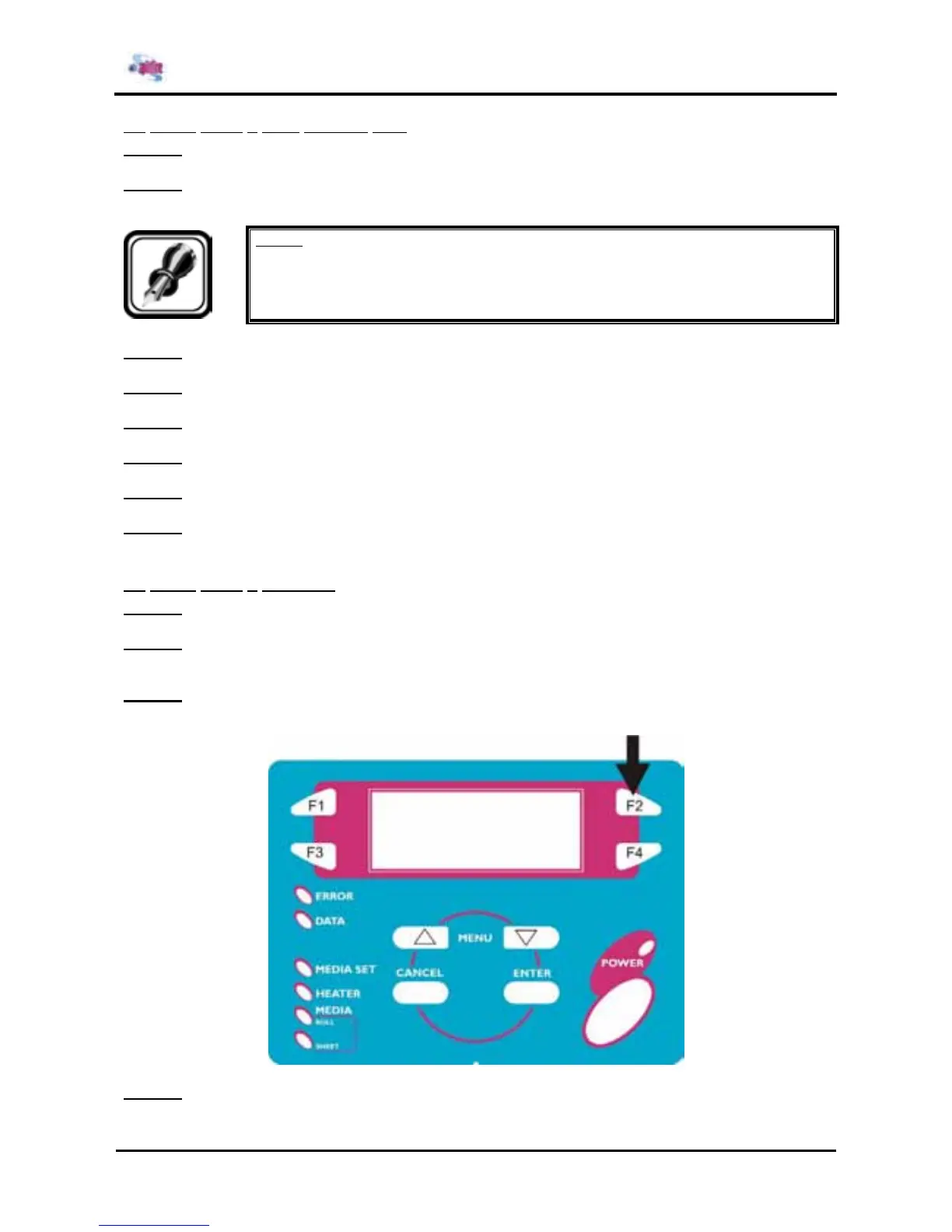
Step 3 : Press the [F2] key on the operation panel within 1 second.
¾ The message "Ready to load" is displayed and the firmware install mode takes effect.
Step 4 : Send new firmware data by MS-DOS copy command etc. (e.g. "COPY /B rh2.04.jfl LPT1")















 To Next Page