Chapter 8: Maintenance
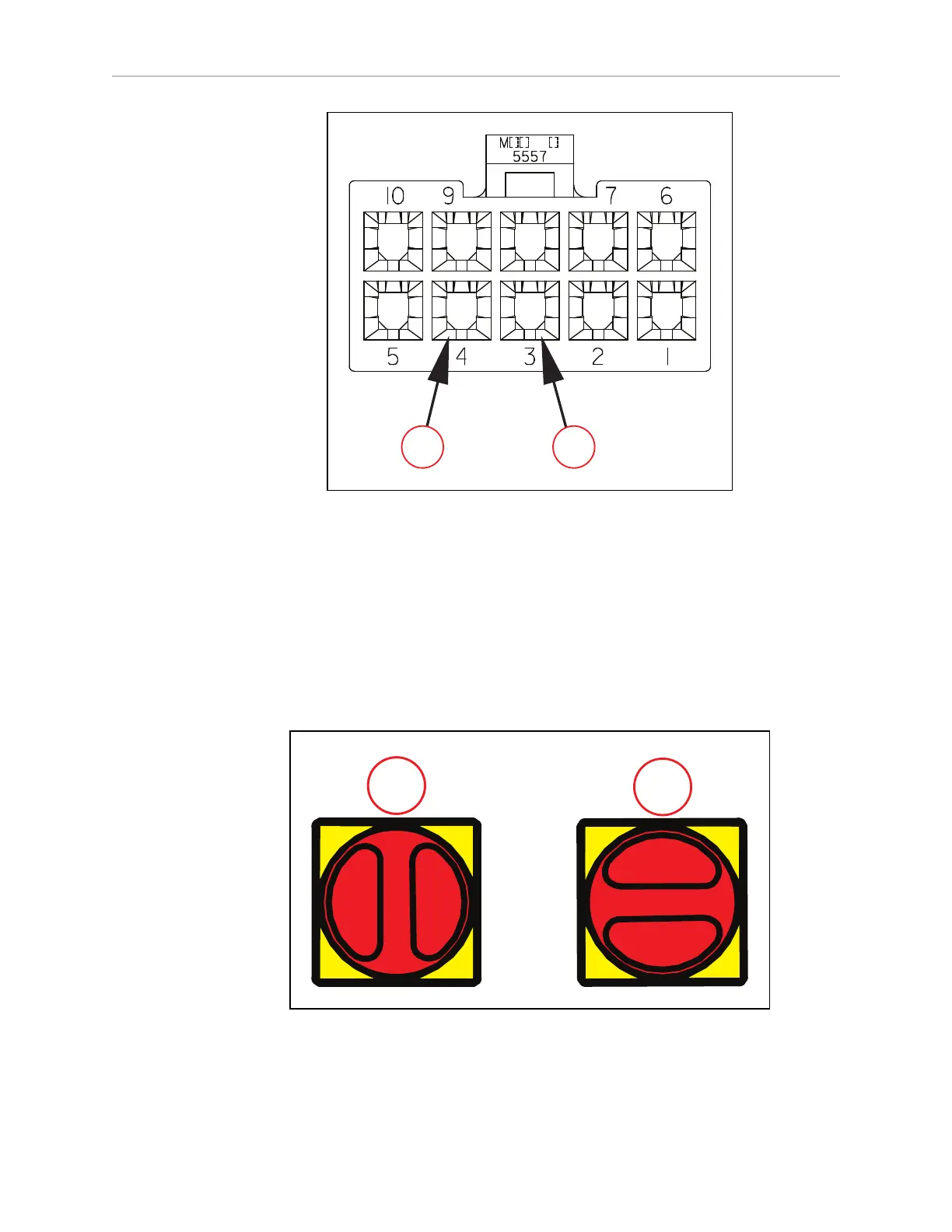
Figure 8-2. Module Connector Configuration - Viewed from the Rear, (A) Pin 3 (Negative), and
(B) Pin 4 (Positive)
7.
Continuously check and verify that the AMR is de-energized by pressing the ON/OFF
button on the Operator Panel.
LOTO Procedure for the Charging Station
Follow this LOTO procedure for the charging station:
1.
Turn the power off. You can do this by switching the main disconnect switch, located
on the electrician access box, to OFF position.
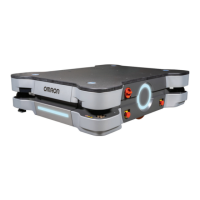
Figure 8-3. Main Disconnect Switch on the Electrician Access Box, (A) ON Position, and
(B) OFF Position
31500-000 Rev A HD-1500 Platform User's Manual 218


 To Next Page