EasyManua.ls Logo

Omron V1000 - User Manual

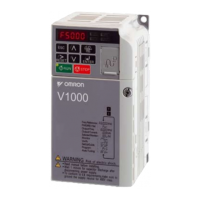
Omron V1000
411 pages
Print Icon
To Next Page IconTo Next Page
Loading...
Note: Specifications subject to change without notice.
Manual No. SIEC--OY
Austria
Tel: +43 (0) 2236 377 800
www.industrial.omron.at
Belgium
Tel: +32 (0) 2 466 24 80
www.industrial.omron.be
Czech Republic
Tel: +420 234 602 602
www.industrial.omron.cz
Denmark
Tel: +45 43 44 00 11
www.industrial.omron.dk
Finland
Tel: +358 (0) 207 464 200
www.industrial.omron.fi
France
Tel: +33 (0) 1 56 63 70 00
www.industrial.omron.fr
Germany
Tel: +49 (0) 2173 680 00
www.industrial.omron.de
Hungary
Tel: +36 (0) 1 399 30 50
www.industrial.omron.hu
Italy
Tel: +39 02 32 681
www.industrial.omron.it
Middle East & Africa
Tel: +31 (0) 23 568 11 00
www.industrial.omron.eu
Netherlands
Tel: +31 (0) 23 568 11 00
www.industrial.omron.nl
Norway
Tel: +47 (0) 22 65 75 00
www.industrial.omron.no
Poland
Tel: +48 (0) 22 645 78 60
www.industrial.omron.com.pl
Portugal
Tel: +351 21 942 94 00
www.industrial.omron.pt
Russia
Tel: +7 495 648 94 50
www.industrial.omron.ru
Spain
Tel: +34 913 777 900
www.industrial.omron.es
Sweden
Tel: +46 (0) 8 632 35 00
www.industrial.omron.se
Switzerland
Tel: +41 41 748 13 13
www.industrial.omron.ch
Turkey
Tel: +90 (0) 216 474 00 40
www.industrial.omron.com.tr
United Kingdom
Tel: +44 (0) 870 752 08 61
www.industrial.omron.co.uk
OMRON EUROPE B.V.
Wegalaan 67-69, NL-2132 JD, Hoofddorp, The Netherlands.
Tel: +31 (0) 23 568 13 00 Fax: +31 (0) 23 568 13 88 www.industrial.omron.eu
V1000 Compact Vector Control Drive USER’S MANUAL
Manual No. SIEC71060620-01-OY
V1000
Compact Vector Control Drive
Model: VZA
200 V Class Three-Phase Input 0.1 to 15 kW
200 V Class Single-Phase Input 0.1 to 4.0 kW
400 V Class Three-Phase Input 0.2 to 15 kW
USER’S MANUAL
Manual No.
SIEC71060620-01-OY

Table of Contents

Other manuals for Omron V1000

Questions and Answers

  • B
    bfletcherSep 16, 2025
    How to reduce motor noise and oscillation in Omron V1000?
    • A
      aliciasmithSep 16, 2025
      To address motor noise, hunting, and oscillation issues up to 40 Hz in your Omron Amplifier, adjust the carrier frequency. If the motor noise is too loud, increase the carrier frequency. If motor hunting and oscillation occur at speeds up to 40 Hz, lower the carrier frequency. Note that the default setting for the carrier frequency depends on the drive capacity (o2-04) and the Drive Duty Selection (C6-01).
  • T
    tbrownSep 17, 2025
    What to do for poor motor torque at speeds below 10 Hz and motor hunting in Omron Amplifier?
    • J
      Jose PalmerSep 17, 2025
      To resolve poor motor torque at speeds below 10 Hz and motor hunting/oscillation in your Omron Amplifier, adjust the setting. If motor torque is insufficient at speeds below 10 Hz, increase the setting. If motor hunting and oscillation occur with a relatively light load, decrease the setting.
  • M
    Mercedes BarronSep 18, 2025
    How to control motor hunting and improve torque response on Omron V1000?
    • J
      Joseph SalinasSep 18, 2025
      To improve motor torque and speed response and control motor hunting and oscillation at speeds between 10 and 40 Hz in your Omron Amplifier, adjust the setting. If motor torque and speed response are too slow, gradually decrease the setting by 0.05. If motor hunting and oscillation occur, gradually increase the setting by 0.05.
  • V
    Vanessa BennettSep 18, 2025
    How to fix poor torque response and motor hunting in Omron V1000 Amplifier?
    • W
      William WheelerSep 22, 2025
      To improve motor torque speed response and address motor hunting and oscillation in your Omron Amplifier, adjust the setting. To improve motor torque speed response, gradually reduce this setting by 2 ms. If motor hunting and oscillation occur, gradually increase this setting by 10 ms.
  • M
    Maria MccarthySep 23, 2025
    How do I reduce motor noise and control oscillation at low speeds on my Omron Amplifier?
    • K
      Kevin ArellanoSep 23, 2025
      To address motor noise and control motor hunting and oscillation at low speeds in your Omron Amplifier, adjust the carrier frequency. If there is too much motor noise, reduce the carrier frequency. If motor hunting and oscillation occur at low speeds, reduce the carrier frequency. Note that the default setting for the carrier frequency depends on the drive capacity (o2-04) and Drive Duty Selection (C6-01).
  • D
    Dawn DavisSep 23, 2025
    How to improve speed response and stability in Omron Amplifier?
    • M
      Megan MaynardSep 23, 2025
      To address poor speed response and instability in your Omron Amplifier, adjust the setting. If response is slow, gradually decrease the setting by 10 ms. If speed is unstable, gradually increase the setting by 10 ms.
  • J
    johnsonchristinaSep 23, 2025
    How to improve speed precision on Omron V1000 Amplifier?
    • B
      Brianna FernandezSep 23, 2025
      To improve speed precision in your Omron Amplifier, after setting the motor-rated current (E2-01), motor-rated slip (E2-02) and motor no-load current (E2-03), adjust the slip compensation gain (C3-01).
  • W
    wgarciaAug 31, 2025
    What should I do if my Omron Inverter shows a Motor Load Fault?
    • K
      kruegerjeremiahAug 31, 2025
      If your Omron Inverter displays a Motor Load Fault, the motor load is likely too heavy, especially if the motor is operated at low speed with a heavy load. Also, check if the cycle times of acceleration/deceleration are too short, or if an incorrect motor rated current has been set.
  • M
    Melinda JonesAug 25, 2025
    Why is my Omron Inverter showing a DC Voltage Fault?
    • J
      Jennifer MunozAug 25, 2025
      A DC Voltage Fault on your Omron Inverter can occur if the DC bus voltage rises too high, often because the deceleration time is too short. It may also happen if stall prevention is disabled, the braking chopper or resistor is broken, there's unstable motor control in OLV, or the input voltage is too high. The deceleration time is too short.
  • D
    David RogersAug 25, 2025
    What causes a Ground Fault in my Omron Inverter?
    • D
      Deanna MitchellAug 26, 2025
      A ground fault in your Omron Inverter typically happens when the ground leakage current exceeds 50% of the drive's rated output current, often due to broken cable or motor insulation. Also, excessive stray capacitance at the drive output can cause this issue. Cable or motor insulation may be broken.

Summary

Preface & General Safety

i.2 General Safety

Provides supplemental safety information, including general precautions, safety messages, and warnings.

1 Receiving

1.1 Section Safety

Covers safety precautions for receiving the drive, including handling and environmental considerations.

2 Mechanical Installation

2.1 Section Safety

Covers safety precautions for mechanical installation, including fire and crush hazards.

3 Electrical Installation

3.1 Section Safety

Provides essential safety guidelines for electrical installation, including shock, fire, and crush hazards.

4 Start-Up Programming & Operation

4.1 Section Safety

Covers safety precautions for operating the drive, including electrical shock and fire hazards.

4.2 Using the Digital LED Operator

Explains how to use the LED operator to enter commands, display data, and edit parameters.

4.6 Application Selection

Explains how to use Application Presets to facilitate drive setup for common applications.

4.7 Auto-Tuning

Provides information on the types of Auto-Tuning and the procedures for performing it.

4.10 Verifying Parameter Settings and Backing Up Changes

Covers verifying parameter settings, changing access levels, and setting passwords.

5 Parameter Details

5.1 A: Initialization

Covers parameters for initial setup, including access level, control mode, and initialization.

5.2 B: Application

Details parameters for configuring frequency reference, run command, braking, speed search, and other application settings.

5.3 C: Tuning

Covers parameters for adjusting acceleration/deceleration times, S-curves, slip, torque compensation, and carrier frequency.

5.5 E: Motor Parameters

Covers parameters for V/f characteristics and motor data settings for Motor 1 and Motor 2.

5.7 H: Terminal Functions

Assigns functions to the multi-function input and output terminals for various operations.

5.8 L: Protection Functions

Covers parameters for motor protection, power loss ride-thru, stall prevention, and overvoltage suppression.

6 Troubleshooting

6.1 Section Safety

Covers safety precautions related to troubleshooting, including electrical shock and fire hazards.

6.2 Motor Performance Fine Tuning

Offers helpful information for counteracting oscillation, hunting, or other faults during trial runs.

6.3 Drive Alarms, Faults, and Errors

Provides descriptions of drive faults, alarms, errors, related displays, and possible solutions.

6.4 Fault Detection

Details fault displays, causes, and possible solutions for various fault codes.

6.5 Alarm Detection

Lists alarm codes, causes, and possible solutions for drive alarms.

6.6 Operator Programming Errors

Describes operator programming errors (oPE) and their causes and solutions.

6.8 Diagnosing and Resetting Faults

Provides instructions for removing fault causes and restarting the drive.

7 Periodic Inspection & Maintenance

7.1 Section Safety

Covers safety precautions for periodic inspection and maintenance, including electrical shock hazards.

8 Peripheral Devices & Options

8.1 Section Safety

Covers safety precautions for installing peripheral devices and options for the drive.

Appendix: B Parameter List

B.2 Parameter Table

Provides a full listing of all parameters, their descriptions, ranges, and default settings.

Appendix: C MEMOBUS;Modbus Communications

C.1 Section Safety

Covers safety precautions for MEMOBUS/Modbus communications.

Appendix: D Standards Compliance

D.1 Section Safety

Covers safety guidelines and criteria related to CE and UL standards compliance.

Omron V1000 Specifications

General IconGeneral
Cooling MethodFan cooling
Enclosure RatingIP20
CommunicationModbus RTU
Output Power0.4-15kW
Output Frequency Range0 to 400 Hz
Overload Capacity150% for 60 seconds
Protection FeaturesOvercurrent, Overvoltage, Undervoltage, Overheating, Short Circuit
Operating Temperature-10°C to +50°C
Storage Temperature-20°C to +65°C
Humidity5 to 95% RH (non-condensing)
Supply Voltage200-240V AC (3-phase)

Related product manuals