236
Polyend Tracker+ Manual
NOTES
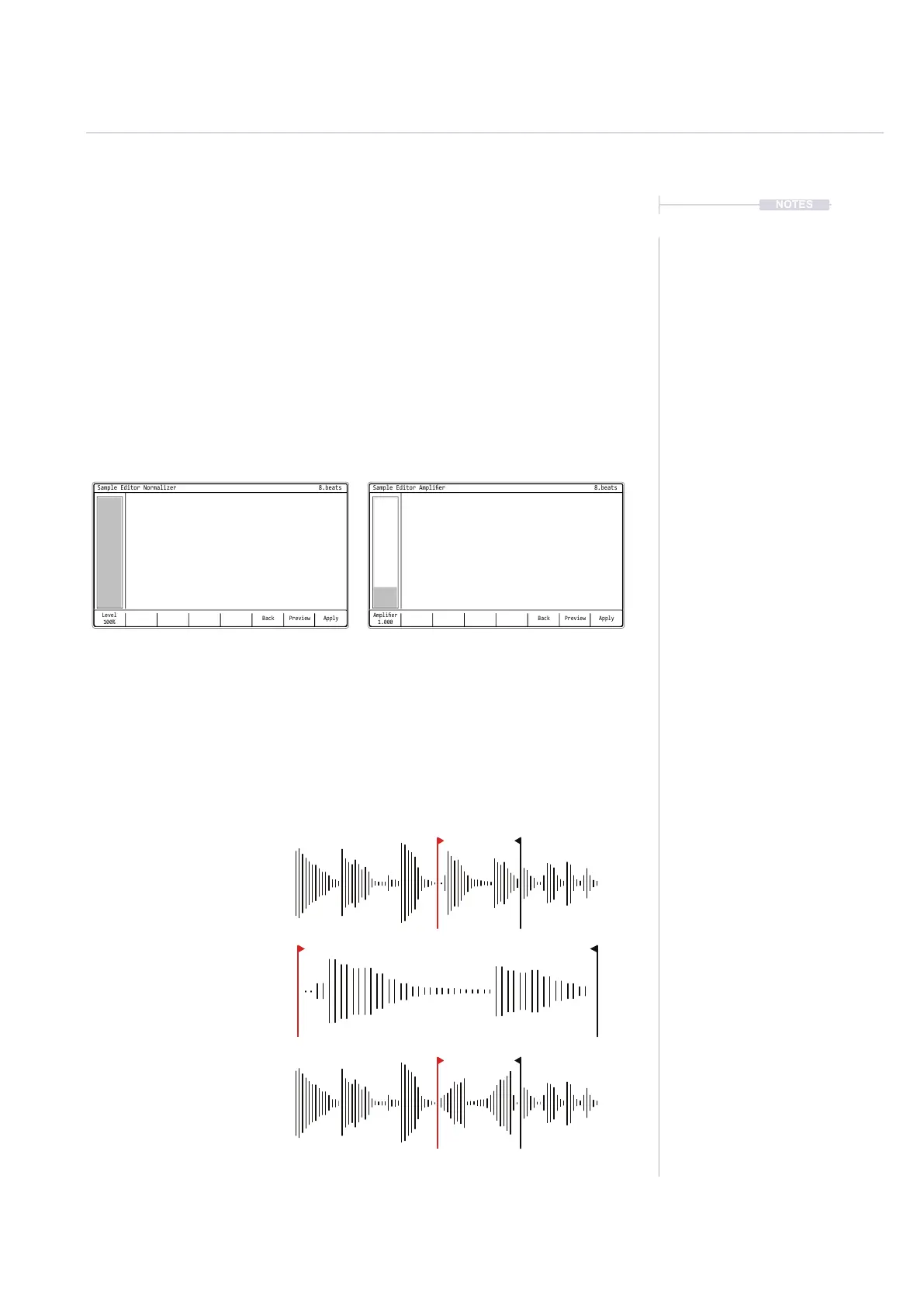
Normalizer and Amplier
Both the Normalizer and Amplier apply similar effects in that they adjust
the gain across the audio sample or region. Normalizer gain will be based
on the level setting where 100% will maximize the audio level across an
entire sample by using the highest peak point as reference. This is a typical
normalised application. Think of the Amplier as a multiplier of the audio
gain where 1 would be the current state and numbers below 1 will attenuate
and above 1 will boost. Amplied audio can exceed the normal range
Crop and Reverse
Both the crop and reverse functions apply an immediate edit to the selected
or the entire audio sample. Reverse simply reverses the audio playback
direction while crop will trim and discard the audio outside of the start / end
markers. Zoom may help focus on more precise marker setting locations.
Audio
8
Original audio sample and
start / end selection.
Original audio sample cropped to
start / end selection and auto
zoomed to view in the full window.
Original audio sample reversed
based on the approximate start /
end selection and aligned for
smooth transition.
Back
Level
100%
ApplyPreview
Sample Editor Normalizer
8.beats
Back
Amplier
1.000
ApplyPreview
Sample Editor Amplier
8.beats
Normalizer
Gain adjustment based on the 0-100% Level
Amplier
Gain is based on the 0.01 - 5 amplication range



 To Next Page