245
Polyend Tracker+ Manual
NOTES
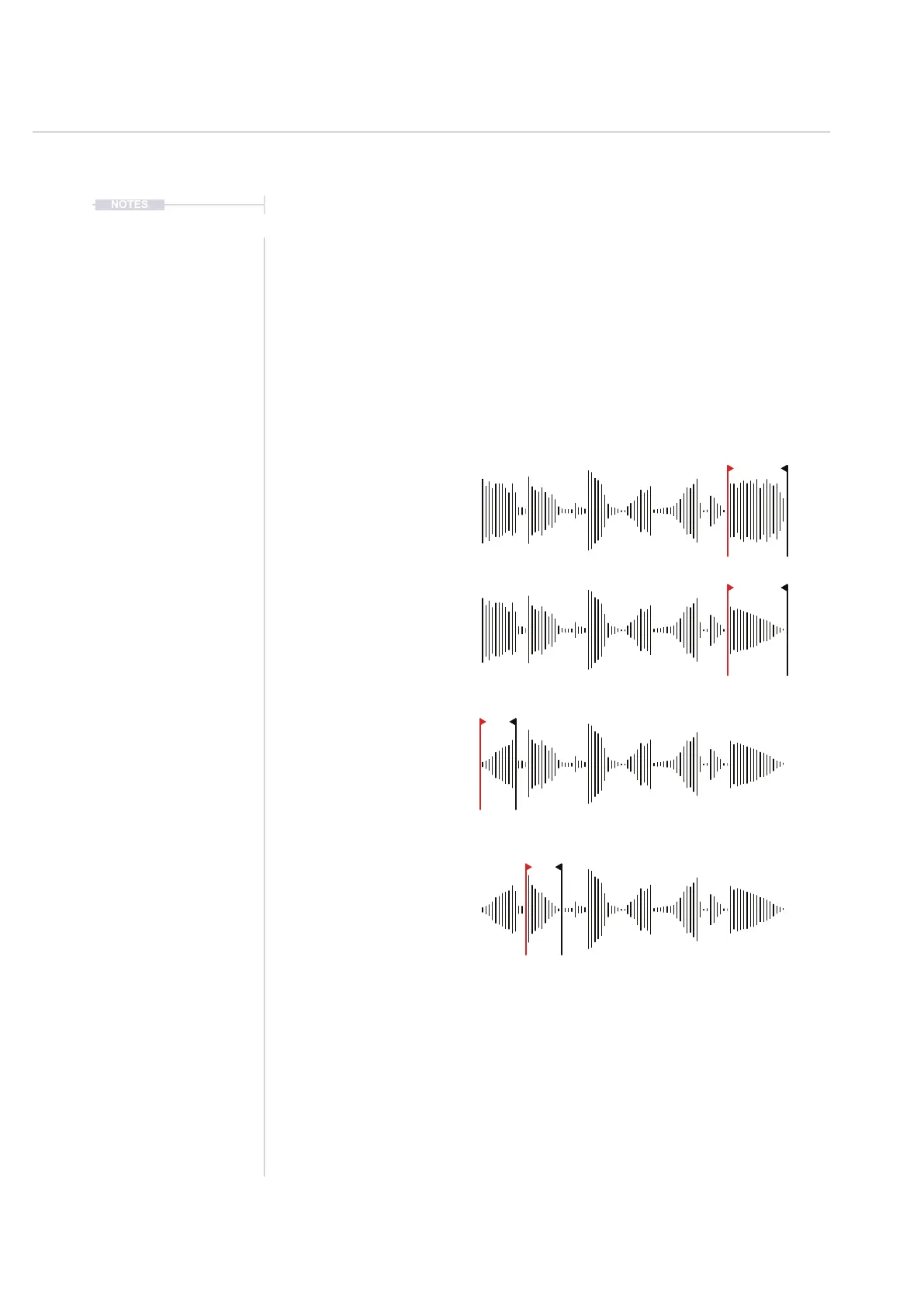
Fade In and Fade Out
The fade in and fade out utilities create a ramp up of audio level or a ramp
down of audio level. The effect is applied to the audio selected between the
start and end markers. Typically this would be applied at the start or end of
an audio sample but equally can be applied anywhere based on the
selected part of the audio sample. The effect is applied immediately with no
adjustable parameters.
Examples
Original audio sample
Fade Out applied at the end of the
audio to create a smooth volume
transition to conclude.
Fade In applied at the start of the
audio to create a smooth volume
transition to begin.
Fades can be applied at any part
of a sample that the start and end
marker is covering eg Fade Out.
Audio
8



 To Next Page