308
Polyend Tracker+ Manual
Performance Mode
12
NOTES
Manual Play Mode
▌ MANUALLY REMIXING PATTERNS ON THE FLY
1. Press [Perform] to select the Performance Mode page.
2. Ensure [Rec] mode is off.
3. Press [Shift] + [Play] to play the Song. The patterns can be remixed
across tracks while a song is playing so ensure that multiple patterns
are available in the song. The perform icon indicates remix is possible.
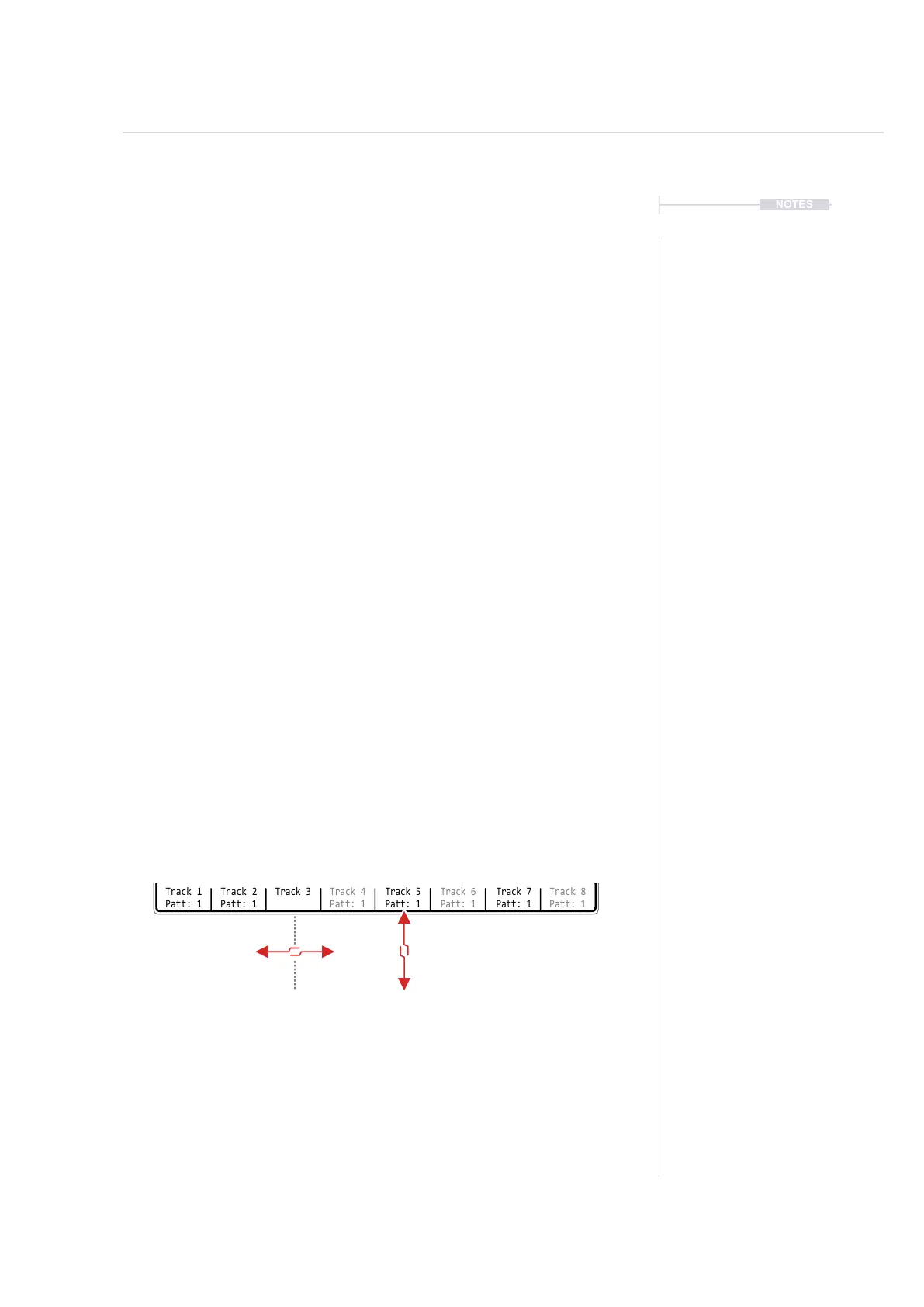
4. Remix track playback:-
• Hold [Track x], Screen button + Press [Left] or [Right]. This will play
the newly selected pattern when the current one completes. The
pattern will ash red to show this is cued ready for the change.
• Hold [Track x], Screen button + Press [Up] or [Down] or Turn (Jog).
This will play the newly selected pattern immediately upon selection.
• It is possible to hold one or more [Track x], Screen buttons at the
same time to select patterns for multiple tracks simultaneously.
4. The patterns will play, led by the longest ones which loop play while
shorter ones are cut.
5. Exit the performance mode. The changes made in performance mode
are disabled upon exit.
Patt: 3 Patt: 1
Change pending current
pattern completion
Flash Red
Change is implemented
immediately
Change Pattern
[Shift] + [Left] / [Right]
Change Pattern
[Shift] + [Up] / [Down] / (Jog)
Track 1
Patt: 1
---
---
-100
+100
-50
---
---
-1
-1
-1
---
---
-5
+5
-7
---
---
-1
-1
-1
---
---
-1
-1
-1
---
---
-1
-1
-1
---
---
-1
-1
-1
---
---
-1
-1
-1
---
---
-1
-1
-1
---
---
-1
-1
-1
>>>
>>>
/16
/16
/16
Track 2
Patt: 1
Track 3
Patt: 1
Track 4
Patt: 1
Track 6
Patt: 1
Track 5
Patt: 1
Track 7
Patt: 1
Track 8
Patt: 1
Performance FX
Volume
High-pass cutoff
Sample end
Tune
Delay send
Sample Playback
Panning
Band-pass cutoff
Low-pass cutoff
Sample position
Reverb send
Fwd
Fwd
Fwd
Fwd
Fwd
Pattern Play Mode
0m:00s P1.028
Patt: 3



 To Next Page