69
Polyend Tracker+ Manual
NOTES
Pattern Format
4
Track names can be edited and changed to custom text in the Master
section as well as in the Pattern Function. Track name length is maximum 7
characters.
▌ EDITING TRACK NAMES FROM WITHIN THE TRACK MIXER
1. Press [Master] to select the master mode page. This consists of 3
pages and each is cycled in turn by pressing [Master] button. Page is
displayed top bar, left side.
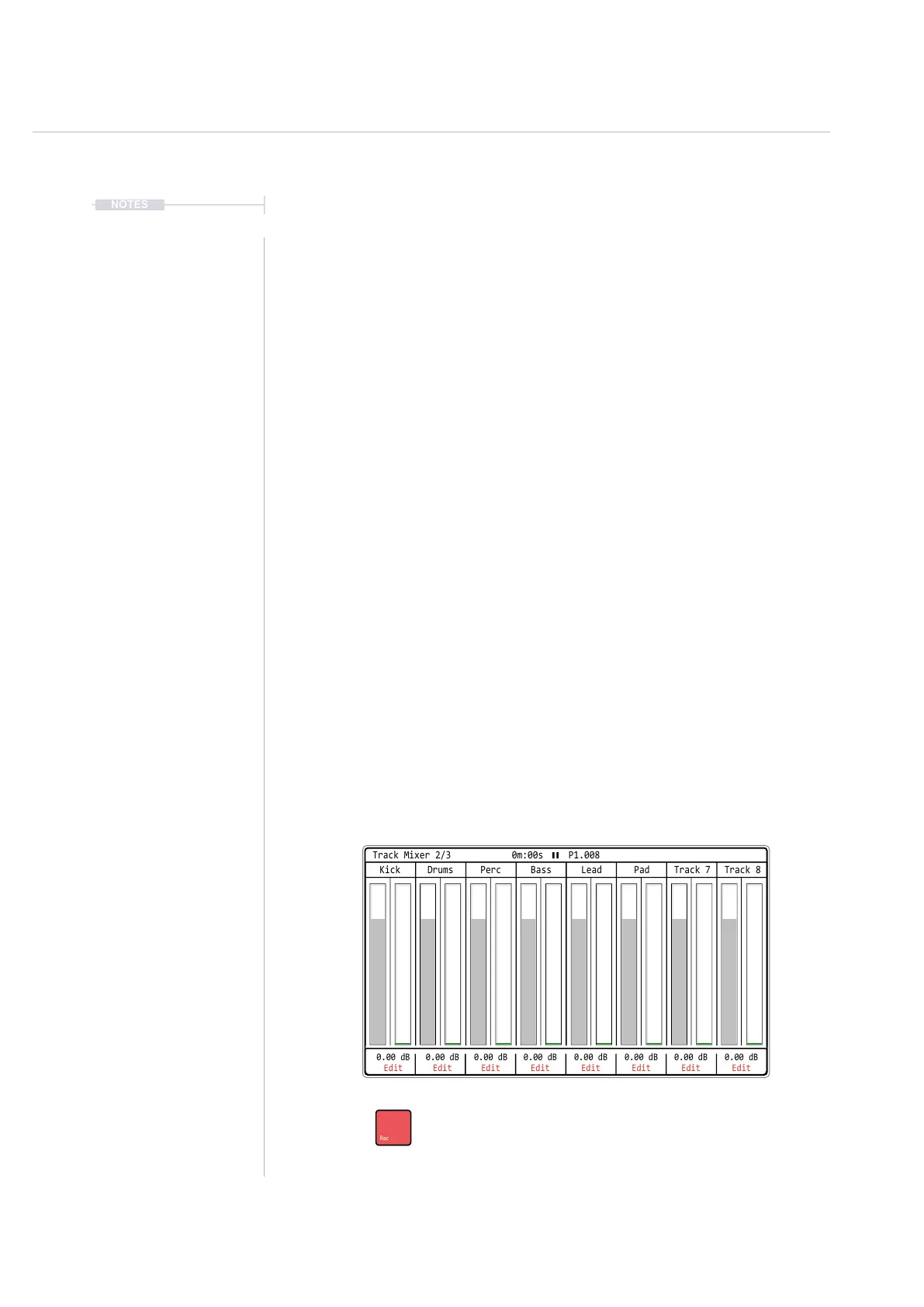
2. Navigate to page 2/3 - Track Mixer. All tracks are displayed in this view.
3. Press [Rec] and the editing mode will be toggled on or off. Set to on, as
indicated by the word ‘Edit’ in red at the bottom of each track and
representing the screen buttons per track.
4. Press the relevant screen button 1 - 8 for the track to edit. For example,
Press Screen Button for Track 1 - 1
st
Button on the left.
5. The Alpha numeric QWERTY keyboard will be displayed and enable the
default ‘Track 1’ name to be changed. Edit as per normal using the
QWERTY functions with the pads or navigation arrows and screen
button commands. Maximum 7 characters available for track names.
6. Press [Save], 8
th
Screen button, to conrm and immediately save the
new name for the track.
7. Repeat step 4 - 6 for other tracks if required.
Press [Rec] to toggle the track name editor on or off on the [Master]
Page 2/3. Press a screen button 1 - 8 to select the specic track to edit.
0.00 dB
Edit
0.00 dB
Edit
0.00 dB
Edit
0.00 dB
Edit
0.00 dB
Edit
0.00 dB
Edit
0.00 dB
Edit
0.00 dB
Edit
Drums PadPerc Track 7Bass Track 8Kick Lead
Track Mixer 2/3 0m:00s P1.008



 To Next Page