92
Polyend Tracker+ Manual
NOTES
Sequencing Steps
5
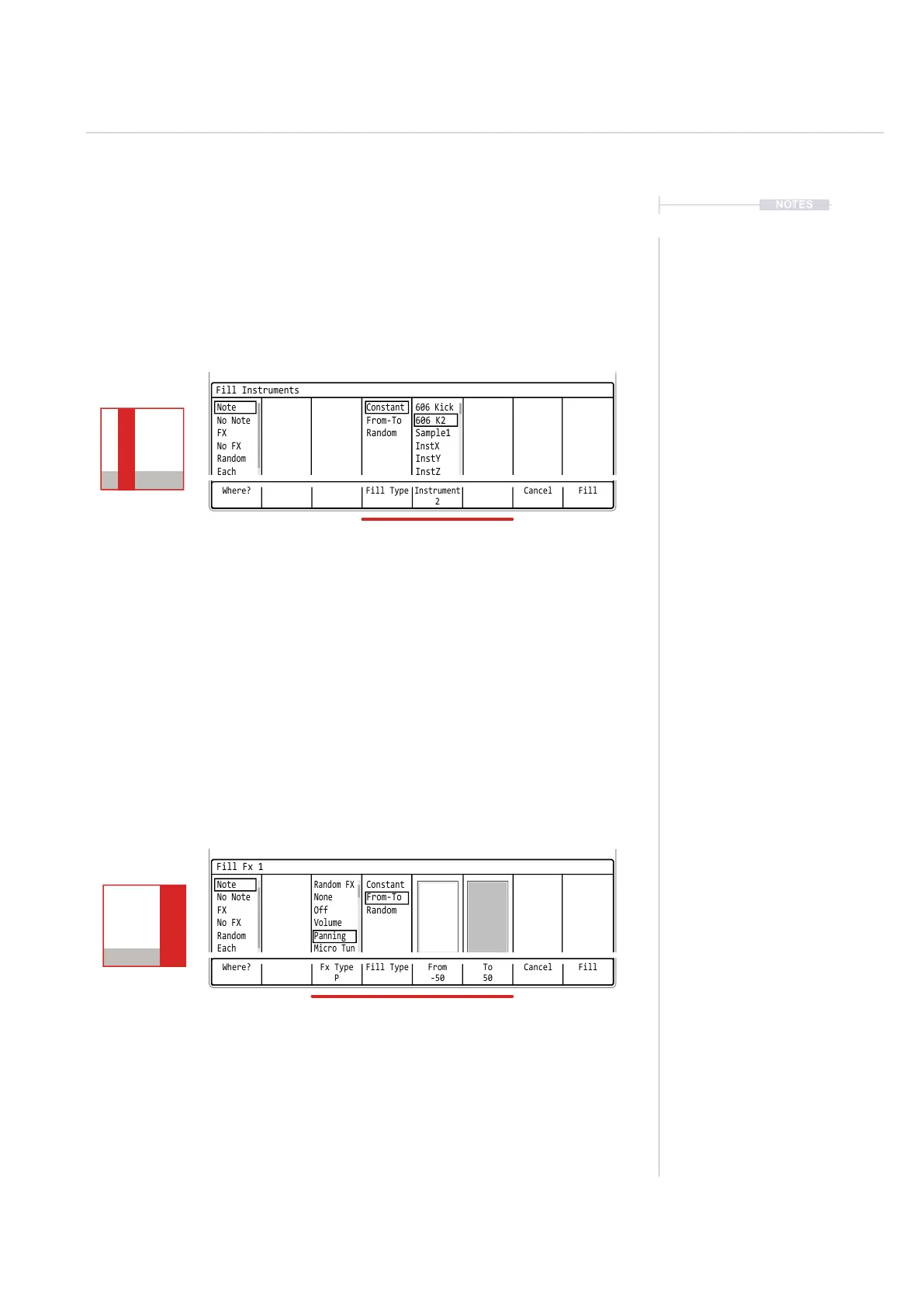
Fill Instruments
When the instrument parameter is selected in the range, the ll will apply
instrument lls. This is based on the project instrument pool.
Fill FX
When either of the FX parameters is selected in the range, the ll will apply
FX lls. This is based on the effects FX list available within Tracker+.
Where? Fill Type Cancel
Instrument
2
Fill
Fill Instruments
Note Constant 606 Kick
InstX
No Note
From-To 606 K2
InstY
FX
Random Sample1
InstZ
No FX
Random
Each
Where? Fx Type
P
To
50
Fill Type CancelFrom
-50
Fill
Fill Fx 1
Note
Random FX
Constant
No Note
None
From-To
FX
Off
Random
No FX
Volume
Random
Panning
Each
Micro Tun
When Instruments are selected the instrument pool for the project is
presented. It is also possible with From-To or Random Fill Type to
populate the steps with multiple instruments across a variety of steps.
When any of the two FX are selected the Tracker+ effect list is
presented as ‘Fx Type’. The selected effect character is shown under the
name. It is also possible with From-To or Random ‘Fill Type’ to populate
the range of steps with variations for the FX value setting.
Fill Instruments
Fill Instruments
Track 4
---- ------- ---
C2 02
----
P-50
C2 02
----
P 50
Track 4
---- ------- ---
C2 02
----
P-50
C2 02
----
P 50



 To Next Page