Radioddity Extended manual for Radioddity DB25-D, DB40-D & GD-88 v3.0
© Radioddity 2023 page 115 of 252
The Radioddity DB40-D does not have such K-socket. That´s why the
programming cable shipped with the Radioddity DB40-D does have a RJ45-plug
which fits into the RJ45-socket at the left side of the radio. The Radioddity DB40-D
may only be programmed via this RJ45 socket.
Notes: Only virtual ports COM1…COM8 are currently supported by the Radioddity
CPS and IAP.
11.2 Install CPS
Download the current Radioddity CPS version for your radio from our support
area. After downloading, unpack the archive into a temporary directory of your
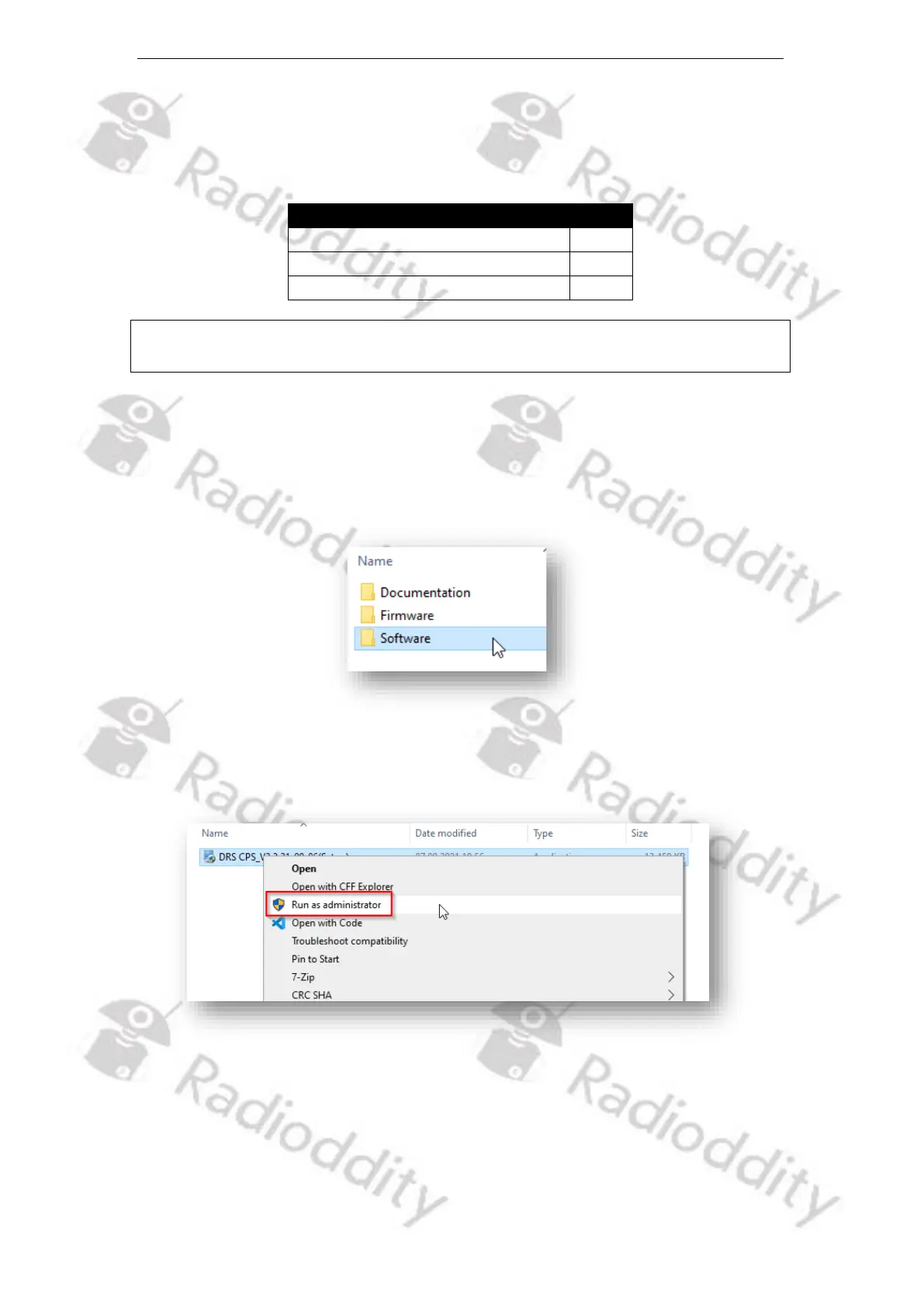
choice. Navigate to the subfolder named ‘Software’.
In there, you find the CPS-installer. Execute the installer with admin rights by
invoking ‘Run as administrator’ to start the CPS installation process.
Due to the fact, that the executable isn´t signed, Windows may give you a popup-
warning.



 To Next Page