Radioddity Extended manual for Radioddity DB25-D, DB40-D & GD-88 v3.0
© Radioddity 2023 page 200 of 252
14.6 Perform Flash update
Normally BIN-files are used to update the radio with the radio being in IAP-mode.
Sometimes we also do provide FLASH-files for updating parts of the radio that are
not accessible using the normal IAP-mode. In order to update the radio with a
FLASH-file, the radio needs to be in normal operating mode.
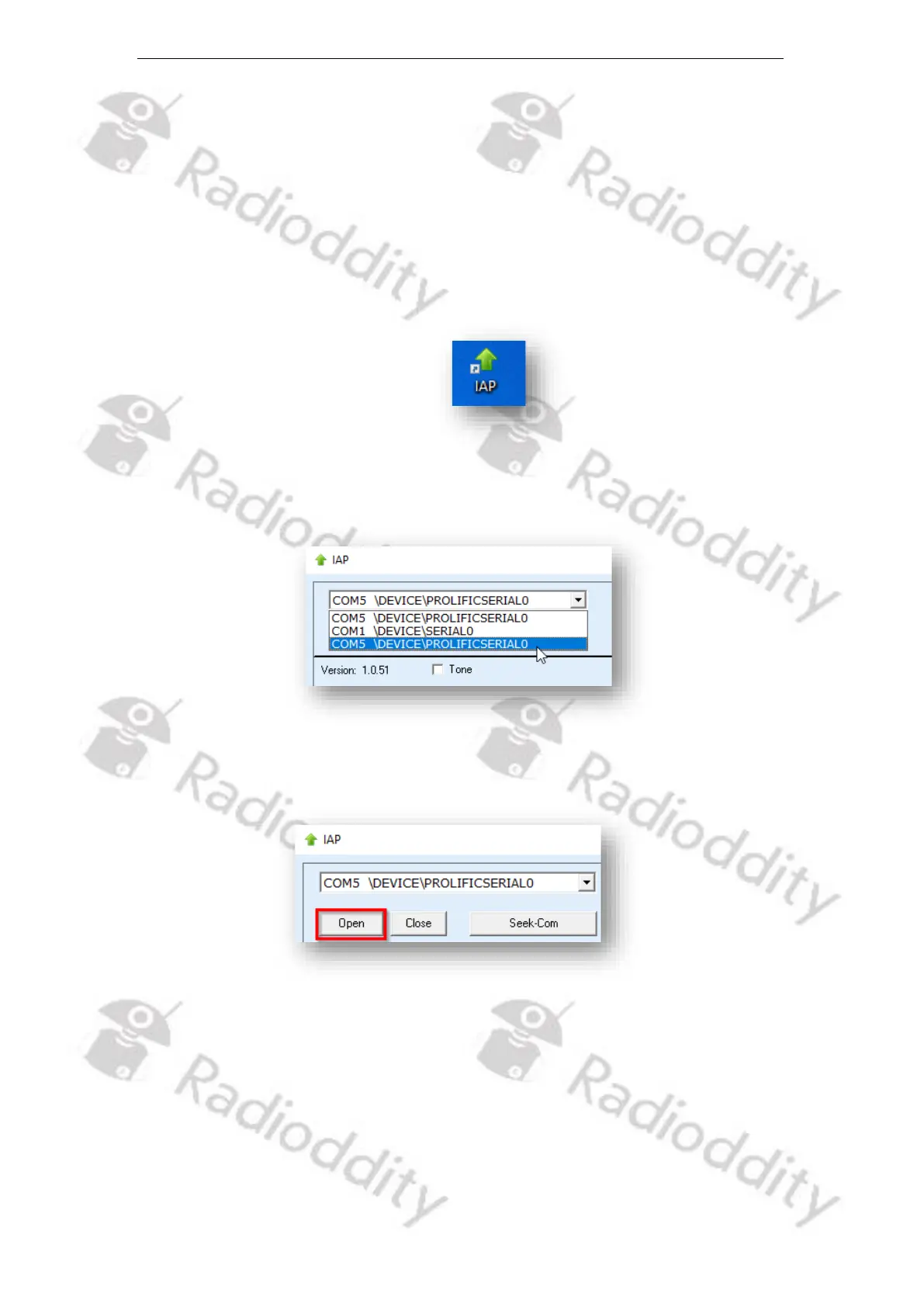
1. Start the IAP-updater
2. Choose the virtual COM-port that does represent your programming cable
3. Click on ‘Open’
4. If the IAP-updater can connect to your Radioddity DB25-D, DB40-D or GD-88,
it will output ‘IAP Successfully’. If it isn´t able to connect to the radio, it will
stay on ‘CommPort:COMx’ (where ‘x’ represents the selected virtual COM-port
number of your programming cable ). If you forgot to shut down the CPS, you
will get a ‘The COMM port is occupied or doesn't exit!’ error.
5. Next click on the button ‘Open Flash File’.



 To Next Page