Radioddity Extended manual for Radioddity DB25-D, DB40-D & GD-88 v3.0
© Radioddity 2023 page 51 of 252
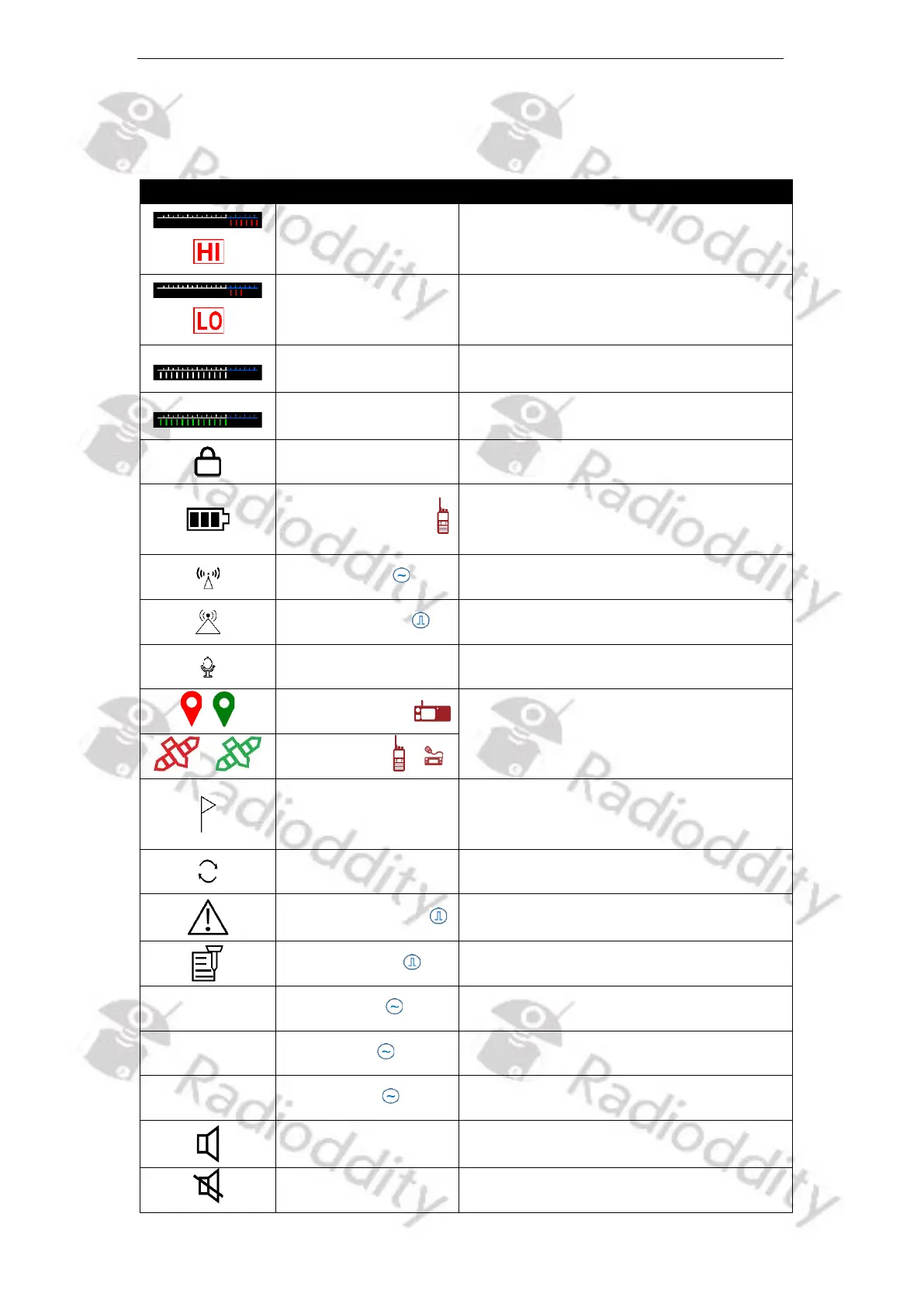
5.11 Status Icons
In part, the shown icons differ, based on the actual radio model.
6 red bars indicate high power
3 red bars indicate low power
White bars indicate the radio being in
Standby Mode
In RX mode, the more green bars, the
stronger the signal
Appears when the keypad is locked
The more bars, the larger the
remaining battery capacity and vice
versa
Appears when analog monitor is on
Appears when Promiscuous mode is on
Appears when GPS is on (red, if not
sufficient GPS satellites received; green
as soon as GPS position found)
Appears when the selected channel has
been assigned a APRS reporting
channel as well.
Appears when the radio is in
emergency mode.
Appears when Encryption is on
Appears when Normal DCS is on
Appears when Reverse DCS is on
Appears when profile is in standard
mode
Appears when profile is in silent mode



 To Next Page