Radioddity Extended manual for Radioddity DB25-D, DB40-D & GD-88 v3.0
© Radioddity 2023 page 135 of 252
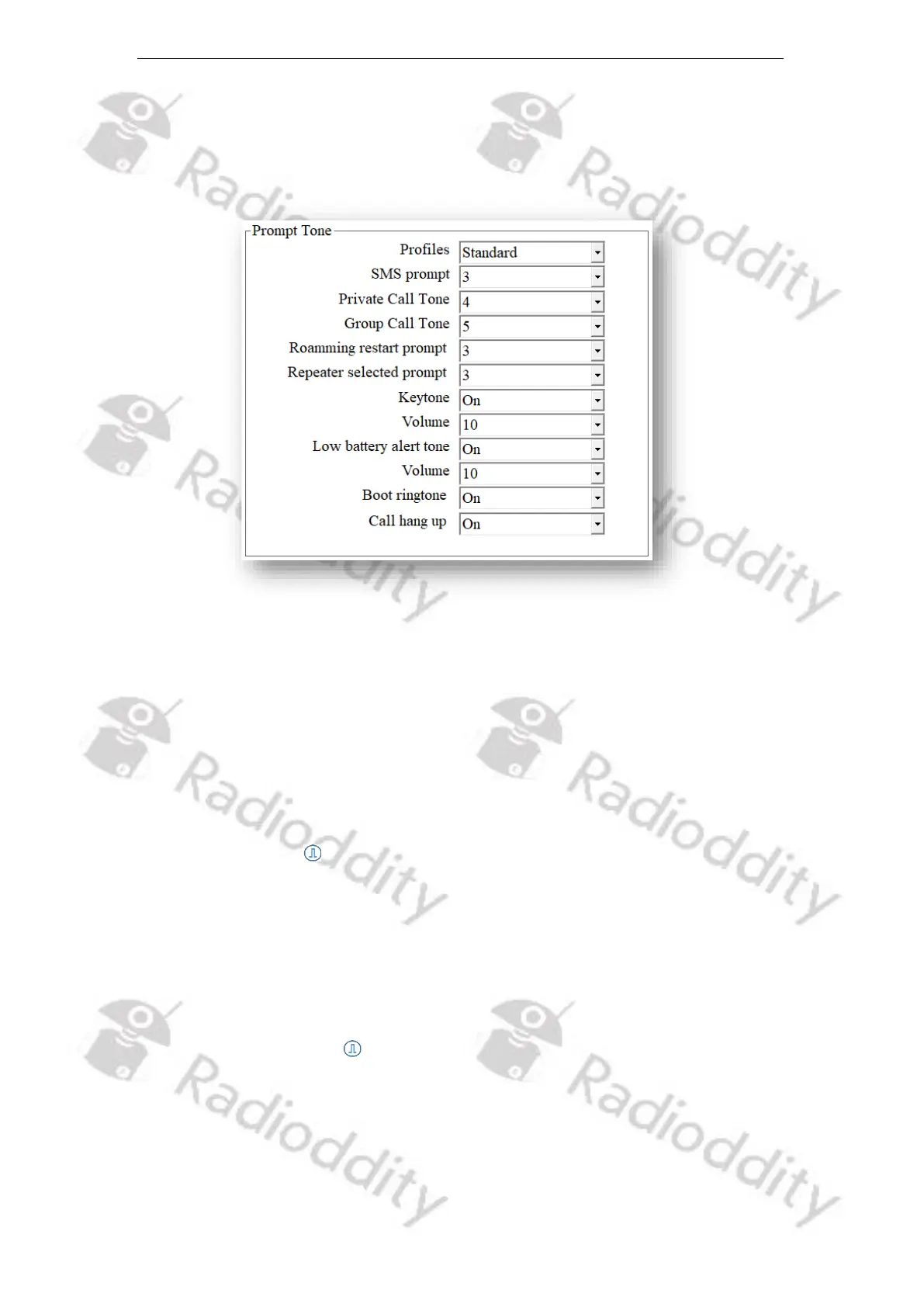
12.4 Prompt Tone
You can turn on or off all sounds and prompt tones thru this parameter, or just
set partial prompt tones of specific radio parameters.
12.4.1 Profiles
Select a predefined audio profile.
Mode Options: Standard All prompt tones of radio parameters are on
Silent All prompt tones of radio parameters are off
Default: Standard
12.4.2 SMS prompt
Once receiving a message, the message Tone will be heard if this option is
selected.
Mode Options: off, 1~5
Default: 3
12.4.3 Private Call Tone
Once receiving a private call, the Private Call Tone will be heard if this option is
selected.
Mode Options: off, 1~5
Default: 4



 To Next Page