Radioddity Extended manual for Radioddity DB25-D, DB40-D & GD-88 v3.0
© Radioddity 2023 page 221 of 252
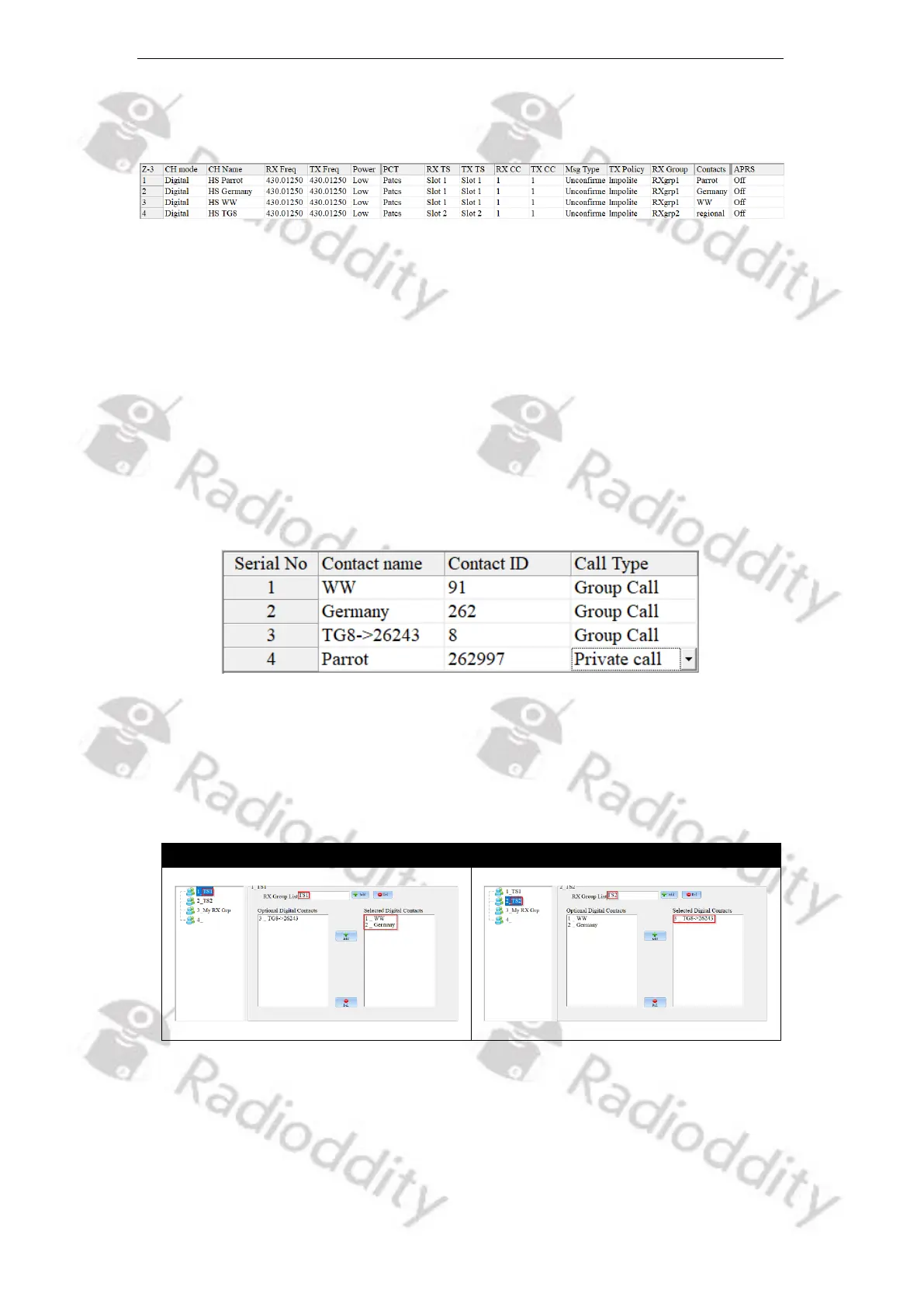
The following shows an example of those main parameters (not all possible
parameters are shown).
Write your settings to the radio. Do not forget to switch to Zone ‘Duplex HS’ and
select channel ‘HS WW’ at your Radioddity DB25-D, DB40-D or GD-88. Now you
are ready for your very first digital DMR QSO via your duplex hotspot.
16.7 Digital DMR operation with digital repeater
In order to setup the radio for duplex digital DMR operation, follow these steps:
1. Within the ‘Contacts’ menu, define a ‘Contact Name’ with the corresponding
‘Contact ID’ (DMR ID) of the other station or the TalkGroup you plan to call.
Set the ‘Call Type’ to the required Call Type. Normally other stations require a
Private Call, whereas TalkGroups require a Call Type of Group Call. e.g.
2. Next Create at an RX Group that does contain the previously created
TalkGroup(s). We advise to create two RX-groups, one acting as a container
for all TalkGroups that do require TimeSlot 1 (name that one ‘TS 1’) and the
second RX-group for those TalkGroups requiring TimeSlot 2 (name that ‘TS 2’
accordingly). e.g.
3. Add a new zone via ‘Zone[Channel]’ → ‘+Add’ and give it a ‘Zone Name’ (e.g.
name it according to the local repeater’s call sign you plan to use, e.g.,
‘DB0OHL’. The new zone will be created and will already contain a channel of
either ‘CH mode’ being ‘analog’ or ‘digital’.
4. Setup the channel for ‘CH mode’ being ‘Digital’.



 To Next Page