Radioddity Extended manual for Radioddity DB25-D, DB40-D & GD-88 v3.0
© Radioddity 2023 page 126 of 252
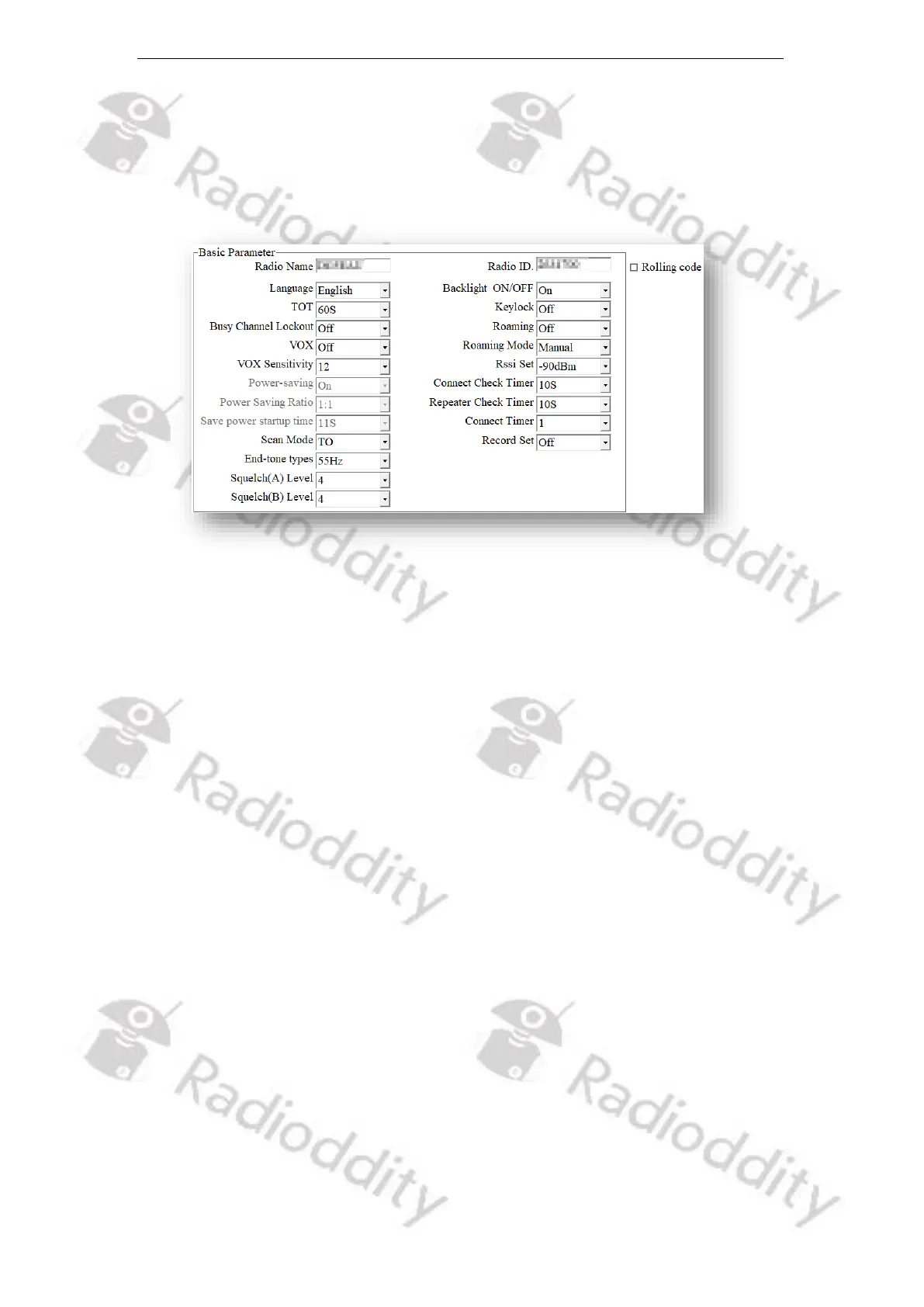
12.2 Basic Parameters
Before starting your first QSO with your new Radioddity DB25-D, DB40-D or GD-
88, do not forget to setup your Radio ID (DMR ID) and your Radio Name (Call Sign).
You find those parameters at the very top of the ‘Basic Parameters’.
12.2.1 Radio Name
This field represents the name of your radio. And the name can be found on the
menu settings of your radio. It can be composed by numbers, symbols, letters,
Chinese characters, space, and special characters etc., with a maximum of 16
characters. HAM operators would use their call sign or their Talker Alias. The
content of this field will be used for transmitting Talker Alias data.
12.2.2 Language
Users can select a preset language from the device setting as menu display
language for the Radioddity DB25-D, DB40-D or GD-88.
Options: English
Chinese
Default: English
12.2.3 TOT
TOT as abbreviation for Time-Out-Timer defines the longest time allowed for each
transmission.
Options: Maximum: 500s
Minimum: 20s
Increment: 10s
Default: 300s



 To Next Page