Radioddity Extended manual for Radioddity DB25-D, DB40-D & GD-88 v3.0
© Radioddity 2023 page 77 of 252
(2) Choose the desired HAM group contact by rotating the [ENC] knob, then
the selected contact ID number will be displayed at the top left of the
screen.
(3) Long press and hold the [MENU]-key for 3 seconds, a dialogue window
pops up on the interface.
• Input the first few digits of the private contact ID to search using the
numeric keypad of the Speaker-Microphone → press the [OK]-key to
confirm → the display shows the search results → rotate the [ENC] knob
or use the [▲/▼]-keys to choose the desired ID.
4. Press the [PTT]-key to initiate a group call.
5. Press the [Back]-key to return to the previous level.
10.2 Message
The Radioddity DB25-D, DB40-D and GD-88 can receive and send text messages
(SMS) from and to other radios. Those are text messages within the DMR network.
Sending/receiving of text messages to/from normal mobile phone networks is not
supported.
Various options can be used to send SMS messages.
Notes: Hold and long press the ‘#’ key for 3 seconds to change the Input modes in
writing and editing messages and other processes. The input modes are AB
(uppercase), ab (lowercase), 12 (numerical digits) and PY (Chinese).
In the process of searching contacts or inputting ID numbers to send SMS, a
call is initiated whenever the [PTT]-key is pressed.
10.2.1 Network support for short messages
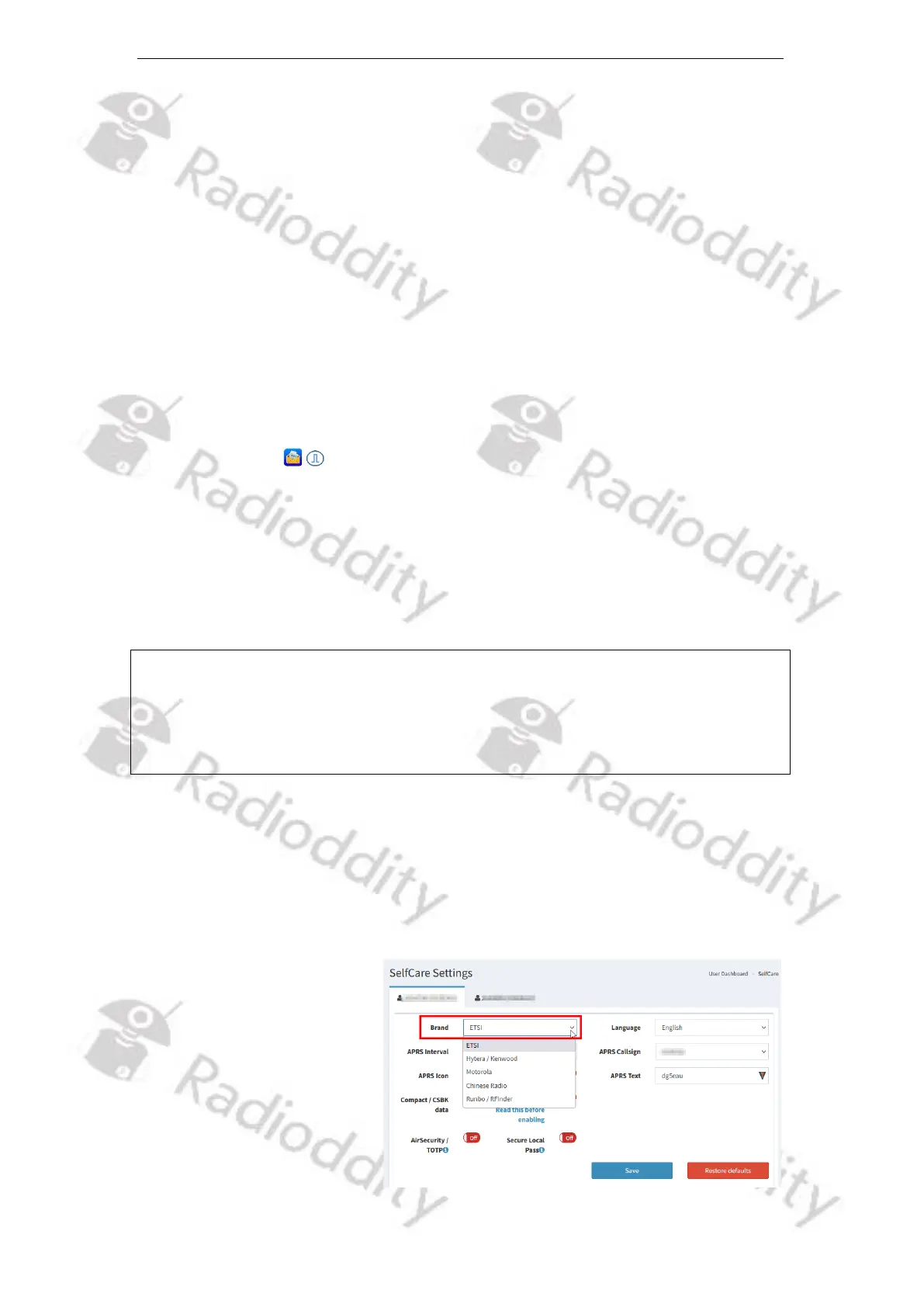
Not all DMR-based networks do support sending such short text messages. Some
networks may require additional settings for your account. As an example, the
currently largest DMR network, Brandmeister network, requires the brand of
radio associated with the DMR ID to be assigned.
For your Radioddity DB25-D,
DB40-D or GD-88 set it to
‘ETSI’.
However, the DMR network
does not guarantee a SMS
will be successfully delivered.



 To Next Page