Radioddity Extended manual for Radioddity DB25-D, DB40-D & GD-88 v3.0
© Radioddity 2023 page 186 of 252
13.26.4 Crossband/Crossmode digital/analog to analog
Input channel: Set one channel for Ch Mode ‘A&D, TX-A’ and set it for Relay
mode ‘Only RX’ or ‘Rx and TX’. The frequency specified for RX
will be used for either cross repeating a digital or an analog
signal received. Only those digital signals will be repeated that
match the settings for RX TS and RX CC.
Output channel: Set another channel for Ch Mode ‘Analog’
Operation: Select one of those two channels for VFO A and select the
other channel as VFO B. The analog or digital signal as
received on the selected input channel will be repeated on the
selected output channel.
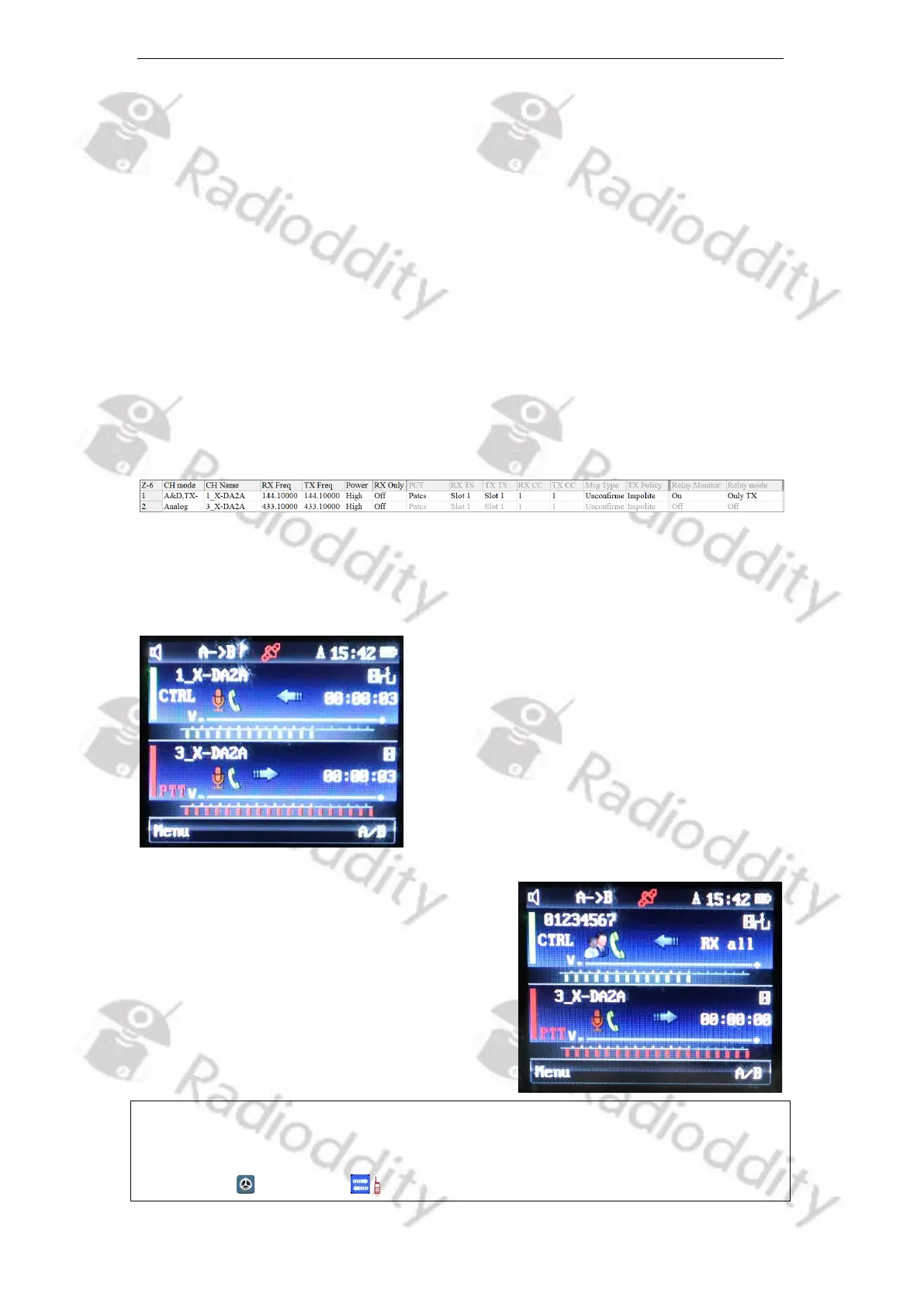
Sample settings (only relevant parts shown):
The Radioddity DB40-D/GD-88 will receive analog/digital on VFO-A (144.100 MHz)
and analog transmit the received signal on VFO-B (433.100 MHz) acting as an
analog/digital to analog crossband-repeater.
Whenever an analog signal is been received,
only the channel name will be shown on the
left of the receiving VFO.
Whenever a digital signal is been received, the
DMR ID of the received station will be shown
on the left of the receiving VFO. Depending on
the use of DMR ID Data and/or Talker Alias,
additional details may be shown.
Notes: If ‘Relay Monitor’ is turned on for the input channel, only those signals will be
monitored that do match the RX-group settings.
Do not forget to activate Repeater-Mode as described in chapter 10.6 Local
Set - ABRepeat on page 92. The upper display line should state ‘A->B’.



 To Next Page