Radioddity Extended manual for Radioddity DB25-D, DB40-D & GD-88 v3.0
© Radioddity 2023 page 39 of 252
The radio has two jacks (K1 style) for speaker and microphone. Please refer to the
instructions to determine how to use an external speaker or headset and
microphone accessory. On the Radioddity DB25-D those are on the left side and
covered by a small door that´s fastened to the radio with a screw. On the
Radioddity GD-88 those ports are on the right side and covered by a rubber cover.
Notes: More details on this K1 style connector are to be found in Chapter 17.5 K1
connector on page 224.
5.4.2 Radioddity DB25-D Speaker-Microphone
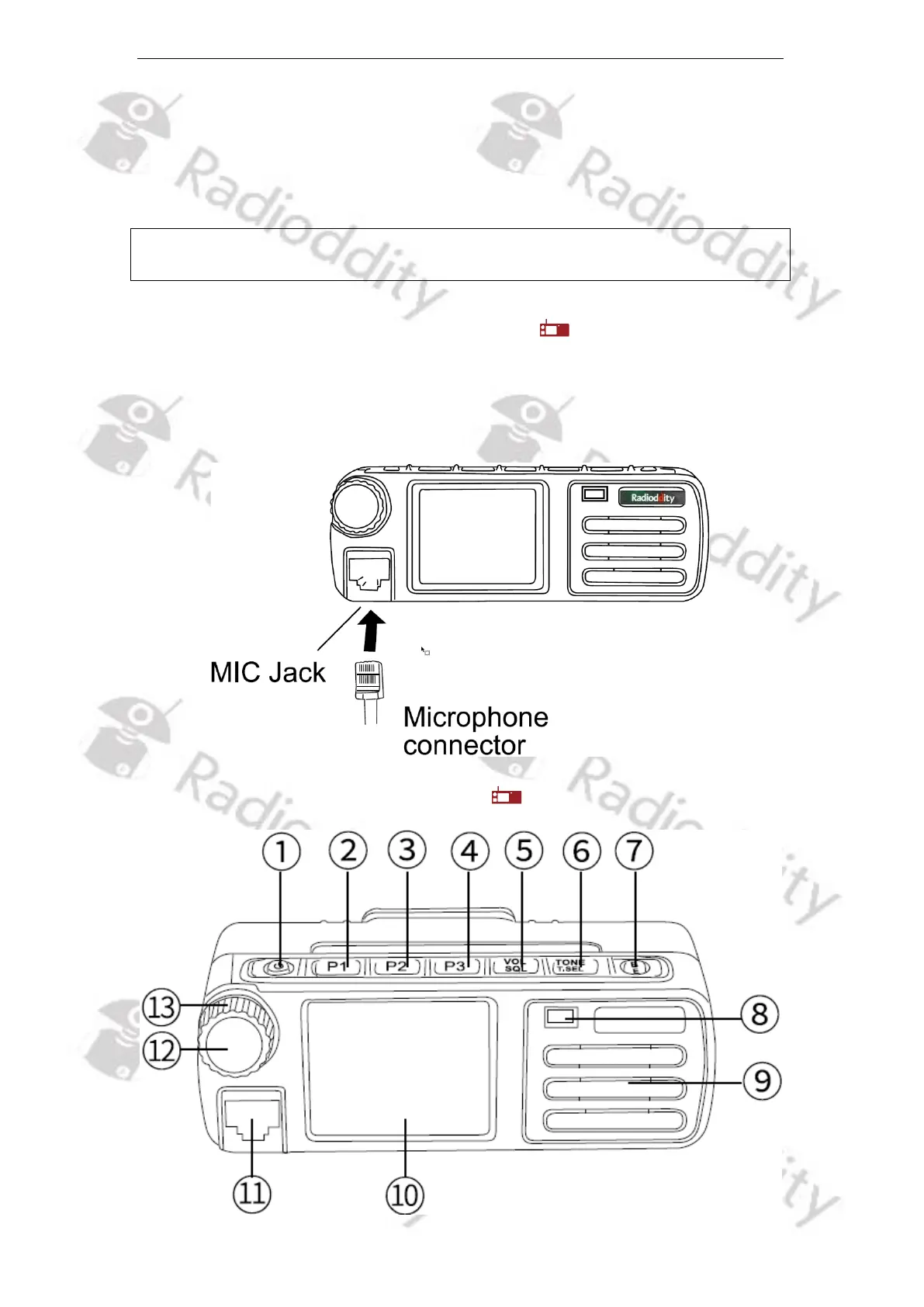
Please insert the provided Speaker-Microphone (with built-in speaker) to the RJ45
jack on left side of the radio to make voice communication. Press the connector
until you hear a click sound from the locating plate in place.
5.5 Radioddity DB25-D radio controls



 To Next Page