EasyManua.ls Logo

Radioddity DB25-D - Transmit; Receiving Icons; LED Indicators

Radioddity DB25-D
252 pages
Print Icon
To Next Page IconTo Next Page
To Previous Page IconTo Previous Page
Loading...
Radioddity Extended manual for Radioddity DB25-D, DB40-D & GD-88 v3.0
© Radioddity 2023 page 53 of 252
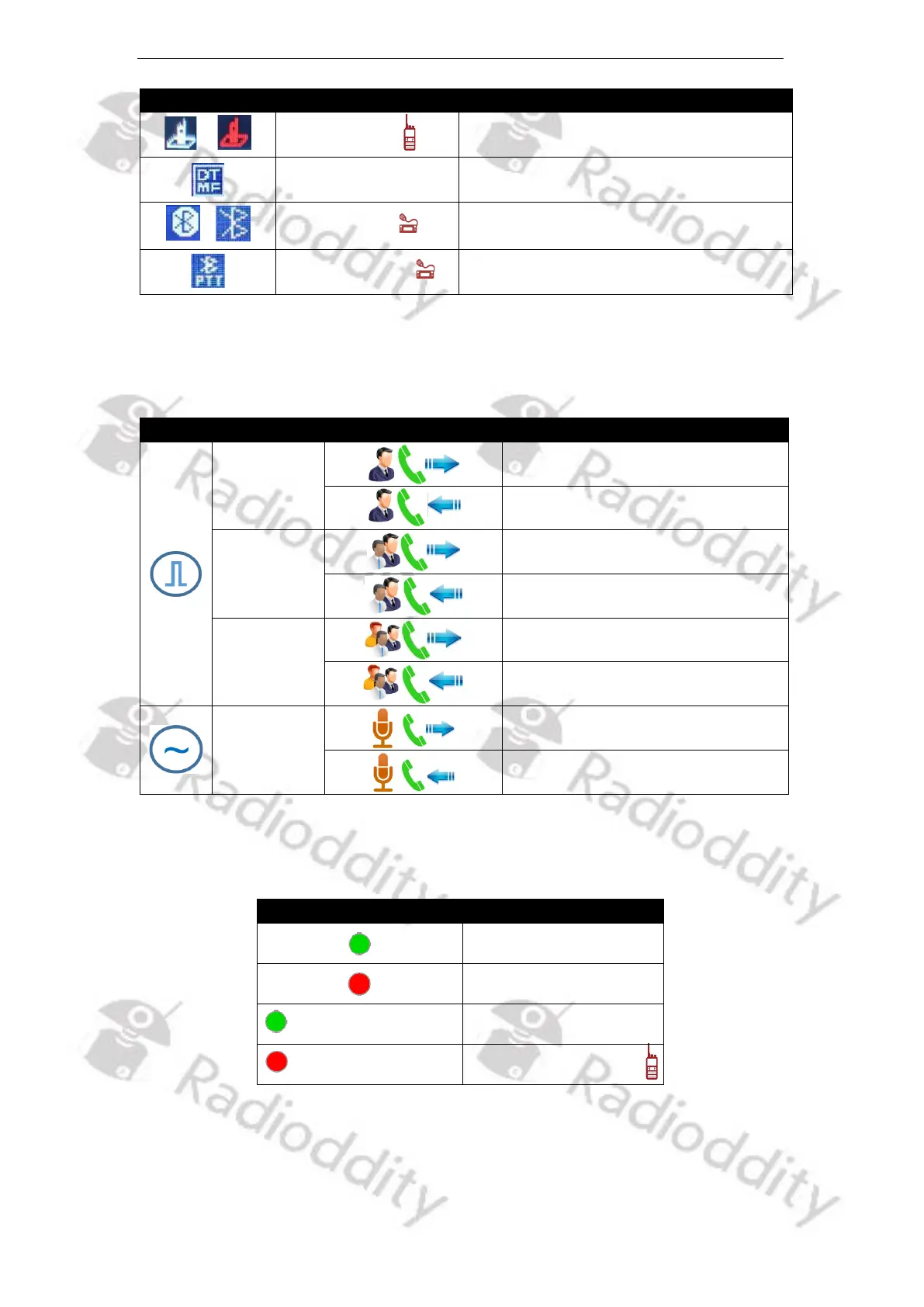
Icon
Icon description
Functional description
/
Mandown
Mandown detection activated
DTMF
DTMF mode is active
/
Bluetooth
Bluetooth available. If icon is solid, a BT
Earpiece has been connected
Bluetooth PTT
Bluetooth PTT paired
5.11.1 Transmit / Receiving Icons
The following icon appears on the radio screen to indicate the radio status.
Mode
Type
Icon
Radio status
Private call
Sending a Private Call
Receiving a Private Call
Group Call
Sending a Group Call
Receiving a Group Call
All Call
*
Sending an All Call
*
Receiving an All Call
*
Sending an analog transmission
Receiving an analog transmission
*) Not used by ham operators
5.11.2 LED Indicators
LED indicator
Radio status
Receiving
Transmitting
Fast Flashing green
Scanning
Fast Flashing red
Low battery alert

Table of Contents

Related product manuals